Understanding The Different User Roles in Atarim
Learn what each role can see and do in Atarim to manage your team with confidence.
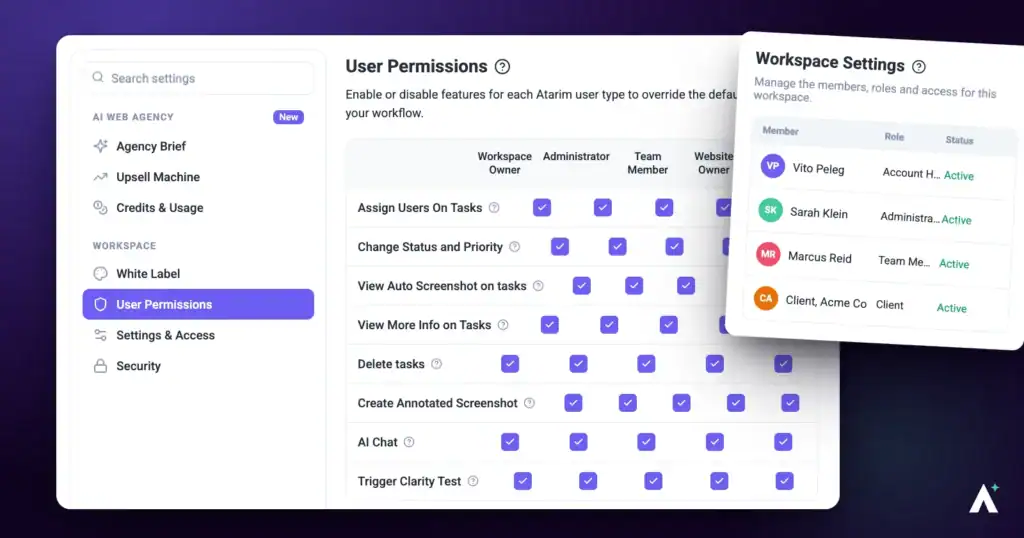
User roles in Atarim determine what each person can access and what actions they can perform. Whether you're managing a team, working on a project, or just reviewing visual feedback, assigning the correct role ensures everyone has the right level of access without compromising control.
This guide has moved
Atarim’s user roles and permissions are now documented in one place. For the current, complete guide — the five roles, how permissions work, and how to change someone’s role — see Understanding User Roles and Permissions in Atarim.
Conclusion
Atarim provides flexible role-based access to help you collaborate securely and efficiently. Whether managing your internal team or bringing in a client for feedback, choosing the right user role ensures each person has the tools and access they need—nothing more, nothing less.
Tips & best practices
- Assign contributors to internal team members who need access to projects and workflows without admin privileges.
- Use collaborator roles for clients and external reviewers to provide a clean, simplified experience limited to visual feedback.
- Limit admin roles to 1–2 trusted team members to reduce the risk of accidental changes to billing, settings, or permissions.
- Review user roles on a regular basis (e.g., quarterly) to ensure access remains accurate as teams change or projects evolve.
- Use folders strategically to simplify project access management. Assign contributors to folders to automatically give them access to all projects within.