


The 17 Best Management Books Every Leader Should Read

Naval Ravikant, the CEO and founder of AngelList and a famed investor, once said, “Books make for great friends because the best thinkers of the last few thousand years tell you their nuggets of wisdom.”

As a manager, reading can help you in many ways. The world of management continues to change as more technologies are introduced and work cultures continue to change. 

Managers need to adapt on the fly in order to ensure that they remain relevant. Many of the older management theories, for instance, are no longer applicable as the world makes the transition to remote work.

But, in this post, we’ll be covering timeless management books every leader should read at some point in their journey of running a business…

1. Influence: The Psychology of Persuasion by Robert Cialdini
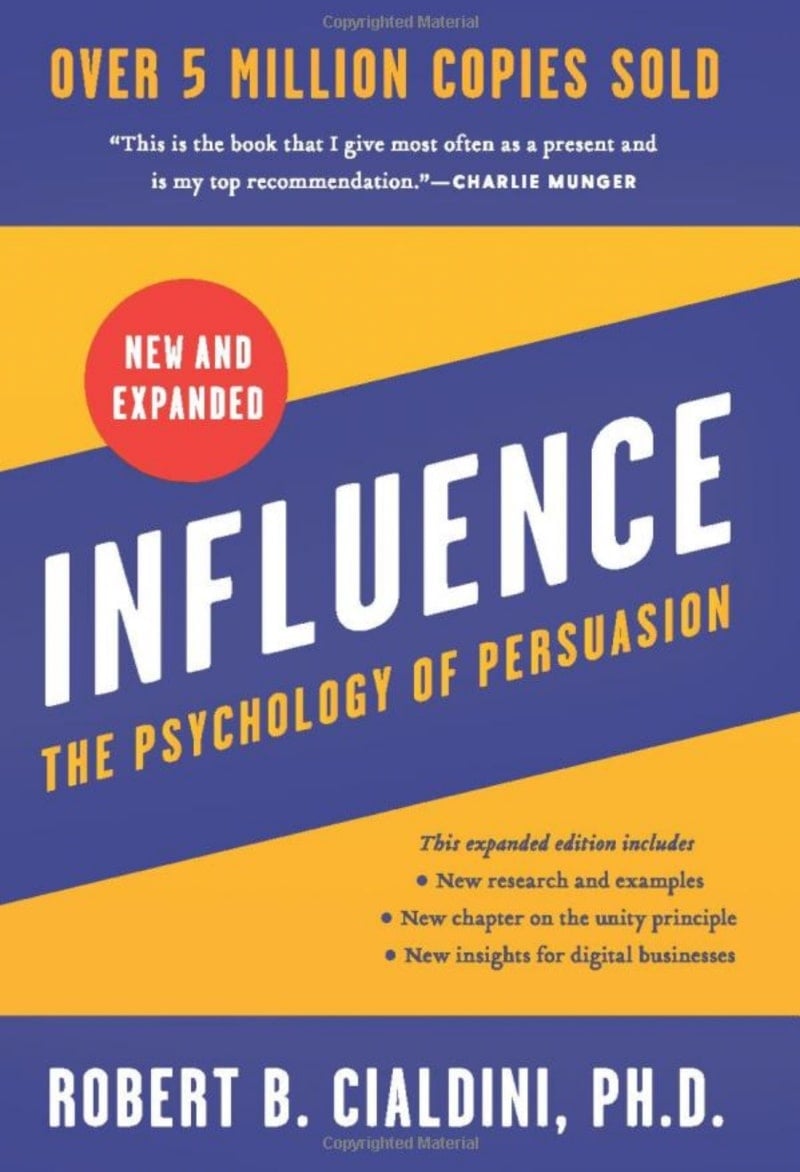
influence by robert b cialdini book cover

Cialdini’s seminal work is an excellent read for managers, especially those who prefer a more laissez-faire form of management and want to empower teams under them. 

Persuasion, for instance, is an essential skill for managers. Instead of having to order your employees all the time, what if you could persuade them to do well? 

In this book, Cialdini talks about the core concepts behind the art of persuasion and talks about how managers can improve business communication. Instead of offering personal opinions, Cialdini refers to psychological studies about how you can persuade people and features many fascinating interviews and personal anecdotes.

2. The One Minute Manager by Kenneth Blanchard and Spencer Johnson

the one minute manager by kenneth blanchard and spencer johnson book cover

Good managers are often good leaders. They employ various management techniques and styles to ensure that they keep their employees motivated and complete the project on time. 

Some managers take a more autocratic approach, while others prefer a more democratic management style. In The One Minute Manager, Blanchard and Johnson tell a tale of a young individual looking for a good leader.

By creating a story of sorts, the authors talk about the different types of management styles and eventually provide their own: the eponymous one-minute method. 

This is a unique method for setting clear expectations and goals, something with which many managers struggle. This insightful read is ideal for managers who want to improve their leadership skills and how they set milestones and define objectives.

3. The 21 Irrefutable Laws of Leadership by John Maxwell

the 21 irrefutable laws of leadership by john c maxwell book cover

John Maxwell’s 21 Irrefutable Laws of Leadership is one of the most widely quoted books on leadership. A revised edition was also published, introducing two new laws. Think of this book as the ultimate guide to becoming a good manager. 

Not only does Maxwell give excellent leadership advice, but the book also includes lots of personal stories. More importantly, the book also gives you different tools that you can use to improve your understanding of your own weaknesses and strengths. 

On top of that, the book offers a series of practical exercises that you can do to improve your leadership style and become a better manager in the workplace.

4. Thinking, Fast and Slow by Daniel Kahneman

thinking fast and slow by daniel kahneman book cover

Thinking Fast and Slow was released in 2011 and is a fantastic book for managers that want to understand how people generally think. The book’s primary focus is about two different styles of thinking, delving into the dichotomy between them. 

The first system is fast, emotional, and purely based on instinct, whereas the second one is more logical, requires more deliberation, and is slower. It talks about how to frame choices and takes a deep dive into more than a decade’s worth of research about how human judgment has evolved. 

This is one of the best reads for managers that want to understand how their subordinates may approach different situations. Once you have a better understanding, you can obviously work to structure milestones and situations in a way that benefits your teams. 

5. Radical Inclusion by Ori Brafman

radical inclusion by martin dempsey book cover

Inclusivity and diversity in the workplace are both crucial concepts. As a manager, if you don’t have a diverse team under you, you could be missing out on a lot. 

Radical Inclusion talks about the change in society after 9/11, and how exclusion eventually led to a serious breakdown of trust, loss of power, and, ultimately, loss of control. In today’s dynamic environment, it is essential for companies to be as inclusive as possible. 

The book states that if you want to maintain control within the organization, you need to give more control to your subordinates. Fostering trust is critical this book will tell you just how to do that. 

6. Leadership: The Power of Emotional Intelligence by Daniel Goleman

leadership the power of emotional intelligence by daniel goleman book cover

Daniel Goleman’s book completely changed how people approached workplace management. In this book, Goleman argued that non-cognitive skills were just as important as IQ, which, at the time, was an unprecedented concept. 

By providing insights into how emotion plays a vital role in the workplace, and by talking about the different ways by which people can inspire each other, Goleman talks about the importance of valuing emotional intelligence. 

Nowadays, this is all the more critical. Workplaces are becoming more and more dynamic and making sure that you have emotionally intelligent people who play to each other’s strengths could be just what you need to succeed as a team.

7. How to Win Friends and Influence People by Dale Carnegie

how to win friends and influence people book cover

Dale Carnegie was one of the pioneers of self-improvement, and his works are still widely circulated today. This has to be one of the most popular books on leadership ever written, simply because of its timeless concepts. 

Carnegie focuses on what makes a good manager, talking about how you can make people feel included and important, and how you can appreciate their work. It’s a simple, actionable book that gives you a bunch of tips that’ll make you not just a better manager, but also a better negotiator and, above all, a better leader. 

8. It’s Your Ship: Management Techniques From The Best Damn Ship in the Navy by Captain Michael Abrashoff

it's your ship by michael abrashuff book cover

Captain Abrashoff was in command of the U.S.S. Benfold, one of the first ships to include anti-aircraft systems and missiles. The ship was fitted with the latest technology of its time, which significantly increased the responsibility on the manager’s shoulder. 

When Abrashoff took charge, he realized that many of the crew members were unmotivated, and since lethargy is so contagious, it didn’t take long before the performance was dipping. 

Understanding the need to change his approach towards leadership, Abrashoff made quite a few alterations, which resulted in his crew members regaining their confidence, becoming more proactive, and above all, motivated. 

In this book, Abrashoff talks about the strategies that he used. Almost every manager has dealt with unmotivated teams. This book gives you everything you need to energize your crew. 

9. Multipliers: How the Best Leaders Make Everyone Smarter by Liz Wiseman

multipliers by liz wiseman book cover

Liz Wiseman is a leadership expert, focusing on different styles of leadership and identifying situations where they might be suitable. In this short book, Wiseman details two different leadership styles and talks about Multipliers and the effect that they can have on organizational performance.

What’s a Multiplier, you ask? Essentially, it’s anyone who gets more done while consuming fewer resources. On the opposite end are Diminishers, who Wiseman believes drain creativity from teams and make them more robotic. 

This book is a fascinating read that can help managers better understand the strengths of their teams, identify Multipliers, and cultivate them to improve performance across the board. 

10. Drive: The Surprising Truth About What Motivates Us by Daniel Pink
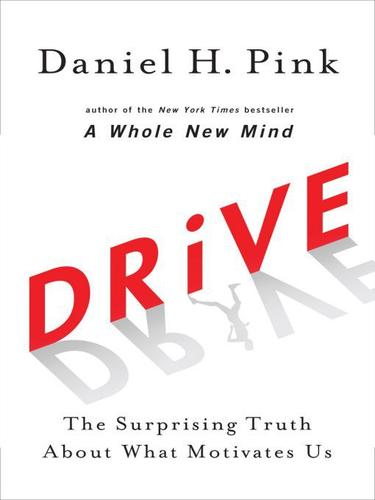
drive by daniel h pink book cover

Daniel Pink’s fantastic book is an excellent read for people who want to know exactly what it is that motivates others. It veers away entirely from the conventional carrot-and-stick management style, instead delving into the science about what makes people do what they do. 

In the book, Pink states that people are motivated by three things: mastery, purpose, and autonomy. Understanding how to provide these three things to your employees could be just what you need to build a motivated team of professionals, and this book will teach you just how to do that. 

11. The Culture Code by Daniel Coyle

the culture code by daniel coyle book cover

Coyle’s The Culture Code is an excellent book that talks about organizational culture, its importance, and the influences that can affect it. Daniel Coyle talks about the different types of workplace cultures and the strengths and weaknesses of each. 

More importantly, the book provides actionable tips on how managers can build diverse workplace cultures. It includes information about popular businesses like Zappos, the San Antonio Spurs, and even entities like the Navy Seals, and how they each develop such robust workplace cultures. 

This book will teach you everything you need to know to build excellent workplace culture, using the teachings of some of the world’s most successful organizations.

12. The Practice of Management by Peter Drucker

the practice of management by peter f drucker book cover

First published in 2006, The Practice of Management by Peter Drucker is an excellent read for those who want to understand management in more detail. 

The book distinguishes between management, and what it takes to become a manager, after which it then delves into different management theories and practices. By discussing fundamental management concepts and linking them with the change in modern workplaces, Peter Drucker’s book will teach you how to be a better, more empathetic manager. 

13. Good to Great: Why Some Companies Make the Leap and Others Don’t by Jim Collins

good to great by jim collins book cover

Jim Collins’ fantastic book is one of the best reads for professionals who want to learn about what separates good companies from great companies. This is a prequel to Built to Last, which Collins wrote with Jerry Porras. 

In his management research, Collins went through over 6,000 articles and conducted thousands of interviews. Collins and his team meticulously followed some of the most impactful managers in companies like Walgreens and Kimberly-Clark. 

Collins also introduces what’s known as the Hedgehog Concept, which is a unique product or service that allows companies to outdo the competition. It’s an excellent read for executives and managers in fast-growing companies. 

14. First, Break All The Rules by Gallup

first break all the rules by marcus buckingham and curt coffman book cover

Gallup’s behemoth study of more than 80,000 managers takes a deep dive into some of the most innovative and unique approaches that the world’s most successful managers use. 

It’s an insightful study into how managers from different backgrounds use various styles, and how they all share some common attributes that set them apart, despite all of their differences. 

Gallup’s research is highly detailed and insightful and will help you become a better manager. It also includes some essential statements that set the most crucial departments of companies apart. 

15. The Making of a Manager by Julie Zhuo

the making of a manager by julie zhuo book cover

Julie Zhuo’s book is the perfect read for people just starting in a management position. She lists her own experiences and talks about the challenges people face in the role. 

Think of it as an excellent field guide that you can use to not just identify great managers in your company, but discover what it takes to become one. It’s a fantastic read that goes into comprehensive detail about the demands of the role. 

Managers can learn quite a few interesting techniques about operating in dynamic companies. Julie’s managed hundreds of people in her professional career, so she shares some really insightful advice from her career too.

16. The Five Dysfunctions of a Team: A Leadership Fable by Patrick Lencioni

the five dysfunctions of a team by patrick lencioni book cover

Lencioni is famous for weaving fantastic stories into self-help books, and this one’s no different. The book follows the story of Kathryn Petersen, the CEO of a tech company, and how she faces different leadership challenges. 

As the story unfolds, Lencioni talks about the different dysfunctions of a team and the impact that they can have on even the best groups. It’s a riveting fable, with Lencioni using his storytelling abilities to full effect. 

Not only does it make for a great story, but the lessons in this book are timeless and highly appropriate for modern-day managers.

17. Turn the Ship Around! A True Story of Turning Followers into Leaders by L. David Marquet

turn the ship around by david marquet book cover

Captain David Marquet, the commander of the USS Santa Fe, provides a masterclass on leadership in this book. Instead of focusing on fundamental principles and repeating those, again and again, Marquet weaves a tale about how he took charge of a crew of low performers and turned them into an efficient team. 

In this book, he breaks down his philosophy by talking about three essential parts: clarity, control, and competence. He provides a unique way of looking at problems and talks about how culture plays a vital role in employee performance. 

It’s an excellent book by a man who managed one of the most demanding groups in the world in high-pressure situations. 

Books Are Timeless Teachers, Especially for Managers

These are some of the best management books that you can read to improve your skills as a manager in 2022. However, it’s essential to understand that management is not an exact science. 

What works for someone else might not work for you, which is why it’s important to continue to adapt your management style and find exactly what clicks for your team. 
How To Hire Freelancers & Manage Them At Scale

Growing any type of online business usually involves figuring out whether should you hire freelancers or full-time/part-time workers. In this post, we’re going to talk about how to hire freelancers, how to manage freelancers at scale, and what are the pros and cons of having them on board.

The Advantage Of Using Freelancers To Help Scale Your Business

Freelancers are a great way to scale your business. They can help you expand your operations without having to bring on full-time employees or make big investments in infrastructure. But before you decide to use freelancers, it’s important to understand the pros and cons of this approach. Here are some of the biggest advantages:

Less Risk

When you hire a freelancer, there is less risk of them quitting on you. They have skin in the game, and they’re working for you directly. They are also more likely to be loyal to your company because they want to be able to keep getting work from you.

More Flexibility

Freelancers offer you the ability to scale your business by hiring temporary staff to help with specific projects. You can hire freelancers for short-term or long-term projects, for specific tasks or for full-time work, and for a specific type of work or all types of work.

This flexibility makes it easier for you to adapt quickly as market conditions change or new opportunities arise. For example, if one of your employees gets sick, you can quickly hire someone else through Upwork rather than waiting weeks until they return from their leave.

Better Quality Work

People who work for themselves are more likely to give a quality product. This is because freelancers are typically experts in their field, and therefore it is their passion to produce the highest quality work.

If you hire someone from a large company or agency, they have less motivation to take pride in their work and will be less likely to provide you with a stellar product.

Also, freelancers are usually more creative than employees; this means that they can come up with unique ideas that may not have otherwise been considered by an employee of your business.

Increased Efficiency

When you hire freelance talent, you can focus on your core business. You can focus on your core strengths, and keep your attention firmly fixed on the customers and products that make up the heart of your business. This is especially important as a company begins to scale. As new business models arise to accommodate growth, it may be tempting for leaders to spread themselves too thin by trying to work in multiple fields at once.

A freelancer’s expertise allows them to help keep this from happening by focusing exclusively on one particular aspect of your larger project – a small but crucial piece that builds up into an integral part of the whole picture when combined with their peers’ contributions.

While their expertise might lie outside the realm of what would normally be considered “core” for a single employee (or even multiple employees), they’re still able to contribute meaningfully toward achieving common goals because they are clear about what those goals are – and how best they can achieve them

Freedom To Be Creative

You can work with a variety of people who have different skills, different perspectives and experiences, and different ideas.

The advantages of using freelancers outweigh the disadvantages.

  • You may be able to get more done in less time when you have access to a network of specialists who can help with specific tasks and projects.
  • You have more flexibility since you can hire someone on short notice or as needed. This means that your business won’t be held back by hiring employees who are not available when you need them most (for example, during busy seasons).
  • It’s much easier to set up a freelance relationship than it is to set up an employee job offer because there are fewer forms involved and no worry about taxes or benefits packages

The Best Way To Hire Freelancers For Your Business

Hiring a freelancer can be a great way to get work done faster, more efficiently, and at a lower cost than hiring an employee. But if you’re not careful, you could end up with a low-quality worker who doesn’t deliver on time or even at all. Here are five steps for hiring the best freelance talent for your business:

1. Learn About The Work That’s Needed

The first step is to learn about the work that’s needed. You want to make sure you’re clear on what your freelancer will be doing for your business, so you can evaluate whether their skills and experience are appropriate for this particular project.

Ask them to describe the work they’ll be doing, and ask them to give examples of projects they’ve taken on in similar situations. Then have them tell you what tools and software they would need in order to do the job properly – if it’s something like web design or writing an eBook, there should be an entire ecosystem of relevant software available on the market today including things like Adobe Creative Cloud or Microsoft Office 365 (for example).

Then ask them about their process management approach – how are they going to manage this project? Do they have a system in place? If not, ask if they use Trello or Basecamp (or whatever tool) as part of their workflow when working with clients.

2. Verify The Freelance Workers’ Skills

After you’ve found a potential freelancer and decided that they’re worth your time, it’s important to make sure that they have the skills necessary to complete the work you need. No matter how skilled or talented someone is, if they can’t do what you need to be done, then they won’t be able to help you.

To verify their skills:

  • Ask for a portfolio of past work they’ve done
  • Ask for references from previous clients
  • Ask them to verbally describe their process and style of working with clients; then look at samples of their work (if possible). You can also ask them to write out a description of their process and style in detail so that you have something concrete on paper.

3. Interview Them To Evaluate Their Personalities

The next step in hiring a freelancer is to interview them and determine if they’re right for your business. You’ll want to ask questions that get at the core of their abilities and personal motivations, like:

  • What are some examples of past projects?
  • Describe your experience working with clients/who you have worked with in the past.
  • Tell me about yourself, what is your background/skillset?
  • What are some of your goals as a freelancer? How does this position fit into those goals?
  • How do you approach projects and work with others?

4. Have The Candidate Perform A Test Project

Test projects are a great way to get a sense of how a freelancer will work with you and your team. After all, if you’re going to pay someone to work on your business’s behalf, it’s important that they’re able to complete the job in question quickly and effectively.

You can give them as much time as they need, but try not to overthink it – the test project should be no more than an hour or two in length so that there’s time at the end of the day for both parties to reflect upon whether or not this collaboration would be beneficial for everyone involved.

This can sometimes require some adjustments on either party’s part (e.g., changing deadlines), so keep this in mind when setting up your initial meeting with candidates for testing purposes!

5. Check References

After you’ve found a freelancer who seems like they would be a good fit for your project, ask them to provide you with references. It’s important to get references from previous clients and employers, as well as any schools or volunteer organizations where the freelancer has been involved.

These will give you an idea of the quality of work that the freelancer does, their level of responsibility and professionalism, and whether or not they will be able to complete whatever project you have in mind for them.

Freelancers are great for companies who need specific jobs done on an as-needed basis. For example, a company may want to outsource design work or copywriting projects that they don’t have their own staff in-house. Instead of hiring an employee and paying them benefits, it’s often more cost-effective to hire freelancers through websites like Upwork and Fiverr. Some people even use these platforms as a full-time job!

Which Parts Of Your Business Should You Not Hire Freelancers For?

Hiring freelancers to help run your business offers huge benefits. They can take on more tasks, freeing up your time to focus on growth and profitability. But not everything can be outsourced. Here are the areas you need to think about when deciding whether or not to outsource:

Customer Service And Client Relations

You should never outsource customer service to a freelancer unless it’s absolutely necessary. While some freelancers are able to handle client relations, they often lack the ability to respond quickly and build trust with customers, which is crucial for any business.

To succeed in this role, you need to be able to solve problems, understand customer needs, and build rapport with clients quickly and effectively. If you’re not ready for that kind of responsibility yet, it makes sense for you to pass on hiring someone else – especially if you don’t have enough experience yourself!

Complex, Ongoing Projects That Require Multiple People

When considering outsourcing, you need to ask yourself if the project is complex and requires multiple people. For example, if your business needs a new website built from scratch and you don’t have anyone on staff who can do this work well, then it would be beneficial to hire a freelancer instead of hiring someone full-time. The same goes for content creation or marketing campaigns requiring specific skills that aren’t available internally.

However, if your business is looking for help with simple tasks like data entry or simple graphic design projects (like creating logos), then these jobs are better suited for part-time employees than an external company whose employees could be working on other projects at any given time.

The Meat And Potatoes Of Your Business

When you’re building your business, the core of it is the most important part. This is because (1) you’ll be spending a lot of time there, and (2) if you don’t get the core right, there won’t be much left to work with.

So when someone says they want to hire a freelancer for their business’ meat and potatoes – those things that are absolutely essential – they can end up with an unhappy ending: no core, or just a bad one.

Tasks You Are Not Good At

There are some tasks that you shouldn’t hire freelancers for because you can’t do it better than a freelancer. You don’t have the time to do it, the expertise needed to complete it, or simply don’t want to do it at all.

If you’re struggling with a task and feel like your business needs help with it, by all means, get out there and find someone who can give advice or assist with something else in return for your services. It’s much easier on everyone when people are working together as opposed to against each other!

Be Wary When Outsourcing Core Business Processes

When outsourcing core business processes, you need to be careful. If you don’t have the expertise or knowledge in a certain area, it might not be worth hiring freelancers to complete that task for you. This can lead to more problems than just wasting money on an unqualified worker (like poor results or difficulty communicating).

Outsourcing tasks that are too complex is another mistake that businesses make when they are new to hiring freelancers. A simple task might take the freelancer twenty minutes and cost $20. While this may seem like a good deal at first glance if it takes three hours for them to complete a more complicated job with multiple steps and file formats then suddenly their hourly rate becomes much higher than expected – and this could put your company over budget!

In general, when it comes to outsourcing, there are many potential pitfalls. It can be a costly and time-consuming process that often takes more effort than you think it will. But if you’ve thought through all of the potential problems and know what you’re getting into beforehand, then working with freelancers can be a great way to grow your business without having to take on too much risk yourself.

How To Manage Freelancers In Your Business

Freelancers can be a great way to boost your business. Unfortunately, freelancers can also cause headaches if they aren’t managed properly. To avoid those headaches, here are some best practices for managing your freelancers so that everyone is happy with the arrangement:

Set Firm Expectations

You should communicate your expectations clearly and give examples of what you expect from the freelancer. This can be done through email or in person, but make sure you are clear about what you expect from them.

Make sure that the freelancer knows exactly what is expected from them as well!

Give Feedback In A Timely Manner

Feedback is one of the most critical aspects of managing freelancers. It helps you understand what’s working and what isn’t so you can continue to improve your business as well as ensure that every freelancer is working towards the same goal.

To ensure that feedback is given in a timely, constructive manner, try following these tips:

  • Give feedback in a private setting where it can be given openly without interruption. This can be done over email or in person, whichever works best for your business needs at the time.
  • Make sure to provide only constructive criticism when giving feedback to any freelancers – this means no backhanded compliments or condescending remarks! Instead of saying “Wow, this project was amazing” say something like “This project was amazing but there were some areas that could use refinement.”

Establish A Timeline And Stick To It

Establishing a timeline is one of the most important factors when working with freelancers. The timeline should include the following:

  • Defining the project, including its goals and objectives. This will help you stay focused on what needs to be done, instead of getting sidetracked by other tasks that seem more urgent at first glance.
  • Setting a deadline for completion by which time all work must be completed or delivered in order for you to use any material provided by your team member(s). If a deadline is missed, remind everyone involved that there are repercussions for missing deadlines (e.g., payment penalties).
  • Establishing a budget that covers all expenses related to completing this project – including fees paid out to freelancers/external contractors/etc., as well as any other costs associated with creating or executing this project (e.g., equipment rental fees). It’s important not only because it keeps everyone involved accountable but also because knowing how much money they have available allows them to make better decisions about what they really need versus what they think they might need based solely on personal preference/opinion alone.

Keep Communication Lines Open

Communication is the bedrock of any successful relationship, and this is especially true when managing freelancers. In order to ensure that your team members are able to do their jobs well and on time, they need to know where they stand as far as deadlines go. One way you can make sure of this is by using an easy-to-use messaging system that keeps everyone up-to-date with what’s happening in their projects at all times. This will lead to fewer misunderstandings between clients and freelancers, which can help improve efficiency while saving money on rework due to miscommunication.

If you use freelancers in your business, it’s important to have a system for managing them. They’re not employees, so there are no official contracts. You can’t measure their productivity with the same metrics you’d use with employees. However, that doesn’t mean that good management doesn’t apply at all!

  • Set clear expectations: A contract is not necessary but it’s still important to set clear expectations and make sure that both parties are on the same page about what they want from each other. This means making sure there are no misunderstandings about deliverables and timelines – if you get what was promised by a deadline then great! If not then perhaps re-negotiate those details before starting another project together (with the benefit of hindsight).
  • Give feedback regularly: Like in any workplace relationship, communication is key when working with freelancers so make sure everyone knows how they’re doing and if something needs improvement or fixing right away without waiting until after everything else has been done (which could lead to stress later down the line).

Conclusion

This advice should help you to understand not only what the benefits are of hiring freelancers to help scale your business, but also which areas are most suited to this, and which areas are best left to contracted employees, as well as providing some of the best ways to manage those freelancers at scale.

How To Write a Request For Proposal With Template & Sample

RFPs are an important part of the process when you’re hiring an agency for a project. You may have never worked on one before, or you may be familiar with how to draft one, but this article will help. In this article, we’re going to pull apart the best structure for an RFP and examine each section and what it needs to achieve, and how you can do that.

When you write a Request for Proposal, you’re upfront about your needs. You’ll get a clear idea of what the client will deliver, and they’ll get an idea of whether or not they can meet your requirements. A strong RFP makes it more likely that everyone will be happy with the results.

Use A Template As A Starting Point

The RFP template we’re going to go through in this article is a good starting point because it’s a great way to organize your thoughts and get the conversation going with potential vendors. It can also serve as a way to get started if you’re not sure where or how to begin.

Every business needs to pitch its services and products to other businesses. Whether it’s your own startup or an established company, it’s likely that you’ll need to write an RFP (Request for Proposal) at some point in the future. This template can help you structure your pitch and make it more effective for both parties.

Set A Budget

Before you even start drafting your RFP, make sure to set a budget for the project.

  • The budget should be enough to pay for the services you need. If you’re looking for a copywriter, for example, it won’t do any good if your budget only allows for someone who can write headlines only, or does SEO content.
  • The budget should also be enough to pay for the time needed in order to complete all of your objectives and goals within the time frame that works best for everyone involved (including yourself). The agency needs to know what they can expect so they can plan ahead and work with their staff accordingly – and as usual, it’s best if both parties are on the same page when it comes down to deadlines and deliverables.

Define Your Goals

Next, you need to define your goals. Asking yourself this question is the first step in writing an RFP: what are your goals for the project? Defining these parameters will help you understand how you want the project to turn out and if your agency has the skills and experience necessary to get there. Here are some examples of common objectives that companies may be looking for when they hire an agency:

  • Increase website traffic
  • Improve brand awareness among target audiences
  • Acquire more leads through marketing channels, like social media or email campaigns

Set A Timeline

There’s no way around it: setting a timeline is important. The longer you wait to get your RFP out there, the more likely it is that agency opportunities will be missed. But don’t just set a deadline – set time limits as well!

For example, if your deadline is 10 days away and you want two agencies to respond in that time frame, then plan on contacting them five or six days before the due date so they can have ample time to respond and meet your requirements. And make sure you set a schedule for yourself – you don’t want to end up rushing at the last minute because things got behind schedule!

List The Must-Haves For The Agency

It’s important to make sure you are selecting an agency that can meet your needs. To ensure they have the right skills and experience, it’s a good idea to check their portfolio and references. If you want an agency with a proven track record, ask for proof of past work and how many years they’ve been in business.

To ensure that the agency is collaborative yet also independent enough to meet deadlines, ask about their culture and how often face-to-face meetings take place. Be sure that the agency has remote workers so you don’t have to worry about them being on-site all day long every single day! You should also consider working with multiple teams within an organization rather than just one person alone at home who handles everything by herself (or himself).

Finally, be on top of things when it comes time for delivery by setting clear expectations from both sides so there won’t be any misunderstandings down the line!

The Request For Proposal Template

The following is our template for the ideal RFP. Remember though that this is a starting point, and it’s also not going to work perfectly for every single business and situation. So work through this and ask yourself how each section best applies to your situation and needs, and adapt where you feel best. But the advice given here is based on years of experience with developing RFPs and working with businesses and agencies who are often involved in recruitment and collaboration, so ignore any section at your own peril!

Introduction

The introduction of your RFP is the first and most important part of the document. You need to get right to the point and make sure that whoever reads it understands what is expected from them. Here are some tips for writing an effective introduction:

  • Keep it short and to the point. The purpose of an RFP is to find a client who can meet your needs, so there’s no reason to be overly verbose in this section. A good rule of thumb is no more than two sentences, which can be followed by one paragraph explaining what kind of information you’re looking for (i.e., project requirements).
  • State clearly who you’re addressing this proposal towards (the audience). If you’ve done your research correctly, this should be easy – but if not then take note now because it’s important! If there aren’t any limitations on who can send in their proposal, then say so here; otherwise, specify age groups or education requirements etcetera.

Establish Your Project’s Goals

The first step in any proposal is to establish your project’s goals. Why are you doing this? What do you hope to accomplish with this project? Will it help solve a problem, or create something new and interesting?

Describe the problem you are trying to solve. Describe the final product of the project in terms of how it will be used by your target audience and what they will gain from using it.

Describe the results or outcomes that you expect from this project, including how much money it will save or make for the company, how many lives it will save or improve across an entire community, etc., with specific numbers whenever possible.

Explain Why You Need This Proposal

Explain why you need this proposal. The first thing to do is explain the reason behind your request. If there’s a problem or situation in your business, explain why and give details on what happened or how it’s affected your business. Also, explain how this proposal will help your company and its employees, as well as customers and the community.

The following is an example of a good explanation:

“We are having trouble keeping up with customer demand for our product because we don’t have enough employees on hand to meet their needs.”

Present A Strategy

The next step is to present a strategy. Before you begin, it’s important that your company understands what the problem is that you’re trying to solve, and what your company’s goals are for solving it. If possible, this should be done in meetings with all relevant parties so that everyone can come on board with the plan.

Your RFP will include:

  • What is the problem we’re trying to solve?
  • What is our strategy for solving it?
  • How does this solution benefit the client?
  • What are some risks associated with this solution?
  • Are there any other assumptions we need to make in order for this plan or product/service offering to succeed (i.e. if another solution would work better)?

Meeting schedule

To ensure that your meetings are productive and timely, include a schedule in the RFP. The schedule should outline the dates and times of all meetings, along with their locations. The schedule should be flexible so that it can change as needed (for example, if you have to reschedule the meeting because someone gets sick). Finally, the entire duration of your project should be outlined in one single document.

Describe The Results You Expect To See

A good RFP should also define success. How will you know whether the project has been successful? What are the goals of your company, and how do those goals align with this project?

Defining success for both your business and the agency is crucial to making sure that you’re both on the same page from day one. If you’re not sure how to get started, ask yourself these questions:

  • How do I define success for my company?
  • What business goals does our company have that can be reached through this project?
  • What does our company want out of this engagement, specifically (and generally)?

List All The Documents You Require In A Response

List all the documents you require in a response.

  • Provide a deadline for all documents to be returned, and if they are not returned by that deadline, the agency will be disqualified.
  • You may also want to include a list of documents you will not accept (such as when an agency submits an invoice with only nine digits of their company number).

Set A Firm Deadline For Proposals To Be Returned

You should establish a firm deadline for proposals to be returned. This helps keep the process moving and ensures that you move forward with your project on time, so it’s important to choose realistic dates and make sure they’re clear and easy to understand. The same deadline should be set for all agencies you plan to invite, as well as for each phase of the project (for example pre-qualification or selection).

Signature Block

You will want to include the names of key people in your organization who are responsible for signing off on the proposal and seeing it through to implementation. You may also want to list their direct phone numbers, email addresses, and any other contact information.

This section will also include any budget details: how much money you have available for the project, how much time you have allotted for it, etc.

Finally, this section should include a list of what’s included in this project scope – including who will be doing what work (you or someone else)

Additional Points To Consider

That’s the basic structure of a good Request for Proposal, but there are a few other factors to consider, and mistakes to avoid, which we’ll cover next.

Request Additional Information From Agencies

Once you have finished evaluating all of the proposals, you should have a list of the agencies that are serious about working with your company. You will want to request additional information from those agencies. This is usually done through a follow-up email or phone call. Here are some things you should ask for:

  • A copy of their existing marketing collateral (brochures, direct mail pieces, etc.).
  • An outline/skeleton of their proposal (if not already included in the proposal).
  • A list of references from past clients they have worked with who would be willing to talk about their experience working with this agency and its employees.

When requesting additional information from an agency, it’s important not to come across as overly critical or condescending – even though you are in the process of selecting which company will work best for your company! If they do not provide what you’re asking for within 24 hours, send another reminder email letting them know that “you look forward to hearing back from them.”

Create A Timeline

Creating a timeline will give you a better idea of how long the process will take and when you need to have certain information ready, like an initial consultation or a draft of the proposal. Include dates for these items in the timeline:

  • RFP submission deadline (1 week)
  • Initial consultation with client (2 weeks)
  • Proposal delivery date (4 weeks)
  • Final decision by the client (6 weeks)

Get The Tech Specs Correct

The most common mistake people make when writing RFPs is using generic language to describe the technology they need. It’s important that you be specific about what you want in terms of your software’s functionalities, features, and capabilities (and even down to data flow diagrams).

If it’s not clear what your company needs, how will a vendor know how to meet those needs? Also if there are certain features or capabilities that are non-negotiable for your business, make sure these are spelled out clearly so as not to get locked into an expensive contract with no way out.

Make It Easy To Understand

You want to make sure that your Request for a Proposal is easy to understand. Writing in plain language makes it easier for your potential clients to read and interpret your RFP. Use bullet points, white space, and a well-designed template to help guide their responses.

If you’re not confident in your own writing skills but still want an effective document out of the gate, consider hiring an outside company that specializes in writing RFPs.

Be Specific About What You Need From Them

If you’re asking an agency to bid on a project that includes a new website and social media campaign, be specific about what the site will look like and how many times per week your company needs a post on Instagram or Twitter sent out. If there’s anything else that goes into the scope of work (like SEO), make sure they know that up front so they can give their best estimate during their proposal process.

  • Be specific about what you need from them.
  • Be clear about what you want.
  • Make it easy for them to understand.

Offer Concrete Examples Of The Deliverables

A deliverable is a defined unit of work that you can measure and evaluate. For example, if you’re looking for an agency to create your website, you might ask them to provide a mockup of their proposed design (a deliverable). Or, if you’re hiring an agency to create a blog post for your company’s website, asking them to provide a sample article will allow you to evaluate their writing skills (another deliverable).

Asking for concrete examples of deliverables allows you as the client to know exactly what each service provider will be doing for you. If they don’t have any examples or can’t show how they’ll help your business achieve its goals, then they may not be the right fit.

Don’t Forget To Talk About Your Company

When you’re writing an RFP, it’s important to remember that the agency you hire will be working with your company for a long time. You want to make sure that they know exactly what kind of company they’re getting into and what sort of experience they’ll be getting.

In order to do this, explain your company’s history, culture, values, and mission in detail. Talk about how long you’ve been around and explain how far your business has come. Describe how many clients you have served over the years and what kind of impact they’ve had on society (if applicable). Talk about any awards or recognition the company has received along its journey as well as any other accomplishments that are meaningful to its identity as an organization – these can include social impact campaigns or even just being featured in national publications like Forbes or Bloomberg Businessweek!

It’s also important for potential agencies to know who works at your firm so that they may better understand who their colleagues will be working alongside every day once hired by them too!

Emphasize Confidentiality And Non-Disclosure Agreement

Emphasize confidentiality. This is often the first thing that comes to mind when a client thinks about an agency, so it’s important for you to address this in your RFP. You want your agency to understand that they can’t share confidential information with anyone outside of their organization without first having your permission – and even then, only if doing so is necessary for the successful completion of the project(s). You should also discuss what kinds of things might be considered “confidential,” such as:

  • Your intellectual property (IP)
  • Personal information about clients or employees (such as their names or phone numbers)
  • The personal details associated with projects, such as budgets and deadlines
  • Any other sensitive business data

Conclusion

With these tips, you can write an effective RFP that will help you find the right agency for your project. It’s important to remember that every industry is different and every client has different needs.

If one of these steps isn’t applicable to your situation, feel free to skip it or adjust it as needed! Remember that the goal here is finding a partner who meets your needs – no matter what they are – so don’t get too hung up on making sure every word hits its mark perfectly.

How to Fire a Client (The Right Way)

If you’re having trouble with a difficult client and considering firing them, you’ve come to the right place. Everyone who’s been freelancing or running an agency for a significant amount of time knows that not all clients are great to work with yet they often don’t know what the best way to deal with it is.

There are certain situations when firing a client makes more sense than sticking with them. So, in this guide, we’re going to take a look at some situations where you should consider firing a client, others where you shouldn’t, and review some tips about how to fire a client. 

Let’s get started!

When You Should Consider Firing a Client

Not every seemingly devastating client relationship has to come to an end. There are always other measures that you can take to minimize the effects of working with a client that can be particularly difficult or complicated.

But, in some cases, there’s just no other option left. Here are some situations where you should consider firing a client. 

Unrealistic Expectations

When you first start working with a client, it’s important to set the record straight for what both parties expect to gain out of the transaction. For instance, your client may require a new website, but have you discussed the number of pages or the turnaround time?

Unrealistic expectations can cause serious issues, and it’s important that you talk to the client and let them know about your delivery schedule and production deadlines. If the client continues to set unreasonable and unrealistic expectations, you might want to consider firing them altogether. 

Scope Creep

Scope creep is a serious problem that affects many contracts. This is a situation where a client wants something else but continues to add more requirements, all while paying the same amount.

This can lead to disagreements and miscommunication, and it’s just not worth the trouble. If the client can’t stick to the original scope of the project, you should absolutely consider dropping them. 

Insulting And/Or Aggressive Behavior

This one’s a no-brainer: as a true professional, you simply shouldn’t do business with people who throw insults or exhibit aggressive behavior. It shouldn’t be tolerated at all, and it’s a wise idea to drop such clients at the earliest. 

Late Payments

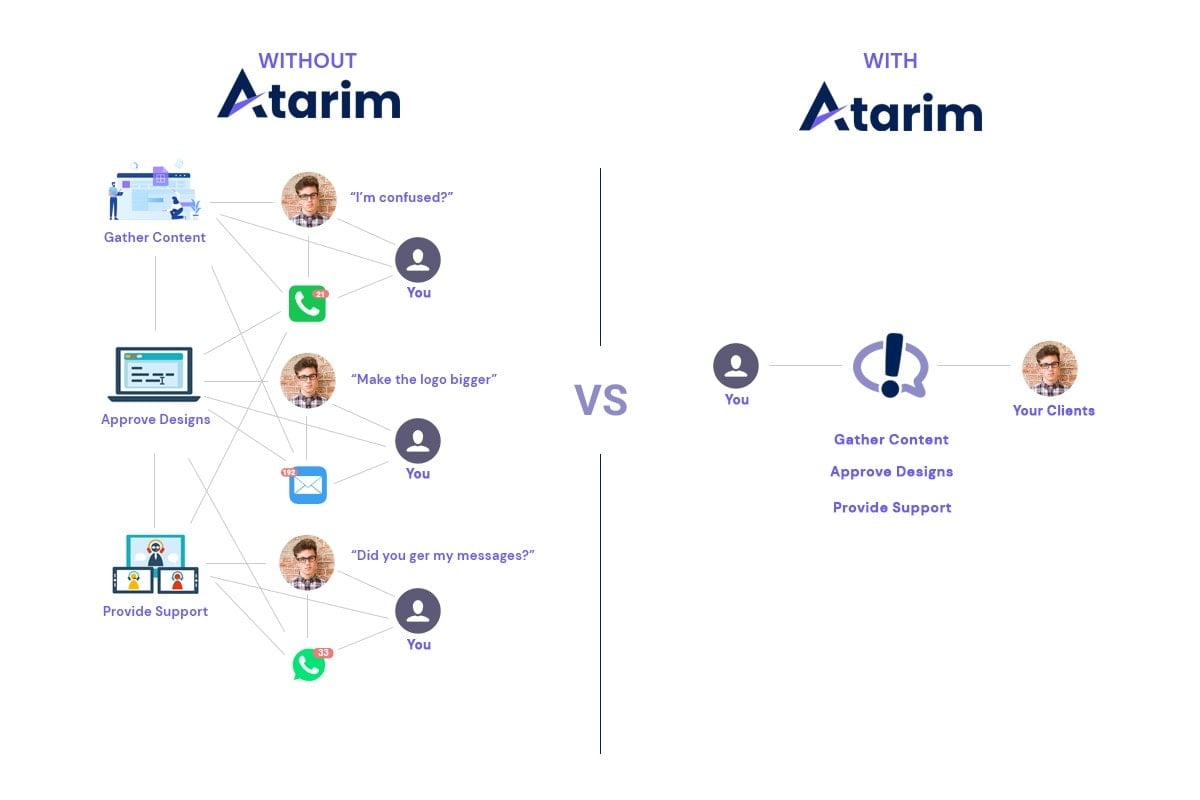
It’s actually very common for late payments to be the culprit of poor client communication and projects that are just getting out of control. When you receive feedback from a client in dozens of places – from email to Facebook Messenger and everywhere in between – it’s just impossible to keep track of what they want. 

Most requests will conflict and you’ll have to jump back and forth to try your luck at getting it right. And when you don’t, clients will keep referring to additional work that needs to be done instead of being able to see in a single place that all of their requests have been taken care of

Client’s Constant Dissatisfaction With Your Work

This one ties in with unrealistic expectations, but in some cases, it’s likely that you and the client might just not be able to hit it off. 

If you feel that no matter what you do, the client is dissatisfied with your work, you should consider firing them eventually. Your efforts would be better spent elsewhere, and it’s best not to waste each other’s time.

More importantly, if you know that the client is constantly dissatisfied, despite your best efforts, it’s likely that they’re looking for something other than what you can offer. In such cases, firing the client is the best idea. 

When NOT to Fire a Client

But, not all situations warrant a client firing. Here are just some situations where you should consider sticking with the client instead. 

Bad Communication

Lack of client communication is no reason to fire them. Some clients just aren’t as good at communicating what they want. In this case, firing them should really be a last resort. 

Why? Well, because with proper systems in place and using a tool like Atarim – you’re able to make it dead simple for any client regardless of their experience working with agencies to tell you what they want on their website.

healthy client agency communication with Atarim

Atarim makes it easy to collaborate with clients as it allows them to pinpoint what work they want to be done, and leave comments on elements on the screen. This makes it easy for clients to collaborate with developers, all through a centralized platform. 

Stress

If you’re thinking about firing a client due to elevated stress levels, you might want to consider other alternatives first. For instance, you can ask them for an extension on the deadline. 

Or, you can consider outsourcing the work instead. Unless you feel that you’re completely not in the right state of mind to continue your work, it’s generally not a wise move to cancel the contract.

Poorly Structured Contract

Poorly structured contracts are a problem, but they can be fixed. If you feel that there’s something in the contract that leaves you with more exposure or anything you want to change, the best course of action is to contact your client.

Discuss your concerns with them, and if things are going smoothly, there should be no reason why a change in the terms of your contract isn’t possible. This is hardly a reason to cancel the work altogether!

How To Fire a Client Nicely (3 Simple Steps)

But how do you fire a client the right way? Here are three simple steps to consider. 

Level With Them As A Business Owner

At the end of the day, even the clients that seem to care the least about you still understand that you’re running a business. So if you’re able to present to them in a completely objective way that it’s just become unsustainable for you to continue working with them – they are very likely to understand & level with you. 

When doing this, one of two things will happen. 

  1. They’ll accept that you want to move on and allow you to do so in good faith (rather than in spite, which is what we’re trying to avoid here). 
  2. Or, they’ll offer to change the way they work with you or finally start adhering to your preferred web design process which can end up turning them into one of your favorite clients.

After all, more than ever people understand that mental health always comes first. If you objectively convey why a client has been affecting your happiness as an agency owner – obviously without explicitly stating this – the chances they won’t understand are really low. And in the event that they don’t, this is even more of a reason to bring the client relationship to an end now because you can’t truly focus on growing your agency when you have even a single negative client holding you back. You end up losing more than just the amount of money they’re paying you because your business will lack the positive energy that is necessary for growth… 

State that a new personal situation might prevent you from giving the client your fullest attention. Caring for their business, you prefer to recommend someone else to take over.

I’ve found that when using this approach, clients are very understanding and open to you moving on while retaining a positive attitude towards you and your business. 

Accept (Partial) Responsibility

If you try to blame the client entirely for making it impossible for you to do great work, then this is almost guaranteed to annoy them and get them to talk bad about you – both of which are exactly what we’re trying to prevent at all costs… 

Accepting responsibility comes in a number of different forms. For example, if the tension in a client relationship is caused by scope creep, one way of approaching this would be simply by coming clean that their demands aren’t requests you’d be able to accommodate at this time. 

You may be worried about letting them down, but dragging projects on longer is a massive waste of time for everyone involved and will only make the situation worse when they eventually figure out that you aren’t going to be able to handle building their website from start to finish… 

Account For Difficult Clients In Your Process

I’ll admit that I’m not a huge fan of firing clients, but that’s mainly because in the years of running my agency – I have insofar only once had to fire a client because in this scenario they were making a ton of bad decisions making us look bad. 

This is something that I just wasn’t able to account for in our process, but in a web design agency, you can basically account for every type of client. As long as you know how to deal with the requests that come your way and have a way of communicating with clients that make their requests unclear (such as Atarim), you can make it work. 

Try not to give up on clients, because this should really be a last resort. 

And that’s where accounting for difficult clients in your process comes in, because once you’ve accounted for them from the start – you’ll know how to tell if a client isn’t a good fit for your agency if they aren’t willing to accustom to your process & how you want to communicate with them. 

At that point, they’ll already know that they either have to work their way or go through the hassle of finding someone else that they trust & want to work with…  

How To Avoid Clients Leaving Annoyed

  • Never blame or say anything that could be misconstrued and offend the client. 
  • Don’t fire them without bringing their project to a suitable place or identifying recommended next steps first.
  • Schedule a call with them to talk to them about your decision to stop working with them, don’t just send them an email and block them – because that is a guaranteed way to annoy them. Make it clear that you’ll still be at their disposal to help with a formal hand-over of all credentials.

Conclusion — Firing a Client Can Make You or Break You

The sooner you discover what your ideal client looks like and focus on only working with businesses that match the profile of your ideal client, the faster you can grow. And best of all, the sooner you won’t have to do work you’re unfamiliar with every single time you start a new project. 

In some cases, firing a larger client could disrupt your business plans, and affect your revenue projects. But, in other situations, getting rid of a troublesome client can free you up to focus on more opportunities!

MainWP – The All-In-One Solution to Manage WordPress Websites

Having dealt with clients, you may know that it isn’t just about negotiations, communication, and timely deliveries. There’s a lot more that goes on behind the scenes. All this can be tiring, especially when you have a lot of clients to deal with.

  • Why Not Use a WordPress Multisite Setup?
  • Have You Tried a Website Management Solution?
  • What is MainWP, and How to Begin With it?
  • Useful Features of MainWP
  • All this for FREE? Well, most of it!

Let’s say you have around 15 different clients (you may have a lot more, but just thinking about the agencies that have only just begun). You build websites for each of them and take responsibility for maintaining them all.

Will you keep logging in to all the websites for a simple plugin update, or a quick plugin installation? It can quickly seem to be overwhelming, right?

How will you maintain a multisite environment in a realistically manageable way?

Why Not Use a WordPress Multisite Setup?

Many agencies and freelancers still rely on a multisite setup to handle client websites. But this has some downfalls too. For example:

– Problems with installing and removing plugins of particular websites.

We all know that a multisite setup allows us to install plugins on the admin website and then individually activate them on the subsites you wish to use.

How many websites are you going to do that for manually?

– All websites need to be on the same server.

Dealing with clients, you may know each of them has a different preference and would like to host their websites on servers of their choice.

By limiting their choice here, you are already rejecting many clients.

Have You Tried a Website Management Solution?

Now, here’s what I want to talk about!

MainWP is a WordPress website management tool that will help to manage all your websites, and your clients’ websites,  through one secure dashboard.

This means that you get to control everything, without worrying about the security of any other websites you manage.

Sidenote: If you’re interested in learning more about WordPress security plugins, the performance & security experts at Servebolt wrote a detailed guide just for you.

The two main benefits of using MainWP are that the websites can be hosted on any server that you or your client prefers, and it allows you to do EVERYTHING you need to keep a website up-to-date.

Highlights of MainWP as a Website Management Plugin

When we look at its features, this tool promises everything you’ll need to manage websites. Let’s take a quick look at some of the more prominent ones.

  • One-click admin access for you to maintain confidentiality and security.
  • Manage unlimited WordPress websites using a single dashboard.
  • Manage plugin and theme installations, user roles, and more through the MainWP dashboard.
  • Keep a watch on the domain information like the expiry date, etc., for all websites you manage.
  • Show Google Lighthouse stats for all connected sites on a single screen so that you can monitor website performance and more.
  • Run security checks and fixes for all websites at once.
  • Take advantage of multiple backup solutions and uptime monitoring for all your websites.
  • And the best thing is that MainWP is self-hosted and open-source, so you know privacy is taken care of here.

Is there anything else you are looking for?

Let’s take a closer look at some of the key points.

What is MainWP, and How to Begin With it?

Well, that’s simple!

MainWP has two plugins, the MainWP Dashboard and the MainWP Child.

The MainWP Dashboard can be considered as the admin plugin to be installed on the main website that you will use to manage all other WordPress websites.

While the MainWP Child plugin needs to be installed on every single website or, say, a client website that you plan to manage through the dashboard.

Getting started with MainWP is easier than you think. There is a well-written article covering all the steps right from installing the plugins, setting them up, and connecting your first Child website to the dashboard.

Useful Features of MainWP

After a quick overview of MainWP and its setup process, we now move to a detailed review of how useful it can get.

Get plugin and theme update notifications in one place

With multiple websites to manage, it is difficult to keep track of emails, or even log in to each website to keep a check on plugin and theme updates.

Just log in to MainWP and see the notifications right there.

What’s more? You can update them all with a single click!

When you look deeper into the Updates tab, you’ll find separate tabs for all kinds of updates that you can manage through the MainWP Dashboard. They include WordPress updates, plugin and theme updates, translation updates, and a list of abandoned plugins or themes.

Monitor the activities on all the websites

Web agencies usually have different teams working on various projects. It therefore becomes challenging to keep track of all the activities on the websites you manage.

With MainWP, you get an overview of the new pages and posts added to these websites in the dashboard, as seen below.

What’s more, you can also create and manage website posts and pages from the MainWP dashboard, and you won’t have to log in to the specific website separately.

The Sites tab allows you to manage WordPress websites, add or import new sites, create a group of similar websites or those that belong to the same client, and monitor them all. These have a different window that you can access through the dashboard.

Be assured of security fixes and timely notifications

Security is one primary concern that every website needs to deal with. I was happy to see Security issues being pointed out in the dashboard itself.

When expanded, this option shares more details about the issues and allows you to fix them from the dashboard itself.

Manage user accounts and roles through MainWP

One needs to be extra careful while sharing access to a website, especially when it belongs to a client who trusts us.

MainWP allows you to control each user account on every website you manage.

You can add or import users, manage their roles, or change admin passwords from the dashboard.

Here’s a quick look at how easy it is to add a new user to a website you are managing.

Monitor Uptime, Site Health, and Backups using MainWP

MainWP makes it easier to monitor the uptime of all the websites and their site health, and takes timely backups so you can maintain and keep track of all the websites at once.

The General settings in the MainWP dashboard also allow you to set the frequency of syncing updates and decide whether you’d like trusted updates to run automatically.

Extensions that offer more value and usability

And even beyond the huge range of tools already included, to make this tool even more versatile, there is an amazing list of 40+ extensions that you can use to extend its possibilities and manage websites even better.

These can be used for specific requirements such as creating staging sites, customizing the dashboard, integrating Google Analytics, monitoring the speed score, and more.

Here is a quick overview of some of the additional features you could get from MainWP:

  • ?️ White Label: Replace the MainWP Child plugin name with your own brand.
  • ? Lighthouse: Automatically check the performance of all connected websites at once.
  • ? Domain Monitor: Check the domain info of all connected sites at once & inform clients about expiry.
  • ? Comments: Manage comments of all connected sites from a single screen.
  • ?️ Maintenance: Clear all unwanted content & optimize the database of connected sites.
  • ?️ Wordfence: Control security across your network on all Wordfence installed connected sites.
  • ? Google Analytics: Showcase Analytics stats of all connected sites on a single screen.
  • ? Reports: Generate customized reports & email them to clients directly from the MainWP.
  • ? Rocket: Manage WP Rocket settings on all child sites from a single screen.
  • ✌️ Time Capsule: An incremental backup solution for your connected child sites.
  • ? Staging: Create staging of your connected sites.

And a lot more. You can learn more about the available plugins for MainWP by visiting the MainWP Extensions list.

All this for FREE? Well, most of it!

MainWP is one such plugin in this category that offers so much for FREE.

Simple pricing plans allow you to use all the extensions and benefit from their respective updates and support.

mainwp updated pricing

What more to look for?

They also have some exciting offers for those who’d like to start with a monthly plan and then move to a lifetime plan.

Not a bad idea to try that out!

Is MainWP the one for you?

Of course, yes!

If you are an agency, MainWP is the one that will help your entire team manage multiple websites while you monitor the activities on all of them and keep the websites up-to-date.

If you are a web design startup, MainWP is the best tool you can rely on to manage and maintain all your websites for FREE! (You can extend it later as per client requirements)

If you are a freelancer, MainWP will help you manage multiple websites all by yourself!

Upwork Alternatives for Freelancers & Agencies

Upwork is the world’s largest freelance talent marketplace. It’s a great place to find clients if you’re a freelancer, but it can be competitive and does take a cut of your earnings. If you’re ready for Upwork alternatives, we’re going to suggest a few alternatives you should consider.

The freelance economy is booming – and while platforms like Upwork have certainly added to its growth, there are some big problems with the site. For one thing, its fee structure can be a real problem for freelancers; for another, the competition on the platform can make it extremely difficult for new people to break in.

If you’ve had problems with Upwork or just want to expand your horizons, there are other freelance marketplaces out there that might suit your talents better than Upwork does. Here are some of our favorites:

FlexJobs

flexjobs homepage

If you’re looking for a job search site that offers telecommuting, part-time, and freelance jobs, FlexJobs is an excellent option. With thousands of remote jobs posted weekly, this is one of the largest databases available online. In addition to its large catalog – which includes jobs in areas such as customer service and project management – FlexJobs also has a strong vetting process that helps ensure applicants are not scammers or otherwise unqualified.

This platform allows users to create free profiles that display their work experience and education history; these profiles can be shared with potential employers through email or social media sites like LinkedIn. This feature makes it easy for employers to find out more about candidates before reaching out through either one of these channels (or both).

We Work Remotely

weworkremotely homepage upwork alternative

We Work Remotely is a freelance marketplace that allows you to find full-time, part-time, or temporary work. The website is free to post your profile and search for jobs; however, you will have to pay an application fee in order to apply for jobs on the platform.

The We Work Remotely website has a very large pool of job opportunities with multiple categories ranging from technical fields like computer engineering and software development through more creative fields like graphic design and video editing. The site also has some unique features such as skill-testing questions which help employers identify candidates with relevant experience who are likely to succeed in the field they’re hiring for.

Toptal

toptal homepage

Toptal is a premium freelancing platform that offers high-end clients and freelancers the opportunity to work together on projects. The platform has some similarities to Upwork, but it’s far more selective. Toptal uses its own in-house talent vetting process to identify the best freelancers for each project, then connects them with their most suitable clients.

Clients pay a $1,500 deposit fee upfront and then pay hourly rates once they’re approved by Toptal’s internal team of experts. This steeper price point means that this isn’t an option for every business owner or individual looking for work done on their website or app; however, it might be worth considering if you want your project handled by only the best of the best in terms of web design/development talent!

Fiverr

fiverr homepage

Fiverr is a marketplace where you can buy and sell services online. It’s similar to Upwork, but Fiverr has a wider range of services available. There are Fiverr freelancers for everything from dog walking to web development to logo design.

If you’re looking for a particular service that isn’t available through the site’s search tool, there’s an option to “Hire Me” when you browse through the categories or use the Advanced Search feature.

As with any freelancing site, it’s important to ensure that the people you hire have good ratings and are qualified for what they’re offering (you can look up their reviews before hiring them). This is especially true since some people on Fiverr may offer low-cost options as their primary service (for example graphic design). As long as you make sure your freelancers have good ratings and experience in their field of expertise, though, Fiverr is an excellent alternative to Upwork.

PeoplePerHour

peopleperhour homepage

PeoplePerHour is a freelance platform for web and software development, writing, design and marketing. This is an excellent place to find work if you’re looking to move on from Upwork or similar sites. PeoplePerHour has built a strong reputation as a safe site where clients can hire freelancers with confidence because all the bids are pre-negotiated by the client and service provider.

The main drawback of PeoplePerHour is that it doesn’t match well with many long-term contracts. Because their marketplace makes it easy for clients to post new jobs and pay quickly (as opposed to Upwork), it’s often hard for freelancers who use this site for more than just one project at a time due to issues with delayed payments by clients or lack of communication between parties involved in each transaction.

Aquent’s Gymnasium

aquent gymnasium homepage

Aquent’s Gymnasium is a marketplace for creative talent. It’s an alternative to Upwork, but with one distinct difference: Aquent’s Gymnasium doesn’t charge freelancers a fee to be listed on the platform. Instead, they receive a commission based on the amount of money they make from gigs on the site. This makes it much more attractive to freelancers because they can keep all of their earnings instead of giving up 20% to Upwork.

Aquent’s Gymnasium is also great because it has many talented professionals available for hire who don’t want to go through the rigmarole of creating an entire profile and posting jobs like you would on Upwork or other freelance job sites. Instead, you can browse through all categories related to design or development and find someone who fits your needs perfectly within minutes!

Freelancer

freelancer homepage

Freelancer is a freelance marketplace that offers a wide range of services, including software development and marketing. The website has a good reputation among freelancers and employers alike, making it a good alternative to Upwork. Freelancer.com allows you to sign up for free, then browse their listings for potential clients or projects that may be of interest to you.

Here’s how the process works:

  • You post your skills and qualifications on the site so employers can find you when they need someone with your expertise;
  • Employers post jobs on the site if they’re looking for someone with certain skills;
  • When both sides are happy with each other, they agree upon terms and conditions before starting work together (or not).

Guru

guru homepage

Guru is a freelance marketplace for skilled professionals. While it was originally only available in the United States, it’s now expanding to many other regions. You can post your profile on Guru and connect with potential clients looking for your skill set or expertise. As with Upwork and Freelancer, you can set up a profile that includes your experience, education, portfolio, and reviews from previous employers.

Your profile will also show how long you’ve been working as a freelancer – this is important not just because it affects how much money you’ll earn but also because having a long track record may make clients feel more confident in hiring you (or at least give them some reassurance).

Guru offers two ways to accept payments: PayPal or Stripe (which supports all major credit cards). This means that unlike Upwork, there isn’t just one way to pay your freelancers – you have more options here!

Indeed

indeed homepage

Indeed is a great resource for finding freelance jobs. Not only does it have a large database of companies, but it also has job forum listings in which you can post your resume and query directly to potential employers.

If you’re looking for more than just one job at a time, then Indeed is an excellent place to start. Once you select your location and category, you’ll be shown all the jobs that are available in your area – and there are plenty! You can even search by skillset as well as salary range if you have specific needs in mind. You can also save these searches so they’re easy to access later; this way when new listings come up they’ll automatically be added to your list without having to type them again manually each time (which would take forever).

Craigslist

craigslist homepage

If you’re looking for a little more control over the hiring process than a platform like Upwork offers, Craigslist is the place you want to be. It’s free to post jobs there—you just have to do some light legwork and make sure your listing looks professional.

If you’re posting in the “gigs” section, specify how long your job will take (called “duration”) and how much money it pays. If necessary, provide additional details about what kind of skills are needed for this project so clients know whether or not they’re qualified for it.

The other two options are slightly different:

  • The “jobs” section is better if you plan on hiring someone full-time; it allows employers to specify things like salary requirements and benefits packages with more detail than in other areas of Craigslist
  • The artists’ area is ideal if you’d rather work remotely yourself than hire someone else – but even then it can still help narrow down who might be interested in working with you because many artists advertise their services here

Credo

credo homepage

Credo is a platform for connecting businesses with freelancers. It’s a great alternative to Upwork because it has an awesome reputation and provides excellent services for its users.

If you’re looking for work on Credo, there are two options: post your profile as a freelancer or browse through many different opportunities in the marketplace. As a freelancer, you can set up your rates as well as what kind of work you specialize in such as design or writing; this helps potential employers find exactly who they need without having to sift through thousands of profiles like Upwork does! If you want to search through the marketplace full-time rather than applying specifically to jobs posted by clients, Credo charges $5 per month instead of $25-$35 like Upwork does (depending on the payment plan).

ContentFly

contentfly homepage

As we mentioned, Upwork is not the only option for copywriters and content developers. In addition to the sites we’ve already covered, there are a few others that you may want to consider.

ContentFly is a great alternative to Upwork for those who want more work done and more clients in their pipeline. ContentFly allows you to bid on projects posted by companies looking for writers and/or designers. Unlike Upwork’s marketplace, where people can post jobs themselves and set their own rates, ContentFly offers an opportunity for clients looking for more than just one writer or designer at a time—and they pay them well too!

One of the best parts about ContentFly is that they allow freelancers to charge clients based on what they believe their work is worth (rather than being limited by Upwork’s pre-set rates). With this kind of freedom comes responsibility: if your rate is too low compared with other freelancers offering similar services then no one will select your profile out of all those competing against each other online!

It also helps when searching for new jobs if there are several open positions listed within your field so users don’t feel pressured into choosing whoever responds first just because he or she happens to be available when the posting went live; having several options makes this process easier since there aren’t any dead ends where only one person wins out over everyone else involved (and hopefully keeps competition fair). If anything were guaranteed about using this service though it would be how easy both parties will find themselves at ease knowing exactly what needs doing without any surprises along the way — whether it’s just being able to communicate effectively with

ServiceScape

servicescape homepage

ServiceScape is an online marketplace for hiring professionals in the design, development, and marketing fields. The company was founded in 2012 by Trond Arneberg and Thomas Leer-Salvesen. It is a platform where businesses can find, hire, manage and pay their service providers.

ServiceScape has over 20 million users that have completed over 300 million projects on its platform since its launch in 2012. The company operates in over 200 countries worldwide, with over 1 million registered freelancers available through their platform at any given time during any given day (it’s worth noting that this figure includes both experienced professionals as well as beginners).

Traktion

traktion homepage

Traktion is an online marketplace for freelancers and businesses to connect. It’s a very well-known platform where you can find high-quality talent, as well as hire freelancers on your own.

The platform has more than 250,000 business profiles, including some big names like PayPal, Tesla and Google. The same goes for freelancers: there are more than 500,000 active users on Traktion who are looking for new jobs.

Traktion also offers access to real-time bidding which matches users based on skill sets and projects that match their preferences from the get go (so no need to interview them first).

What is The Best Upwork Alternative?

The Best Alternative To Upwork For Developers

If you’re a developer looking for a better alternative to Upwork, Toptal is the way to go. Here are some of the reasons why:

  • Toptal offers higher-paying jobs
  • You can work with companies that would be hard to get through Upwork’s rigorous process
  • You get more freedom in your job search, as opposed to being stuck on one site

The Best Alternative To Upwork For Designers

Dribbble is for designers. Upwork is for freelancers. That’s the way it’s always been because Dribbble and Upwork are built to serve two different audiences: one that showcases their work, and another that finds people with skills.

If you want to find a designer who can make your website look good and attract more business, then Upwork is the better option. If you’re already a designer looking to get work, Dribbble will be more helpful in showcasing your portfolio and attracting clients from there.

The Best Alternative For To Upwork Marketers

With many of the best digital marketers already active on Traktion, this is the number one place to be or the place to look. Because of the way Traktion assess people’s skills in advance, this means that anyone searching for marketers will be confident in knowing that they will have all of the necessary expertise, values and experience. This makes the process of finding someone to assist with your marketing much easier.

The Best Alternative To Upwork For Content Developers

ContentFly is a smaller, more focused platform that’s better suited to content marketing professionals. That’s not to say that it won’t work well for hiring freelancers who want to do other things, such as graphic design or web development. But if you’re on the market for a content developer, you should look into ContentFly first.

The Best Alternative To Upwork For Graphic Designers

The best alternative to Upwork for graphic designers is Fiverr. This site has a wide range of design services and they offer you a lot more flexibility in pricing. You can find a designer that matches your budget and needs, with easy access to people’s portfolios and reviews from previous gigs.

Conclusion

When it comes to finding freelance gigs, there are plenty of sites and platforms out there that can help you get started.

However, not all of them offer the same value for your time and effort. While some do provide opportunities for freelancers to connect with clients who need their skills, others are unreliable or poorly managed.

Still, other sites may not be well suited for your specific field or specialization. This is why it’s important not only to have many options available but also to know which ones offer the best experience as well as potential payouts when they match an assignment with your profile on the platform itself (or within Upwork).

The 30 Essential Testimonial Questions to Ask Your Clients

If you see an advert on the side of a bus for a product you may be interested in, and a friend of yours recommends a similar product from a different company that they used, and were really pleased with, which would be more persuasive? Personal recommendations are worth so much more than almost any other kind of advertising, which is why having testimonials clearly visible on your website or social media profile is critical.

In fact, a recent survey carried out by BrightLocal discovered that 88% of consumers trust testimonials found online, and see them as being as influential as a personal recommendation from somebody they trust.

But how do you go about getting those testimonials? Not only that, how can you make sure that the testimonials say the sort of things you need? How can you get those fantastic quotes you can display in a large box, or a call to action voiced by a delighted customer, urging future customers to go ahead and place their orders?

In this article, we’ll look at what makes a great testimonial, how to avoid some of the common mistakes and assumptions many people make and provide you with our top 30 essential questions you should always make sure you use when seeking new clients testimonials to help drive your business forward.

The Purpose Of A Testimonial

Personal recommendations are worth their weight in gold. As consumers, we are frequently bombarded from every side by claims from businesses that their product or service is the only one you’ll ever need, that you’ll be utterly delighted from start to finish and that it’s far superior to any other alternative.

But the trouble is we struggle to believe them. Marketing and advertising has become so widespread, from adverts squished into your social media feed first thing in the morning, all the way through the day to the enthusiastic shopping channel presenters as your eyelids submit to the weight of another long day. We’re bombarded by claims and assurances, and it’s made us all rather cynical.

We don’t know who to believe.

testimonial purpose

If three different companies advertise their toilet paper as being the softest, the most comfortable, and the most popular, which one can we really believe will suit us best?

Testimonials are a way of coping with this confusion. If we see independently written statements from previous, happy customers, assuring us that it was certainly the best choice for them, we can feel much more reassured, and more convinced it will be the right choice for us too.

This is particularly the case if the customers writing about their positive experiences are just like you.

If you’re a business entrepreneur struggling with spending hours every week juggling your financial statements, and you see three written testimonials from business entrepreneurs who explain how stressful it was for them to juggle their financial statements every week, you’ll feel a kinship. You relate to them in such a way that you feel you are on the same team. It’s you against the marketing babble, and they’re the voice you can trust. Your credit card is being whipped out before you’ve even realized that ‘testimonial’ is an anagram of ‘it’s not email’.

Publishing glowing testimonials on your website, or in your social media feed, broadcasts the messages about your business that you want to get out there, but in a way that positively glows with honesty, independence, and credibility. If the people writing the testimonials look and sound similar to your potential customers, they’ll feel a connection, and relate to the words much more fully.

In short, if you want your business to succeed, to sell its products or services, and grow significantly, testimonials are essential. If you’re not using them, then your competitors will be absolutely delighted. So let’s disappoint them and find out how to do it even better.

The Difference Between Testimonials And Reviews

If you ask most people what the difference is between a testimonial and a review, they’ll most likely stare at you blankly, perhaps silently mouthing something before admitting that they’re stumped, and aren’t they just the same thing anyway?

They’re not the same thing.

testimonial vs review

So what’s the difference? In fact, there are several key differences. For example, a review is usually collected by a third-party site, such as Google or TrustPilot, whereas testimonials are either given directly to you, the business owner, or maybe solicited by you directly.

Another difference between them is that testimonials are always recommendations or endorsements of a product, service, or company, whereas reviews are simply a critical account of a person’s experience, and may be either positive or negative (or both).

Reviews also tend to be almost always text-based, but testimonials can be published in a wide variety of formats, from text to video, graphics, or even audio. They’re more versatile and can be placed in a wider variety of locations.

In short, reviews are basic, text-based statements that may be positive or negative, and are completely beyond your control.

Testimonials, on the other hand, are fully under your control, are always positive and recommending of your company, and can be used in a variety of ways and in a range of places.

In other words, testimonials are the way to go. So, how do you go about getting them?

How To Ask For A Testimonial

Many people feel a little awkward about asking for a testimonial. More awkward in fact than asking for a review. With asking for a review there’s no implied expectation that it will be glowingly positive. With a testimonial, you’re asking them to publicly acknowledge how awesome you are!

The best time to ask for a testimonial is at the conclusion of a project in most cases, before they’ve gone off, got used to how great your product or service is, and forgotten the impact. But having said that, this may not always be the case.

For example, you may have a moment during which the client realizes how amazing your product or service is, perhaps telling you what a difference it makes, how surprised they are at how well something works, or that there’s a feature or benefit they weren’t expecting. If a conversation like this happens, whether digitally, over the phone, or in person, then that is the time to mention the idea of a testimonial. Even if they don’t write it immediately, they’ll connect the feeling they had at that moment with the idea of writing a testimonial.

Of course, it may be that you’ve sold a product or service, and it will be a little while before the client sees the benefit. Perhaps it’s an SEO service you’ve sold, in which case the results may be weeks away from being at their best. So in this case it’s important to wait until the client has really seen the very best possible results, and then ask for the testimonial.

So how do you actually do the asking? The following is an example template you can adapt and use:

Hello {Client}, I’ve really enjoyed working with you, and I’ve been very pleased to see how well our {product/service} has been working for you. Something that can really help us to move forward and develop new products and services is by gaining new clients. And gaining new clients is really helped by having recommendations from current, happy clients – just like you! It would mean a great deal if you would feel able to let us have a short testimonial about what we do, and how it has helped you. If you prefer, this can be entirely anonymous, or we can provide a link to your business if you’re happy to be associated with the testimonial. If you’re willing to help us then I’ll send over a few quick questions for you. Thank you so much in advance!

How To Use A Testimonial Effectively

So now you have your glowing testimonial – what do you do with it? The most obvious thing is of course to have a testimonials page on your website. Many people will head there and have a look, but that really should only be the start of it.

Having a carousel or slider that showcases a selection of testimonials embedded into multiple pages across your site, including the home page, sales pages, product pages and such like will make a big difference. 

In some cases, a testimonial might include a killer quotation or sound bite, which you can use to your advantage. Simply pull that phrase from the testimonial, and include it in a nicely formatted quotation block on your website, with a really (really!) large font size. Or even have it turned into a graphic to make it look beautiful. These can be placed around the website, and even embedded within pages of text.

But look beyond your website. Think about your social media profiles, and how having the occasional testimonial or quotation published there will help. If you have a YouTube channel, you could include video testimonials there too. There’s no reason why every testimonial has to be text-based. A few clients might be happy to do a piece to camera, which is a great way to showcase how great your business is.

So once you have your testimonials, think of as many places as you can for where you can embed them, and as many ways of doing so, to really get the message out there that people rate your business highly.

The 30 Best Testimonial Questions To Ask Clients

testimonial questions

Earlier we gave you a sample template of the sort of thing you can say when approaching clients about providing you with a testimonial. In that template, we told the client that if they were happy to give us a testimonial we would send over “a few quick questions” for them.

So why have we given you a list of 30 killer questions to ask clients?

Because not all of them will be suitable for every business, every client, or every situation. Pick the ones you think will work best.

Bookmark this article, and come back to it each time you have a client you think could give you a great testimonial, scan through this list, and pick 4 or 5 you think would be perfect.

Let’s get started then! Here are our 30 best testimonial questions to ask clients!

1. What is your name, job title, and are you happy for us to use your name/job title in any publication of your testimonial?

This is a basic, stock question you should always include, that’s additional to the 4 or 5 you’ll choose. If the person is happy to have their name associated with the testimonial this is great, as it lends much more credence and weight to their recommendation. Of course, if they decide to be anonymous, that’s fine too, just make sure you honor their wish.

2. What is your business/company, and what does it do?

Having this information is useful because it may be that you can encourage future clients who are considering placing an order by showing them testimonials from companies very similar to theirs. If you were a client who owned a printing business, and you saw a website selling a product or service, with a clear testimonial from another printing business, it would help you to feel that the product or service is more likely a good match for you. Providing something that makes the client feel that they are in good company with like-minded people can help make a difference. Of course, if all you sell is printing materials, then this might become less relevant.

3. How was your business running before you began using our product/service?

This is important because it helps the client think back to before they placed the order before they started using your product or service, and the sort of problems they were encountering. Because any future client looking at your website might very well be encountering those same problems themselves, and so again this familiarity and understanding makes the product much more relevant.

4. What were the problems you were trying to address before you began using our service?

This is another opportunity to understand the problems businesses like theirs may be facing. If potential clients see testimonials from people who experienced exactly the same type of problem as they are, and that your product or service helped solve that problem, they are clearly much more likely to consider purchasing.

5. What was it that made our product/service stand out from the alternatives?

This can be more interesting for you, helping you to understand what clients see as your unique selling point. Sometimes it may not always be what you think, or what you market as your USP, and it may be that they identify benefits, advantages or selling points which you can draw more attention to in your future marketing.

6. What was it that sold you on purchasing our product/service?

Again, this is more for your own benefit, because knowing how your satisfied client was converted will give you a greater insight into how to convert future clients who may be undecided. Sometimes the answers to a testimonial request can be used as standalone quotations, and sometimes they can help provide you with insights about your own business you would otherwise never receive.

7. What was the primary concern that may have held you back from buying this, and what put your fears to rest?

This has two benefits. Just as with the previous two questions, you may well learn something about how clients see your business, gaining a great understanding of what was successful in convincing a client to place an order. The second benefit is that if you have a testimonial that addresses this issue, and you place it on a page that prospective clients will visit before they go ahead and click ‘Buy’, then they may well be convinced to go ahead if they see someone else who had the same concern as them, but who went ahead and ended up a very happy customer.

8. What was it that made our company/product/service the best fit for your business?

Understanding how the client sees your business fitting with their needs will help provide you with an insight into potential future marketing opportunities. Testimonials that include these observations will help to encourage future potential clients to recognize similarities and see your brand as even more relevant.

9. How easy was the process of placing your order?

This is more for your own benefit, rather than something to include in a published testimonial. Receiving feedback from a client on how easy the ordering process was can help you to identify potential bottlenecks or issues which could hold future customers back. Perhaps there was a step in the process that could be more streamlined in the future?

10. What has your experience been like using our service/product?

This is a very open-ended question, which can be useful in gaining insights from the client and giving them the opportunity to focus on any aspect of their experience which is positive. 

11. What one thing has made you feel especially happy about choosing our product/service?

It’s not always what you expect! You may assume, as a business, what your key benefits are, and what one thing would make you stand out to clients and make them feel especially happy. But in many cases, this isn’t the case, and clients have their own viewpoint. This allows them to highlight something which could be a real selling point for future clients, and which you may never have considered.

12. Since starting to use our product/service what is it that you have been able to achieve as a result?

This is one of several questions which will potentially provide you with a great quotation to publish prominently on your website or social media. Showing future clients how past clients have seen their business change for the better after ordering from you will be a powerful tool.

13. How has your business’s situation changed having been using our product/service?

This is similar to the previous question but instead prompts them to think about the transition from the negative to the positive.

14. What one thing has gone beyond your expectations while using our product/service?

Meeting expectations is a given, but exceeding them is golden. If you can include testimonials that show that your business doesn’t just deliver, but that it goes above and beyond clients’ expectations, this can provide a powerful testimonial.

15. What is the one main reason you would recommend our product/service to others with a similar need/problem?

This helps to keep it simple. Some testimonial questions can result in long answers (which can be great of course), but asking them to focus on just one thing helps to keep it tight. And you may even find that the one thing you’d expect them to pick isn’t what they end up focusing on, which can be very revealing.

16. In what ways has your business been affected since you started using our product/service? 

This is another open-ended question that helps to focus on the core difference or change that your business has had on the client’s business. These testimonials can provide key opportunities to show potential customers in what ways their business could be similarly affected.

17. Since you began using the service/product, are you still getting the same results now?

Receiving a quick, short-lived boost may impress in the short term, but if you can show potential clients that existing clients are still seeing benefits long after the initial decision to purchase, this can be a compelling reason to go ahead and place an order.

18. What one unexpected benefit did you come across while using our product/service?

No matter how much you focus on getting across your key selling points, and no matter how you perceive the benefits of your business, sometimes you’ll find that customers are pleasantly surprised by an additional benefit that comes with your product or service. Perhaps that might be something you were aware of but didn’t consider a major factor, or it may even be something you had never considered before. Either way, this gives you a great opportunity to adapt your future marketing to make more of these additional benefits you’re already offering.

19. Which single feature of our product/service would you say is your absolute favorite? 

Sometimes testimonials can lose their focus, trying to encompass a range of different benefits and experiences. Questions like this help to narrow it down to one single benefit which stands out. If this isn’t something you’re expecting, then you know your future marketing can be altered to make more of this. If it is something you’d expect, then it makes a great testimonial for using in social media or block quotes.

20. What one aspect of our product/service do you feel your company has benefitted from the most?

Whether a particular feature is a favorite of theirs is certainly interesting, but what about the one aspect of your business that has had the greatest impact? This is the sort of headline testimonial that can help to really highlight the bottom-line benefit you’re able to offer.

21. Do you feel that our product/service has turned out to be worth the initial cost? If yes, what makes you feel that?

Obviously one of the major doubts potential clients will have is about getting out their credit card and placing an order. The price is going to almost certainly be a factor in their decision-making process. So if you can showcase a few testimonials from previous, happy clients who acknowledge the full value of the product or service, this can be a huge benefit. Rather than shying away from talking about the cost, having previous clients acknowledge that the price represents great value, and is fully worth it, will help to convince many new clients.

22. Can you describe a success story that would not have been possible had you not been using our product/service? 

These success stories can be great content. It may be that rather than having a small testimonial box with a paragraph of writing, which is good, you may end up with a bit more than this. You may even have enough for your own blog post or page, which can really demonstrate how enthusiastically supportive your clients are.

23. Who would you say this product/service is perfect for? Can you describe them?

This comes back to the idea of helping potential clients recognize themselves when reading testimonials. The more they feel that previous, happy clients are very much like themselves, the more they’ll be assured that your product or service will work for them too. If they’re running a photography agency, and see a couple of testimonials written by car dealerships, they may be interested. But if they read about other photography agencies which have seen fantastic improvements and enjoyed significant growth, or huge savings, then this is of much more relevance.

24. What would you say to someone who is thinking about whether to purchase our product/service?

These can be really great block quotes to use. Rather than you simply saying “Buy! Buy! Buy!”, having your existing clients actively urging potential customers to place an order carries a good deal more weight.

25. If you could make sure people know just one thing about our product/service, what would that be?

These questions which focus on ‘just one thing’ can be extremely useful, and provide short testimonials that can be used in a variety of ways, such as testimonial blocks, sliders, carousels, galleries, block quotes, or on social media. This one opens the field quite wide, giving them the opportunity to pick just one thing from your product or service, your customer service, your pricing, your after-sales service, or indeed anything else about your brand. If this stood out enough for them to mention it, then it will almost certainly carry weight for future clients too.

26. Is there a specific way in which you feel our product/service works better than available alternatives?

It’s fairly probable that any prospective clients have been checking out your competition. So having a testimonial that confirms why you stand out as the preferred choice is always going to be relevant and helpful. If the visitor is considering you against three or four of your competitors, then they may be swayed by the words of a previous client. Especially as this kind of testimonial implies that the existing client already checked out the competition and still decided upon going with your brand.

27. What would be the primary reason you would feel you would like to recommend our product/service?

This is slightly different from the other ‘one thing’ questions because this shifts the focus from the specifics of your business to the client themselves. Why is it they want to recommend you? What is it about their experience that makes them actively want to recommend your service to future clients? It’s one thing to say you’re pleased with the service, or even which part of the service it is you’re pleased with. But to say why you want to actively stand up and tell others about your brand shows a genuine, personal conviction that you were the right choice.

28. If there was one thing about our product/service you could change, what would that be?

It’s unlikely you’d want to use this in your published testimonials! But don’t let that put you off from asking this question. If a client is really pleased with everything, at least as far as you can tell, they’re unlikely to complain about something. But if there was a negative experience, or simply something which could have been improved, made simpler, made easier, or made more efficient, then this is a great way of finding out. Then you can do something about it to improve your service even more.

29. Do you have anything else at all which you would like to say, positive or negative, about your experience with our product/service?

It’s always a good idea to let them have a really open-ended opportunity to talk about anything they like. If they say anything negative, then this is an opportunity for you to take that honest opinion and implement suitable changes. But if they say positive things, then this is likely to work as a great testimonial to include on your site.

30. Are you happy to grant us permission to use all or part of your testimonial in any future marketing, such as on our website, in videos, or through social media?

Always make sure you get their permission to use the testimonial on your website, and on other platforms too. Make it clear you may not use all of their testimonials but might quote from them, and make sure you know whether they’re happy for their name to be included or not.

Conclusion

Testimonials are a hugely effective way of adding independent, honest credibility to your brand. A personal recommendation is worth a hundred adverts, and they are often very easy to get. Once you have them, there are so many ways in which they can be used to help you, whether that be making changes to your business in some way in response to criticism, or using the testimonials across your website and social media.

When choosing which questions to ask your clients, browse through this list and decide which ones would be most appropriate for each specific client. We recommend bookmarking this page so that you can come back and check through the list each time. Don’t be afraid to vary your selection – mix it up – you may be surprised at how effective some of these questions can be.

Can’t Wait to *Meet* You at WordCamp Europe in Porto!

Is COVID over? Looks like it! Maybe? Well, almost! Right?

In any case, in-person events are back, and specifically, WCEU 2022 is here and I couldn’t be more excited to get back out there to hustle on behalf of Atarim, meet you all face to face and hang out with my WordPress peeps!

My WordCamp Journey

When we first created Atarim, as the WordPress plugin WP FeedBack back then, the first launch was at WordCamp London and the real push was a month later at WordCamp Europe in Berlin.

That was my first WordCamp EU and I was amazed by the openness and welcoming nature of this event. Frankly, I was hooked!

And over the next few months that followed, I attended, sponsored, and spoke at as many camps as I could afford to go to – As well as met some amazing friends that I stayed in touch with regularly throughout the past few years in lockdown and to this day – Out little WP Clique if you will.

I even got to meet Matt, The man behind WordPress, and had the opportunity to thank him for dramatically changing my life ?

Then, when COVID became a thing, my team and I were already scheduled to have our first company retreat, 6 months after we launched the company, at WordCamp Asia.

This was supposed to be a full week of hanging out with the team at a resort on an island in Thailand, talking about the vision, the roadmap for the year, and heading over to Bangkok for the event over the weekend, where we were also sponsoring.

Everything was good to go, including all the flights the hotels, loads of swag to give away, and very little money left in the bank account.

That’s when, a week before, the whole thing was canceled and I remember the lump in my stomach, getting the news.

We were still a brand new company and I had a lot riding on this event, so I had 2 options there:

  • Ball up and cry for a few tens of thousands of dollars that were lost (We did manage to recoup most of the investment over the months that followed, but I didn’t know that at the time).
  • OR, step up and do something for the community.

Fortunately, I chose the latter and this is what inspired the first Web Agency Summit, which to our surprise became the largest event in the space.
As well as become our yearly celebration of the community with more than 100 speakers that graced our stage so far, along with the top companies and publications in our industry that are supporting the event year after year, and of course, tens of thousands of attendees throughout the years.

And Now, We’re BACK! #WCEU 2022

I’m thrilled to announce that we’re continuing our support of WordCamps this year and sponsoring the event.

Even more exciting, is that this year, I’ll also be speaking – After attending WordCamp Berlin in 2019, I set a goal to speak at WCEU and I can’t wait to take the stage and share my thoughts on why a 5-day build becomes a 4-6 week project when a client is involved.

We’re taking this opportunity to celebrate a few milestones:

Celebrating our 3rd Birthday

I can’t believe it’s been 3 years already!

It’s been an incredible journey from where we started – Here’s the first video that was uploaded to our YouTube channel – Version 1.0 ?

Looking back we managed to build something pretty special and build a team around Jehrome and I that is dedicated to the vision and working extremely hard to serve thousands of our users every single day.

And we’re just getting started – I’m looking forward to the next few years.

To celebrate this milestone we’ll be running a special campaign and we’re releasing our biggest update EVER:

Launching Version 3.0

This huge update has a few key components to it along with a bunch of bug fixes and UI upgrades, here are some of the highlights:

Collaborate on ANY website in the world

You no longer need to install a plugin on the website. I mean, you still can and we’ll keep supporting and advancing the dedicated WordPress plugin as the deep integration for collaboration.

But you can now just drop in a URL, any URL, and get to work with 1 click.

This was a HUUUUGE undertaking and I believe this feature alone is going to take our entire platform to the next level!

Using Atarim to Collaborate on Apple.com

Project Stages

For the first time ever, allow you and the clients to be on the same page for project deadlines.

You can set up the different stages within your dashboard, set the due date and a timer will appear for the most immediate due date right on the interface.

No more excuses for delays!

Date-based Project Stages that are visible to the client.

Native Integrations

At the beginning of the year, we launched our first integration with Zapier, Integromat, and Webhooks and have been listening closely to feedback from our users to learn what we can do next.

We started with ClickUp which was the most requested integration and leveraged this first native integration to learn how to deliver on the next batch.

And now it’s time to go deep with our Native Integrations.

With version 3.0, you will be able to seamlessly integrate to Asana, Jira, Pabbly, and TeamWork to push/pull tasks, time entries, status updates, and more.

We even built a pretty powerful Slack bot that allows for commands directly inside the Slack chat.

New Deep Integrations with Slack, Asana, Jira, TeamWork, and Pabbly.

There’s More

These are just a few highlights, but I will keep a few things up my sleeve to build a bit of suspense around the release.

Our Agency Track at WCEU

While I’m pretty excited about this upcoming release, we can’t forget that WCEU is not about us, it’s about the community!

And we wanted to do something special for our booth this year to add some additional value to those that are attending, so we decided to leverage the big screen we have at our booth and replay some of the most powerful sessions from the Web Agency Summit Vault.

Here’s what happening and when at WCEU 2022:

WCEU 2022 - Agency Track by Atarim
The Atarim Agency Track at WCEU 2022

Come Say Hi!

I’ll be at our booth (or somewhere around it) for most of the event and I would love for you to stop by and have a quick chat!

I welcome you to come on over, hang out and learn with us and of course, get some cool free swag (that is actually useful for your day-to-day).

See you there!

The 10 Most Common Agency Management Mistakes

Every agency owner is liable to make mistakes from time to time. The operations within your agency will directly affect your ability to retain key talent, improve client satisfaction, and grow your business.

Effective management is, therefore, a critical component in streamlining agency operations. Ideally, you’ll want to focus more on tracking your employees and making sure that deliverables are returned on time. As your agency grows, management operations are likely to become more complex.

However, by identifying and stamping out mistakes early, not only will you learn from them, but you’ll also be able to prevent them from affecting your bottom line. In the following post, we’re going to thoroughly examine the most common agency management mistakes that owners make, and how to overcome them.

1. Offering Services Without a Proper Plan in Place

Establishing robust systems for service delivery is obviously very important. As your agency grows, you’ll want to start offering more services to your clients. That’s great, but it’s also important that you establish key agency processes to support service delivery in the first place.

One of the most common mistakes that agency owners make is that they start offering new services without setting a proper plan in place. A lack of key agency processes means that information is going to be siloed between a handful of team members, often at the top.

That’s not what you want. Establishing key processes is necessary for a number of reasons, including:

  1. It helps make service delivery more consistent as clients know what to expect when they order something.
  2. It lets high-level team members focus on more impactful activities that contribute to the agency’s growth.

Before you start offering a new service, it’s imperative that you create a proper plan. Decide who will be responsible for specific tasks before you launch a new service. For instance, if you’re introducing a new care plan, it’s important that you create proper SOPs (Standard Operating Procedures) and processes so that every member of the team knows their responsibilities.

2. Poorly Devised Pricing Plans

A key mistake that many agency owners make, especially when their agency is still young, is to charge very little for their services. Either that, or go sky-high, thinking they can deliver on the same level that the big guys in the industry can. They may be capable in terms of knowledge, but pricing comes along with branding. The proper management of pricing plans is crucial for the steady growth of the agency.

Charging very little might land you new customers, but it may affect workflows in the long run. Ideally, your primary focus should be to generate positive ROI for your customers and to maximize the value that you bring to the table for your clients.

In most cases, clients that primarily focus on low pricing are often not a good fit. Instead, your primary aim should be to find clients that match your ideal client persona.

More importantly, you don’t want to price your services too low, as that could affect your ability to maintain decent margins and attract top talent. It’ll also affect your agency’s bottom line while hurting your marketing budgets.

3. Not Establishing a Comprehensive Document Management System

Document management is a critical part of any organization, especially digital agencies. Given the fact that a vast majority of agencies nowadays work with remote employees, you need to make sure that everyone’s on the same page, both figuratively and literally.

A document management system makes it easy to implement standard protocols and procedures throughout your agency. This makes it easy to reduce the burden on you and allows you to delegate tasks without compromising on quality control.

You need to have proper documentation and SOPs for important things, such as:

  • Client onboarding
  • Client communication
  • Tools that you use throughout the agency
  • Training materials or onboarding tools for new employees
  • Any specific office rules
  • Templates for proposals

Using a document management system makes it easy for companies to manage everything from a centralized portal. They also offer clarity to the team so they know what to do in case of specific situations.

From guiding employees on how to use specific tools to optimizing service delivery and quality control, using a document management system is important. Simple tools like Google Docs, Notion, or Basecamp are great for maintaining key documentation and sharing it with employees.

You can also grant access to specific employees to make changes to certain documents after discussions.

4. Not Using a Proper Agency Management Tool

Agencies often operate in very dynamic environments. Using a dedicated agency management tool is one of the best things that you can do to make sure that all operations are handled through a centralized platform.

For instance, Atarim is a fantastic agency management tool that’s designed to help agency owners create stress-free workflows, and monitor performance across the board.

atarim new homepage

It comes with an array of features that help both clients and teams work together more efficiently and effectively.

For example, one of the core ways in which Atarim works is based on visual collaboration and feedback. This can be one of the most challenging elements of working with clients, with frequent back-and-forth messages that take a long time to gradually nudge towards a coherent mutual understanding.

With Atarim this entire process is transformed into a visual collaboration process that is quick, makes far more sense to everyone involved, and has proven again and again to significantly reduce project timeframes, often from many weeks to just a few days, or even less in some cases.

With the ability to capture screenshots of web pages or mockups, and have these easily annotated and immediately visible by both the agency and the client, the conversation moves easily and quickly.

More than this, Atarim has a deep understanding of agency best practices, and throughout the development of a project it will very cleverly predict those best practices and help to automate the project flow to ensure that the focus is in the right place, nothing gets overlooked, and everything comes together easily and seamlessly, and usually well ahead of expected schedules.

If you haven’t invested in an agency management tool, you’re needlessly creating more issues for yourself. It’s imperative for agency owners to try to cut down the time it takes for performing low-impact activities so they can focus more on high-level tasks.

5. Improper Time Tracking

Time tracking has become extremely important, especially for agencies that use a remote-first model. Agency owners must make sure that they use appropriate time tracking tools so that they have a better idea about how much time is spent on different tasks.

Time tracking is also important as it gives you a better understanding of how much time team members spend on specific clients. You can then determine if you’re charging a fair fee, or if you need to renegotiate contracts.

Agency management tools like Atarim have time tracking functions built-in for all team members. Alternatively, you can use third-party time tracking tools such as Toggl or Clockify.

This is a great idea for agency owners as it allows them to identify key blockers and figure out tasks that are consuming more time than originally planned.

6. Taking on More Work Than Resources Allow

This is a serious problem for growing agencies, and it starts right at the top. As your agency grows and you get a better understanding of the market, including your customers, you might be inclined to onboard as many clients as you can.

That’s not always the best approach, and it’s especially not a wise idea if you don’t have the resources to meet all of your clients’ demands.

Taking on more work than resources allow is a terrible idea, and could result in a cascading effect that eventually leads to disgruntled employees, missed deadlines, and angry clients.

More importantly, excessive work not only affects productivity, but also impacts the quality of work produced by your employees. That’s the last thing you want at a time when you’re pursuing growth.

The best way to ensure that you don’t bite off more than you can chew is to evaluate your maximum production capacity. If you have a team of professionals working in the agency, discuss their daily output so you know just how much work you can take on without putting your team through a crunch period. 

7. Not Documenting Key Processes and Strategies

Documenting key processes and strategies is critical if you want to develop a scalable system that can eventually help you bring on new clients. If you have a strategy that works, or a process that you’ve just fine-tuned to perfection, make sure you document it.

Most agency clients may ask for the same services, and if you have a documented formula that really clicks for you, make sure you document it. This will also help you cut down onboarding times, and make it easy for you to train new employees.

You can document strategies and key processes using Notion. Other options include Trello, ClickUp, Basecamp, and Monday. 

8. Poor Communication Between Team Members

The success of your agency depends on several factors, but the most important is simply communication. If team members do not approach tasks with a more holistic and broader perspective, it might be difficult to make things click.

Poor communication between team members can again result in several negative issues, including bad planning, duplicate task assignments, and deadlines being missed.

Since most agencies now follow a remote-first approach, it’s important that you at least have an idea of when team members log on, the work that they do, and the time they spend on different tasks.

It’s important for you to meet up with all team members at least once a day, or maybe once every two or three days. This way you know everybody’s on the same page, and you’re more easily able to get updates from them.

Simply discussing tasks, and the approaches toward specific tasks, can go a long way in streamlining workflows. It’ll allow team members to pitch in and find the most efficient way to complete projects.

9. Not Establishing a Proper System for Client Handoffs

In a recent survey of 400 staff from agencies across the U.S. and Canada, 68.8% said that the cause of projects missing deadlines was poor communication with clients, with 32.2% of those saying that it was clients changing their minds or uncertain about aspects of the work towards the end of a project.

A seamless handoff is critically important for the success of your agency. It can save you from those annoying phone calls from clients or follow-up emails from developers on the client’s side that can’t understand certain things.

Almost every client you come across will have a question or two about their WordPress websites. It’s generally important that you have all of the information available and give it to them so that you can end the project without having to worry about needless friction getting in the way.

Establishing a proper system may depend on your agency management practices, but some key things to include are as follows:

  • Always add a project summary
  • Highlight and explain what the design aims to achieve
  • Add a couple of services that you can upsell to your client
  • Share any relevant and important information
  • Always select reliable, trustworthy hosting

10. Not Nurturing and Fostering a Company Culture

Last but definitely not least, it’s important that you focus on cultivating and fostering a company culture in your organization. This is the glue that’s going to bind your company together and make the place more attractive to work for talented individuals. 

Make sure you have clearly defined goals, values, and beliefs, and craft a story about your business that really highlights what it stands for, or what you bring to the table.

Most fledgling agencies tend to ignore the importance of fostering a company culture and end up missing out on top talent.

Conclusion

Management mistakes are inevitable as your agency grows. While some may only moderately impact day-to-day operations, others can significantly affect your bottom line. Over the past couple of years, management styles have evolved dramatically, especially as the world moved towards a remote-first approach to work.

Avoiding these common pitfalls can set you up for success as an agency owner, and make your company a better place to work. You’ll be able to attract top talent and keep satisfaction levels high, which ultimately translates to better performance at work!

How to Improve Website Accessibility

More than 500,000 websites are launched around the world daily. Unfortunately, the vast majority of them have one major problem: they’re nowhere near accessible enough.

When you consider the fact that 15% of the world’s population, or one billion people, suffer from some sort of disability, it becomes easy to understand why accessibility is so essential for web developers to take seriously.

Web developers need to factor in a number of different demographics when developing sites. For example, it’s easy to overlook the aging population, especially those who suffer from some form of sight impairment, or those who may suffer from cognitive disabilities. 

It’s hugely tempting for developers to focus on ingenuity and flair in their design practices, including the use of bright colors or unique fonts. What they often don’t realize though is that this often ends up alienating a significant chunk of their audience. Not a good move!

Why Develop Accessible Websites?

Currently, less than 1% of website home pages meet WCAG (Web Content Accessibility Guidelines) standards. Apart from the simple fact that it’s ethically the right thing to do, you should know that an accessible website can improve your brand’s identity significantly. 

More importantly, the United Nations’ Convention on the Rights of Persons with Disabilities also recognizes an obligation to “…promote access for persons with disabilities to new information and communications technologies and systems, including the internet.” 

And, perhaps the biggest reason why you should be creating accessible websites is that it’ll help you promote your website to a wider audience. In the United States alone, 61 million people live with some form of disability, and globally you could be increasing your audience reach by over a billion!

More importantly, developing an accessible website will also have a positive impact on your search rankings. A higher bounce rate indicates that people quickly navigate away from your website, which has a negative effect. The proper use of titles, alt tags, and captions will go a long way in helping crawlers understand the content that might not be immediately visible. 

If you can make your website more accessible, not only can you target that additional audience market, but if you’re selling a product, it’ll also increase your chances of making a sale, as people are more willing to buy from websites or online stores that are designed with accessibility in mind. 

Many people are also quite vocal about websites that aren’t very accessible. Word of mouth plays an important role in the digital landscape, and people are quick to talk about and promote websites that are accessible for people with disabilities. 

Another Way of Looking at Accessibility

It can be hard to fully appreciate what online shopping can be like for people with disabilities, and who rely on screen readers and similar tools to help navigate the web. So imagine for a moment that you are going shopping on the high street.

Imagine that you are excited about going shopping. You have ideas of what you want to buy, you have your money, and you’ve already pictured yourself wearing or using whatever item it is you’re planning on getting.

All seems well – you approach the store, it’s well past 9 a.m. so you know they’ll be open. The lights are all on, and people are milling about. You can see people who work there helping those who are enjoying shopping.

But the door is locked.

You try the door a few times. Nothing. You knock on the door and wave your arms. Nothing.

It’s as though you don’t exist.

Sadly, this is very much the same way people with disabilities feel when shopping online on websites that are not catering to their needs.

Here’s another example. Imagine going to a shop that is absolutely massive – it’s the size of several football pitches, and trying to find your way around is almost overwhelming. Not only that, but it is incredibly noisy, with music, voices, and other sounds that are so loud it’s hard to think.

You feel almost like giving up, but eventually, find somebody who works there. They seem very friendly, so you ask them for help in finding what it is you’re looking for. But rather than answering your question, or helping you, they start answering a slightly different question or give you lists of possible answers to questions that may be similar to yours.

You realize it isn’t a human at all, it’s a bot, and they really don’t seem to understand you. You carry on stumbling through the store, but then you realize that nothing is labeled. No labels anywhere – you’ve no idea what many of the products are. Not only that but there are no prices anywhere either. Eventually, you give up and go elsewhere.

These examples are certainly not far-fetched. In a very real way, they represent the exact experiences people with disabilities encounter every single day. Yet it doesn’t take a great deal to begin thinking about how to improve a website’s accessibility, and sometimes even seemingly small changes can make a big difference.

10 Tips for Developing Accessible Websites

Now, if you want to develop accessible websites, here are 10 tips to keep in mind. 

1. Use Suitable Colors For Your Site

webaim's suitable colors for accessible websites

The use of colors on your site is very important. Most people generally use the same color palette as their logo. This is often a bit complicated. 1 in 12 men suffer from color vision deficiency, and 1 in 200 women suffer from this problem.

Red/green color blindness is quite common, so you will want to avoid using such colors as much as possible. Ideally, you don’t want to use colors that are overly bright either, especially shades like bright yellow or blue. 

There’s a handy WebAim tool that you can use to check the contrast between the foreground and background colors on your site to make sure it’s accessible. 

2. Structure Your Content Using Appropriate Headings

Many screen readers or other assistive technologies rely on the heading structure to interpret content correctly. When developing websites, make sure you use the right heading structure to present content properly.

This means starting with <h1> for the title, <h2> for subheadings, and <h3> or <h4> if needed. You might want to use CSS to separate content that you want to present in a different manner so that it attracts attention. 

3. Select The Right Font

selecting the right font for accessible websites

The font you use on your website plays an incredibly important role when it comes to accessibility. If you take a look at the Google Fonts shown above, you’ll see that some are much easier to read than others. 

If you are determined to set your brand apart by choosing fancy or unique fonts, you might end up alienating a large chunk of your audience. It might help you create a unique brand identity, but at what cost?

For starters, while Serif fonts generally look great, people who suffer from visual impairments or disabilities like dyslexia often have a hard time reading such fonts. That’s one of the reasons why so many popular websites and apps now use Sans Serif fonts. 

4. Always Add Alt Text with Images

alt text importance for accessible websites

If you add content to your website, you will probably use images in some way. However, if you simply let your cursor hover over the image for a brief moment, words might pop up. 

These are known as alt tags or alternative text. For people who suffer from a visual disability and can’t view the screen, alternative text is very important. When a person uses a screen reader, the technology reads aloud the alternative text instead. 

When adding alt tags to images, make sure that you describe the image as accurately as possible. Accurate and descriptive alt tags are also necessary for SEO purposes, so it’s imperative that you add descriptions to each image.

5. Use Resizable Text

One of the most low-impact techniques that you can use to make your website more accessible is to allow visitors to resize the text on your website without breaking the page layout. 

To do this, many people use a third-party plugin such as Accessibility Widget. However, this is not recommended. The reason is that plugins like these often override the screen reader software used by those with visual impairments. This can actually lead to creating more difficulty, rather than making anything easier.

Making the font bigger may help for people with certain visual impairments, but it’s important to remember that it wouldn’t matter how big you make the font, for some people that still won’t help because the screen reader software they use is the only way they are able to access your website.

It’s also important to be aware that many screen reader tools and software have been around for many years, and aren’t as updated as plugins and website tools you may be familiar with. Many readers still use Internet Explorer, for example, and using plugins to override accessibility settings can result in a website that’s entirely inaccessible.

Finally, be aware that using plugins to change the visual appearance of a website for people with disabilities might seem like a kind thing to do, but many people with autism hate change and don’t appreciate it. By overriding their settings you could well be putting them off.

The main advice we would give here is to avoid fancy HTML tags, use simple fonts and structure the content using appropriate tags, such as headings and paragraphs. This will allow for the increasing of font size for those who need it, as well as allowing screen readers, including those using legacy software, to access the content and deliver it in a format that is suitable.

6. Include Keyboard Navigation via Shortcuts

One of the many questions that you need to ask when developing an accessible website is whether your website works well without the use of a mouse or not. A vast majority of modern assistive technologies rely primarily on navigation using only the keyboard.

Therefore it’s imperative that you design a website that lets users access all major features, and allows for intuitive navigation, straight from the keyboard. For instance, is your website easy to navigate with the Tab key? 

Ideally, this should allow users to jump from one section to another, ranging from links to forms to content. It’s fairly easy to test this as well.

Just open your website, and see if it works fine without a mouse. What areas of the website can you not access without a mouse? You might want to pay attention to those and figure out how to make your website more keyboard-friendly. 

For instance, simply press Tab once you’re on your site to see if elements are encircled. For instance, a dashed rectangle should appear around links. You can then press Tab to cycle forwards, or Shift+Tab to cycle backward. 

Like common keyboard commands, Enter or Return should allow you to open the link, and Ctrl+Enter should open the link in a new tab. This will ensure that your website is truly keyboard-accessible. 

You will want to pay attention to the navigation order of your website to ensure that it’s logical and follows a proper structure. For starters, avoid using tabindex values that are 1 or higher to change the default navigation order using the keyboard.

7. Make Links Descriptive

Many people don’t fully appreciate why adding link descriptions is so important. For those people using screen readers, the software scans the page and pulls out all of the links, and delivers them as a list. So rather than seeing the links within the original context, they will see links like this:

  • Click here
  • Click here
  • Fill out this form
  • Read more
  • By clicking this link
  • Click here

It’s easy to see how impossible it is to navigate a website with links like this. There’s no way of knowing which link does what.

When adding anchor text for links on your site, you need to make sure that you make it as descriptive as possible. Ideally, anchor text should be indicative of where the page will lead. You’ll want to make sure that you use descriptive text when adding hyperlinks, so people know exactly where it’ll lead. 

This’ll help explain the context to your readers and make it easier for them to decide whether they want to switch to another link or not. For instance, if you want to give an option to viewers to check out your Contact Us page, don’t just hyperlink “Contact us.” Instead, you could write something like, “If you want to get in touch with a member of our team, you can always contact us by filling out a form.” Here’s what the code will look like for the anchor text:

If you want to get in touch with a member of our team, you can always <a href="http://linktocontactpage.com">contact us</a> by filling out a form.

By using this format you will ensure that screen readers will be able to generate a list that is vastly more meaningful and allow those visitors using such software to visit the pages they need.

8. Make Media More Accessible

Firstly, let’s understand what we really mean by ‘media’, because there are several different types. Generally, we would class them as:

  • Text
  • Images
  • Video
  • Animations (GIFs)
  • Audio

We’ve already covered text, as well as thinking about making images more accessible. But it’s important to consider how to ensure media formats such as video, animation, and audio are also delivered in a way that enables anyone with any disabilities to access your content.

With video, always make sure you add transcriptions and subtitles. Not only will this allow people who use screen readers to understand the content of the video, but people with ADHD have been known to respond positively to the use of subtitles in videos, as it provides them with a focal point. Adding transcriptions to your content is another excellent way to ensure inclusivity and promote your website to a wider audience.

By making media more accessible, you can also reap serious SEO benefits. Search engine bots and crawlers can’t view videos or process sound, but they can crawl through detailed descriptions and transcriptions of the media you have on your site. This can help improve your rankings in the SERPs.

9. Reduce Media Animation & Motion Where Preferred

Another aspect of making media more accessible, but which is frequently overlooked or forgotten, is providing the option to reduce motion on the website.

For a great many web visitors, having moving or flashing animations makes it very difficult or impossible to read text or focus on the content, and a large number of people experience motion sickness with some of the parallax animations popular today.

Unfortunately, most web designers ignore this need, and simply insert animations without considering the negative consequences this can have on so many millions of people.

The tag prefers-reduced-motion is a CSS media query that checks to see whether the user has opted to prefer reduced motion, movement, and animation. This allows the developer to deliver two alternative CSS styles – one with the animation or motion, and one either without it or with it very much reduced.

For example, let’s say you have a ‘Sale’ button you want to draw attention to. You could include the following HTML:

<div class="pulse-highlight-animation">Sale On!</div>

You may well use the following CSS code for this object:

.pulse-highlight-animation {
  pulse-highlight-animation: pulse 1s linear infinite both;
}

But what you could also do is have the second part of this CSS file that checks to see if the user has opted for reduced-motion, and displays the ‘Sale’ button in a much more subtle way:

@media (prefers-reduced-motion) {
  .pulse-highlight-animation {
    pulse-highlight-animation-name: dissolve;
  }
}

By doing this you are able to accommodate the needs and preferences of a significant proportion of your market, and this can only be a good thing for both them, and for your business. And remember, websites that are sympathetic to people’s needs tend to get mentioned in a positive light much more often.

10. Avoid Autoplay Media 

Almost everyone in the world hates autoplay media on websites. While autoplay media is generally hated across the internet, you should know that it turns into a bigger problem in terms of accessibility. 

You don’t want visitors suffering from sensory overload, and it’s also quite difficult for a person using a screen reader to turn off automatic navigation. If you’re using automatic sliders or carousels, it might be a wise idea to turn them off. 

If there are media on your website that start auto-playing, you need to toggle that off. Also, some people often take longer to absorb information from a slide, so make sure they have an option to move to another slide with a keyboard shortcut. 

Frequently Asked Questions

Here are a few frequently asked questions about developing accessible websites. 

What Makes a Website Accessible?

There are several elements that make a website more accessible, including the use of contrasting colors, resizable fonts, adding alt text for all images, and adding subtitles or captions with all media on the website. 

What is Inclusive Web Design?

Inclusive web design means designing and building websites while considering the needs and challenges of people who suffer from temporary or permanent disabilities. Websites that follow an inclusive web design methodology are easy to use for people with disabilities.

What Is an Example of Website Accessibility?

A common example of website accessibility is the use of subtitles and closed captions. This allows screen readers to easily capture written content and allows people with visual impairments to consume content.

Conclusion 

These are just some of the many things that you can do to make sure that your website is as accessible as possible. As we move towards a more inclusive future, it is incredibly important that you focus on developing accessible websites.