

Ad Proofing: What It Is & How to Do It (for Agencies & Creatives)

If there’s one thing that you can guarantee about the internet, it’s that nothing on the web can ever be truly forgotten. The internet always remembers. 

Once something is on the web, it’s virtually impossible to remove. From Beyonce’s hilarious photo fail to Rihanna’s extra thumbs in her Instagram posts – many have tried to remove stuff from the internet. And yet, it never works. 

This means that if you release an ad creative online that isn’t properly reviewed, you could essentially enter your company’s name in the list of ‘fails’ that exist on the web. 

That’s why you need ad proofing to avoid such expensive (and potentially hilarious) slip ups. In this article, we discuss what ad proofing is, its importance, and, more importantly, how to do it properly. 

ad proofing failed campaign
You’d have thought that at least one person would have spotted the alarming implication in this poorly worded advert!

What is Ad Proofing?

Ad proofing is a comprehensive process where a team is responsible for reviewing the different aspects of an ad, including the creatives (video, photos) and the copy, to ensure that it’s error-free.

Ad proofing is an important part of quality control, and is usually the last stage before a finalized ad is sent to the client. Companies primarily use collaborative platforms to comment on ad creatives to highlight key points, such as:

  • Poorly written copy
  • Design issues (Photoshop errors)
  • Content that might be offensive to some readers
  • Grammatical or semantic errors

Here’s another example of a terrible, yet incredibly funny fail that underlines the importance of ad proofing:

ad proofing failed campaign 2
Source: Copywriter

If these guys took ad proofing seriously, someone would definitely have pointed out the error (firsthand, rather than first hand. Removing the space would have saved some face!) 

But, now that you understand what ad proofing is and how important it really is, let’s talk about how to do it. 

Ad Proofing 101: How to Proof Your Ads

Here’s a full guide to help you ad proof all creative elements before you send them off to your client. 

Create an Interdisciplinary Team

You can’t expect a designer to have a strong handle on the copy, and you can’t expect copywriters to give you comprehensive design tips.

Before you start an ad proofing session, you need a team of professionals who can actually look over different sections. 

Ideally, you need a creative designer or a video editor, and you need a copywriter to review all the text. Creating an interdisciplinary team ensures that you’re able to cover every aspect of an ad. 

Use a Collaborative Platform like Atarim to Identify Improvements

Ad proofing is only possible when all team members use a collaborative platform. Instead of sending emails back and forth, it’s much easier to just bring everyone together on a single platform and gather their feedback.

ad proofing visual feedback example and resolving comments on Atarim

Atarim’s frontend visual feedback and collaboration feature allows teams to comment on creatives, explaining changes to specific parts of the creative. This reduces needless communication and ensures that feedback isn’t lost in translation. It’s the ideal platform for high-performance teams to identify and communicate changes swiftly. 

Atarim allows team members to review the different designs for ad creatives, then leave their comments directly on the page for everyone else in the team to see. 

This way, all information is collated and gathered in one place, allowing other team members to review it, and make the necessary changes before the ad creatives are forwarded to the client.

Using a collaborative platform like Atarim also reduces needless communication via email or through platforms such as Slack, making it easier for teams to gather feedback and identify common errors.

Improve Feedback Loops

Companies often have difficulty in gathering feedback over longer sessions. It can be hard for creative individuals to implement feedback that’s been collected over email, as understanding the thought process behind each suggestion may not always be clear. 

On top of that, clients are frequently left frustrated when the edits aren’t quite how they envisioned them. 

This is one of the main reasons why companies need to invest considerable time improving feedback loops. When using a tool such as Atarim, this can be done more easily – quickly identifying common errors, and creating systems and processes to ensure that they aren’t repeated. 

Visual commenting makes it easy to ensure that all parties understand the context in which a particular comment was left – there is no ambiguity or misunderstanding. 

Why Use a Visual Commenting Tool for Ad Proofing?

There are a number of benefits that creative teams stand to gain for using a visual commenting tool for ad proofing. Here are some of the main reasons. 

Cut Down on Emails and Scattered Communication

Ad proofing is difficult when you have different team members leaving comments across various channels, in different ways. Scattered communication can prolong the time it takes to proof an ad, and there’s always a risk that something will be missed.

With a tool such as Atarim, you can ensure that communication is streamlined and kept in one single place. And, since these are visual comments, it’s also easier to understand the context behind each comment.

Save Everything in One Place

Tools like Atarim make it easy for companies to improve efficiency in workflows. Everything is saved in one location, allowing team members to easily find what they need. 

They don’t have to worry about sifting through email threads to find specific comments before implementing an edit. This also makes it easier to look for other ads that the team has worked on and to ensure consistency throughout.

Better Workflows

Collaborative platforms like Atarim make it easier for companies to improve workflows. Because there are multiple individuals from various disciplines collaborating on one ad, it’s also easier to identify and remove internal biases. 

Gather Client Feedback

Once you send the creative assets to a client after ad proofing, you’ll also have to gather their feedback and implement it. 

With Atarim, it becomes much easier to determine exactly what the client is thinking when they leave a comment, as they can leave feedback on specific sections of the ads. 

On-Time Deliveries

Visual commenting tools also ensure that you are able to collaborate with each other, gather comments, resolve them, and deliver the project on time to your client. 

You can review all comments, keep track of those that were resolved, and identify any recurring issues. Since all of it’s done through a single platform, it’s much easier to get the ad ready for sign off and ensure a timely delivery. 

How to Improve Your Ad Proofing Workflow in 5 Steps

visual commenting feedback gathering on Atarim

Visual commenting tools like Atarim make it easier for organizations to gather feedback and streamline ad proofing sessions. If you work in a distributed team, Atarim can simplify communication and ensure all comments and data is gathered in one place. 

Here’s how to improve your ad proofing workflow in 5 simple steps using Atarim:

1. Upload Your Ad Creatives to Atarim

uploading ad creatives to Atarim

Once you log into Atarim, you can upload images into the tool. Atarim supports all popular image formats, including PNG, JPG, SVG, and BMP. 

2. Create and Assign Proofing Tasks

create and assign proofing tasks in atarim

Atarim lets you assign tasks to different team members, so you can easily bring your ad proofing team together to get their feedback. 

3. Gather Feedback

gathering feedback on Atarim for proofing

The next step is to gather feedback from your ad proofing team. Atarim lets them leave comments on specific areas of the ad creatives, making it easier to understand the context behind each comment.

4. Resolve Comments

ad proofing visual feedback example and resolving comments on Atarim

Once you get feedback from your ad proofing team, you can go through it and resolve all comments to prepare the creatives for final delivery. 

5. Track Team Activity and Bill Your Client

tracking team activity and billing your clients on Atarim

Atarim also lets you track billable hours, review team activity, and ensure that you get paid for the work done by the team. You can generate reports showing hours worked by each user, and use those to bill your client. 

Start collaborating online in seconds with the free forever version of Atarim, and discover how much easier and more effective it is to communicate visually rather than using lengthy email conversations!

Agency Client Onboarding – The Real Key to Predictable Revenue & Growth

Is your agency struggling to achieve predictable revenue and growth? Are you concerned about the downturn in the economy and impending recession? If you answered “Yes”, then you need to be fully up to date on the very best and most effective client onboarding methods. 

In this article, we discuss why agency client onboarding is the real key to predictable revenue and growth! We also examine the long-term impact and understand how properly onboarding a client is the real key to a successful agency that can continue growing.

What is Client Onboarding

Agency client onboarding is your agency’s strategy for bringing clients into the process, getting to know them, and making sure they feel valued. It also involves guiding them through your tools and processes so that they feel comfortable knowing how everything will proceed.

This process is essential for revenue and growth, because it helps ensure that the client is happy with the services provided by your agency, and that you are able to efficiently and effectively deliver those services.

Why Client Onboarding Matters

It is essential to streamline the onboarding process to avoid clients becoming frustrated, and potentially canceling their account – and clearly, lost business is not good for business! Client onboarding is crucial for any agency as it directly affects the client’s experience, and ultimately affects profits. Failing to onboard clients properly can damage relationships – and can even result in losing additional inquiries in the future from people who have heard or read negative reviews.

Onboarding is the first impression that a client has of an agency and its services. By properly onboarding a new client, you can establish trust and credibility with the client, which is essential for maintaining a successful working relationship.

Benefits of Having A Good Client Onboarding Process

A good client onboarding process can bring numerous benefits to an agency. It helps to identify and introduce team members, establish clear communication channels, and outline roles and responsibilities. This can lead to improved efficiency and productivity. A smooth onboarding process sets the stage for a successful project, leading to increased satisfaction for both parties.

Additionally, higher satisfaction can lead to repeat business and positive word-of-mouth referrals. By properly introducing a new client to the agency and its processes, the agency can establish trust and credibility with the client, which is essential for maintaining a successful working relationship. This can ultimately help your business achieve long-term success by building a strong reputation and a solid client base.

Common Setbacks

There are several common challenges that you might face while onboarding a client. Addressing these challenges and obstacles can help you improve your onboarding process and provide a better experience for your clients.

  1. Lack of a clear and organized onboarding process: Without a well-defined process in place, you may struggle to efficiently and effectively onboard new clients, leading to confusion and frustration for both the client and your business.
  2. Poor communication: Miscommunication or a lack of communication between you and the client can lead to confusion and potential conflicts. These can not only lead to frustration on the part of the client but potentially waste hours for your agency, which will reduce the profit margin for that client.
  3. Inadequate training: If you do not provide sufficient training to your employees on how to onboard clients properly, it may result in a subpar experience for the client.
  4. Insufficient resources: If you do not have the necessary resources, such as the right tools and technology, to onboard clients properly, it can hinder the process and lead to a negative experience for the client.
  5. Unclear expectations: If you and the client do not have a clear understanding of each other’s expectations, it can lead to misunderstandings and potential conflicts.

A Guide For Implementing An Effective Onboarding Process

There are several things that you should be aware of while onboarding a new client. We have created a helpful guide to help you properly onboard a new client.

Develop A Client Onboarding Checklist

Develop a detailed client onboarding checklist that covers all the necessary steps and tasks for setting up a new client, including tasks such as collecting necessary contact information and documents, setting up a new account, and establishing communication channels.

Here is a template checklist that you can reference:

  1. Collect necessary contact information and documents:
  • Gather the client’s full name, address, phone number, and email address
  • Collect any necessary tax documents and financial information
  • Have the client sign any necessary contracts or agreements
  1. Set up a new account:
  • Create a new account for the client in your company’s database or CRM
  • Assign the client to a specific team member or account manager
  • Establish any necessary login credentials for the client (e.g., username and password for a client portal)
  1. Establish communication channels:
  • Determine the preferred method of communication for the client (e.g., email, phone, in-person meetings)
  • Set up any necessary communication tools (e.g., email lists, project management software)
  • Make sure the client has access to the appropriate communication channels
  1. Review the scope of work:
  • Review the details of the project or engagement with the client
  • Make sure the client understands the deliverables, timelines, and any specific requirements
  • Confirm that the client agrees to the terms of the project
  1. Set up any necessary systems or processes:
  • Set up any necessary systems or processes for tracking progress and communicating with the client
  • Make sure the client has access to any necessary resources or tools
  1. Provide an overview of the company and team:
  • Introduce the client to the relevant team members and provide an overview of the company
  • Make sure the client understands the team’s roles and responsibilities
  1. Review the client’s goals and objectives:
  • Discuss the client’s goals and objectives for the project
  • Make sure the team has a clear understanding of what the client wants to achieve
  1. Establish a timeline and schedule:
  • Set up a timeline for the project and establish a regular schedule for check-ins and updates
  • Make sure the client is aware of the timeline and schedule
  1. Review any necessary policies or procedures:
  • Review any necessary policies or procedures with the client (e.g. confidentiality, payment terms)
  • Make sure the client understands and agrees to these policies and procedures
  1. Follow up with the client:
  • Follow up with the client to ensure that everything is set up correctly and that they have any necessary information or resources
  • Make sure the client has a point of contact for any questions or concerns that may arise.

Communicate Expectations

Assign a dedicated team member to serve as the primary point of contact for the new client and ensure that they are available to answer any questions or provide assistance throughout the onboarding process.

Before the start of the onboarding process, communicate the expected timeline and any necessary requirements or documentation that the client needs to provide to the new client. This can include a breakdown of the steps involved in the onboarding process and the timeline for each step.

For example, immediately upon onboarding, the client may need to provide contact information and sign any necessary contracts. In the next few days, the client may need to provide additional documents or set up login credentials for any necessary systems. Continually communicate with the client throughout the onboarding process to ensure that they are informed and prepared for the next steps.

Provide All Necessary Resources

Once the onboarding process is complete, conduct a final review with the client to ensure that all necessary steps have been completed and that the client is ready to begin working with the agency. Provide the client with all necessary training and support materials, such as guides and tutorials, to help them understand how to use the services and tools effectively.

Establish A Communication Channel

Establish regular communication channels with the client, such as email, phone, or an online project management platform such as Atarim. This will ensure that the client can easily communicate with the agency and stay updated on the progress of their project.

It’s important to regularly check in with the client throughout the onboarding process to ensure that they are satisfied with the service, and to address any questions or concerns that they may have. The frequency of these check-ins will depend on the specific needs and preferences of the client, as well as the nature of the service being provided. Some clients may prefer to have frequent check-ins, while others may be content with less frequent check-ins.

It’s a good idea to establish a schedule for check-ins at the beginning of the onboarding process, so that both you and the client are clear on when to expect communication. This could be daily check-ins for the first week, followed by weekly check-ins thereafter, or some other schedule that works for both parties. It’s important to be flexible and adapt the schedule as needed based on the client’s feedback and needs.

Monitor Client Satisfaction

Continually monitor the client’s progress and satisfaction levels to ensure that they are happy with the service and to identify any potential areas for improvement. You can do this during regular check-ins mentioned above, or you can send automated surveys at regular intervals. 

You can also consider tracking key performance metrics to identify areas of improvement and can then follow up with your client in a one-on-one meeting where you can ask for feedback and allay their concerns.

Long-Term Benefits of A Good Client Onboarding Process

One of the key benefits of a successful onboarding process is that it can help to improve client retention by ensuring that clients are satisfied with the service and feel supported throughout the process. This can help to build trust & confidence in the agency and can encourage clients to continue working with the agency in the long term.

By providing clear and detailed information about the services and tools, your business can improve client satisfaction. This will help to ensure that clients are able to get the most value from your services, which can, in turn, lead to increased business and more revenue in the future.

Ultimately, a successful onboarding process can help to provide the agency with predictable revenue and growth. By ensuring that clients are happy with the service and are able to get the most value from it, the agency can expect to see increased repeat business and referrals from satisfied clients. This can help to create a stable and predictable stream of revenue, which can support the agency’s long-term growth.

Final Thoughts

Agency client onboarding is an essential process that can have a significant impact on an agency’s revenue and growth. A well-executed onboarding process can help to improve client retention and satisfaction and can provide the agency with a predictable stream of revenue and support its long-term growth. Investing in a solid onboarding process can be a valuable investment for any agency and can help to ensure its long-term success.

Atarim is a platform (and WordPress plugin) trusted by the world’s leading digital teams, from design and dev agencies to freelancers, to improve how they collaborate – including:

  • Improving how they can receive feedback on websites.
  • Subsequently, assigning those tasks to their team. 
  • All as a part of our mission to make the web collaborative.

Ready to make onboarding and working with clients easier? Get started with Atarim today.

Our 2022 Year In Review – How Far Atarim Has Come

Welcome back to the annual Atarim year in review.

First off, Happy New Year – here’s to 2023! 

A quick summary in case you’re here for the first time: 

  • Atarim is a software solution (and WordPress plugin) trusted by the world’s leading digital teams, from design and dev agencies to freelancers, to improve how they collaborate. For example:
    • Improving how they can receive feedback on websites.
    • Subsequently, assigning those tasks to their team. 
    • All as a part of our mission to make the web collaborative.
  • The first version of Atarim was originally launched as WP FeedBack in 2019. Our agency’s internal needs led to the initial release of a simple visual feedback tool.
  • In February of 2021, we expanded our vision and rebranded to Atarim.  
  • Total websites: 32,584
  • Total feedback requests created with Atarim: over 1,058,899

The outcome: Teams are able to create an easy workflow for their themselves & clients that leads to an increase in project profitability and eliminating client days. 

We Announced Support For All Websites (at WCEU 2022)

In June of 2022, we officially announced support for all websites – making it possible to collaborate on sites regardless of how they were built. 

Whether it was WordPress, whether it was a custom site built in Next.js, React, or your favorite frontend framework. 

You can bring your team together to collaborate with Atarim.

This was announced just in time for our third birthday and WCEU 2022 in Porto, Portugal.

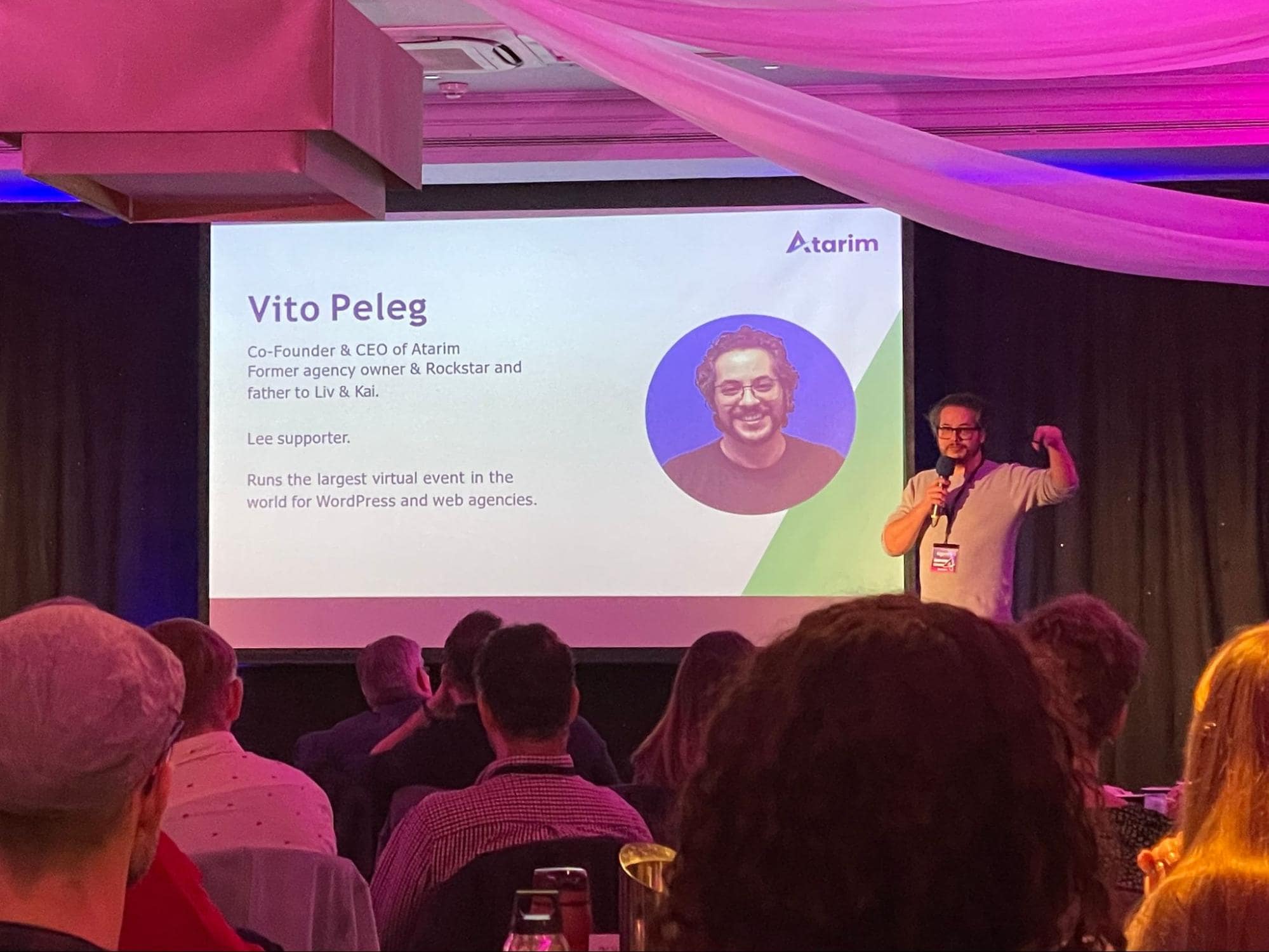
I had the pleasure of giving a talk on the main stage.

vito's speech at WCEU 2022 in Porto, Portugal

In addition, we launched our free plan. Start collaborating on any website in seconds, learn more. 

And we also sponsored WCEU 2022, which was a great experience. Really enjoyed being able to run demos in person and see people’s reactions to seeing Atarim in action & the first questions they had that came to mind.

Atarim as a sponsor of WCEU 2022 in Porto, Portugal

And overall had a great time around Porto with friends: 

WCEU 2022 in Porto, Portugal
friends and colleagues at WCEU 2022 in Porto, Portugal
Vito Peleg, Andrew Palmer, Nathan Wrigley, Anne Bovelett, Stephanie Hudson, Dan Maby (Left to right)

This Year In Product Updates

The Launch of URL-based Collaboration

As mentioned earlier, we announced this at WCEU 2022! This is definitely one of the biggest updates from 2022 and the update that has set the stage for the future of Atarim.

Take Atarim for a spin on a site of your choice today, completely free to get started.

The Relaunch of our WordPress Plugin

relaunch of Atarim plugin

This happened relatively recently (late in the year), but we’re excited to have already crossed some exciting milestones: 

  • 120+ 5-star reviews 
  • 1,000+ active installations

Note: this is an optional deeper integration with WordPress. Many of our users, that are WordPress design and dev agencies, now rely entirely on Atarim’s URL-based collaboration.

The Launch of our New Help Center

Atarim's new help center

We relaunched our help center, merging it back to our main site – the home of all resources related to Atarim: 

Take me to the new Atarim Help Center.

The Relaunch of our YouTube Channel

relaunch of Atarim's YouTube channel

Interested in subscribing? Head over to our YouTube channel here.

Migration To New Infrastructure

We recently made changes to our infrastructure to have servers in Germany where we store data from accounts that were created in the EU (and the UK) to remain GDPR-compliant based on requests from our Enterprise users.

Image-Based Collaboration With Hotspots & Design Journeys

Towards the end of the year (December), we completely revamped our image collaboration experience.

Image-Based Collaboration With Hotspots & Design Journeys

To make it easier than ever to collect design feedback on images, manage your design journeys and version control iterations of your work as you process feedback. 

Focusing On Expanding Our Integration Ecosystem & Partnerships

As a part of making this all possible – we welcomed two incredible new people to the team. Caroline Crossland as our head of inbound marketing, and Alexey Gaverdovskiy to head up enterprise sales. These are our first two full-time, in-house marketing hires, and they’ve hit the ground running quickly, already attending WordCamp Italia. 

Alexey Gaverdovskiy, new team member of Atarim
Alexey at WordCamp Italia 2022

Both will play a pivotal role in Atarim’s growth. Communicating with partners, leading our content production workflow, and tying everything today. In short, helping us bring new functionality to our users and reach a greater number of users in the coming years. 

We now have 12 integrations with platforms, including Trello, Basecamp, Jira, Pabbly, Make, ClickUp, Asana, Slack, MainWP, and Rocket.net. 

MainWP is one of those solutions that most of the people in the WordPress industry will be familiar with (if not also users themselves). It was a great moment to announce our integration with the Dennis Dornon (their founder). 

mainwp and atarim partnership

And after a very successful migration to Rocket.net, we also launched an integration and partnership with Rocket.net

Note: For those unfamiliar with Rocket.net, they are a leading managed WordPress hosting provider. We use them to host our marketing site (the one you’re reading this post on). This is unrelated to the Atarim platform’s infrastructure.

creating a new site on rocket.net using Atarim

A really neat integration that makes it possible to do things like create sites and more, all without leaving Atarim. Learn more about our integration with Rocket.net here. If you’re interested in connecting with our team to discuss a potential partnership – please get in touch, simply use our on-site support messenger (in the bottom right-hand corner), or send an email to alexey@atarim.io.

This Year In Support

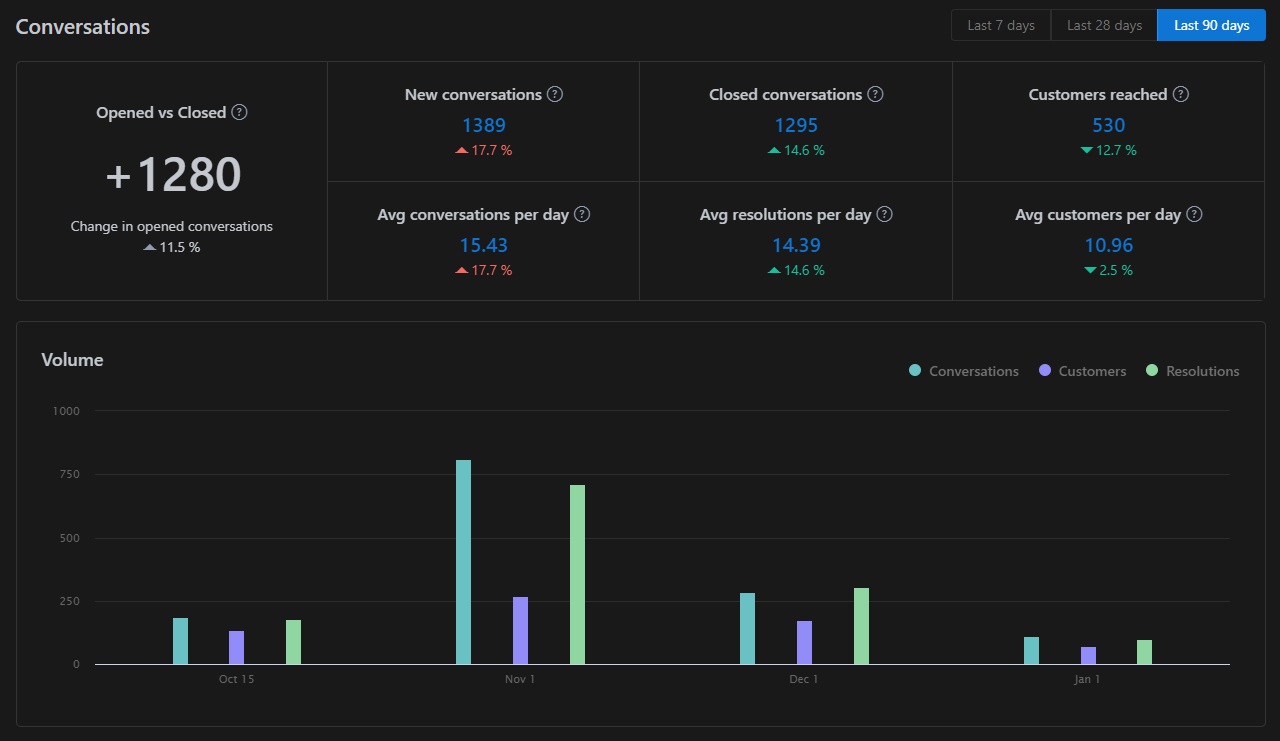
Across email support and chat support, we had over 5,400+ conversations with over 2,200 users throughout the past year. Oddly, Teamwork Desk doesn’t seem to support reports with a lookback period of more than 90 days (so this is an estimate).

The support statistics are relatively in line with what we expected following our customer growth this past year. With the launch of our free tier and the ability to collaborate on any website in the world, the nature of our requests significantly changed – with a good portion being pre-sales questions.

Improving support goes beyond response times and resolution times. We remain committed to ongoing improvement in this area. 2022 was a busy year (as you can tell), and we’re committed to making sure the experience, response (and, more importantly, resolution times) continue to improve.

Speaking At Agency Trailblazer Live 2022

Vito Speaking At Agency Trailblazer Live 2022

Later in the year, I also had the pleasure of heading back to the Agency Trailblazer conference. As one of the first conferences that I ever attended when getting into the WordPress industry, and where we originally started building the waitlist in preparation for our initial launch (of WP FeedBack at the time), it was really great to be back and see lots of familiar faces. 

We Raised Our First Funding Round

2022 is the year we raised funding.

When we started Atarim (at the time WP FeedBack) as what was originally a relatively simple plugin allowing clients to submit requests, leaving feedback on websites visually – the company was entirely bootstrapped. 

atarim raises first funding

It quickly became clear that the vision to improve collaboration across digital teams was one that wouldn’t make sense to go at alone, leading to us raising funding from some great people that I’ve personally followed for quite some time was a big moment for us. And, suffice to say, we’re beyond excited for what’s in store. 

funding celebration
Joost and Marieke of Emilia Capital

Read the full announcement: Atarim Raises First Funding Round to Bring Visual Collaboration To The Masses

Personal Updates

Beyond grateful for a year that has been crazy in many ways professionally, this year has also been a big one as a father & for us as a family…

My Wife & I Had Our Second Child. First Son!

Vito's second son

Summary & What’s In Store for 2023

Over the past 3 and a half years, Atarim has transitioned from a simple WordPress plugin to a full-blown platform. As we head into 2023, our core aim is to continue working to create an unmatched collaborative experience. 

In the first half of the year, we’ve dedicated a significant amount of timeline to various improvements to our infrastructure and underlying codebase. The second part of the year focused on continuing to improve the experience. Other things to look out for this year include integrations, improvements to notifications and the real-time characteristic of what collaborating in Atarim is like. We can’t wait to share more as the year progresses, and we ship release after release.

Completing Our SOC2 Audit – Achieving Full Compliance

This is something we’ve actually already made a start on. We’re in the process of obtaining both SOC2 and GDPR compliance certificates from external auditors. 

All of the preparation work from our side is complete, but it may take them a couple of months to review everything. We may do a post all about our experience when it comes to becoming compliant, lessons learned, and tips for other companies out there considering going through the same process themselves.

Team-Related Features

One of the known areas of the product we want to expand related to how teams actively use Atarim and what they want to be able to do in Atarim. 

This includes things like being able to create private, internal tasks as well as tracking project stages so the entire lifecycle of a website can be managed in Atarim. 

Beyond this, a number of other organizational improvements, such as being able to organize projects into folders. As well as touching up details like how grouped notifications work.

Events We’ll Be Attending This Year

The Atarim Agency Summit

We’re excited to run another edition of our own summit (the largest in the industry) towards the end of April – more news to follow soon.

Last year, we had people from Yoast, HubSpot and even Google in attendance.

Note: If you’re interested in sponsoring, please reach out to alexey@atarim.io.

WordCamp Asia (Also Our First Team Retreat)

We’re beyond excited to attend Wordcamp Asia, which will also be the first time we bring the entire team together in person. Learn more about WordCamp Asia 2023.

CloudFest (and CloudFest USA)

We’re sponsoring CloudFest & Alexey will be in attendance. If you’re going to be there and interested in meeting, send over an email to alexey@atarim.io.

This free pass can be used for unlimited registrations to CloudFest 2023, so feel free to use it generously.

WordCamp Europe & WordCamp US

Last year WCEU was a really great experience. This year, we will be attending WCEU 2023 in Athens (with more of the team joining us). Learn more about WCEU 2023.

In addition to WCUS 2023, details yet to be confirmed, here is a link to the event website.

We’re Hiring – The Team Continues To Grow

atarim careers

For those interested in joining us on our mission – we are still accepting applications for development and support roles. 

Interested in joining the team? Learn more & connect here.

Refocusing On Our Website

Atarim's website redesign

We’ve welcomed Dave to the team to bring the visions we have for our own site to life. 

Some of these include: 

  • Launching feature pages
  • Launching comparison pages
  • Improvements to our overall design and developing a consistent design system. 
  • Improvements to our help center

Excited to see these come together & result in a site that’s more indicative of where we’re at as a company and exactly what it is that Atarim does.

Helping more digital teams improve how they collaborate through Atarim’s software suite and resources we create

As a part of our vision and commitment to the community, a big part of 2023 for us will definitely be growing. 

Simply put, to us, that is delivering on the mission we already are, just in a bigger way. 

That is both by reaching more people with Atarim’s collaboration platform as well as with the resources we produce. Through initiatives, including but not limited to: 

  • The Atarim Summit (previously YoY been the largest summit in our industry!)
  • The detailed guides, tutorials, and case studies on our blog.
  • The Atarim Academy
  • Our YouTube Channel

All of this really only begins to scratch the surface in terms of what we have in store for the coming year. The details we’ve shared here are just as a bit of a prelude to some of the smaller improvements we’re making that all contribute to the bigger picture of building an unmatched collaboration experience.

I hope you enjoyed and if you have any questions, suggestions, or feature requests – please feel free to get in touch.

We’re here to help and always happy to hear from you (simply email support@atarim.io or use our in-app support messenger).

We also invite you to join our community on Facebook.

Best of luck to all of you in 2023! ❤️

SOP vs. Work Instructions – Which Is Better?

In the software development world, there are a lot of acronyms thrown around. Two of the most common are SOP and WI, which stand for Standard Operating Procedure (SOP) and Work Instructions (WI), respectively. 

But what exactly is the difference between the two? And which one should you use for your project?

In this post, we are going to discuss the differences between each and provide a better understanding of when to use either one.

What is an SOP?

An SOP is an important tool for developers because it helps to ensure that tasks are completed consistently and accurately. When all developers are following the same SOP, it makes it easier to identify errors and potential problems. It also allows new developers to more easily learn how to complete tasks.

There are many reasons why SOPs are important in software development. First and foremost, an SOP helps agencies complete and deliver tasks in a consistent and timely manner, with full attention to the details – removing the risk of error or oversight.

Without an SOP, it would be much more difficult to identify errors and potential problems. 

Secondly, SOPs help new developers to more easily learn how to complete tasks. By having a step-by-step guide to follow, new developers can hit the ground running without having to waste time trying to figure out how to do things on their own.

Another reason why SOPs are important is that they can help improve efficiency and productivity. 

By outlining exactly what needs to be done and how it should be done, you can eliminate wasteful steps and streamline the task at hand. This can save valuable time and resources in the long run. 

What are Work Instructions?

Work instructions are simply step-by-step explanations of how to complete a task. They can be written or verbal, but most often, they are in the form of procedures, process maps, diagrams, or even videos. 

Work instructions are created for a variety of reasons, but their primary purpose is to ensure that tasks are completed consistently and accurately. 

Having detailed work instructions can also help to reduce training time for new employees and minimize errors. Additionally, clear work instructions can help teams to communicate more effectively and avoid misunderstandings. 

SOPs vs. Work Instructions: Key Differences

Here’s a brief table that clarifies the differences between SOPs vs. work instructions.

SOPsWork Instructions
SOPs explain processes, including who’s responsible and what needs to be done.Detailed, step-by-step instructions explaining how to perform a task.
SOPs are addressed to all stakeholders involved within a process.WIs are addressed to specific individuals who are responsible for a particular task.
Often created by upper-level management and a few experts.Mainly created after consulting with individuals who are well-versed and experienced in the process.
The prime objective is to ensure compliance and achieve results that pass quality standards.The primary objective is to ensure that the job is completed using uniform, consistent practices.

Benefits of Using SOPs

SOPs are commonly used in virtually all types of businesses. Here are some benefits that they offer:

Decrease Training Time

If you have ever had to train someone on how to do a task, you know that it can be time-consuming and frustrating. 

By having a document that outlines the steps needed to complete a task, you can drastically reduce the amount of time it takes to train someone new. This is especially helpful if you have a high turnover rate or if your team is constantly changing.

SOPs eliminate the need for trial and error. As a result, your employees will waste less time trying to figure out how to do something and can instead focus on getting the job done quickly and correctly.

Improved Collaboration

Another benefit of using SOPs is that they can promote better collaboration within the development team. By having a clear understanding of each other’s roles and responsibilities, team members can work together more effectively towards the common goal. 

This can lead to improved morale and motivation, which can, in turn, improve the quality of the final product. 

Predictability

SOPs promote predictability in the workplace by ensuring that tasks are completed in the same manner each time they are performed. 

This leads to fewer mistakes and a higher quality of work overall. When your employees know what is expected of them, they can work more efficiently and with greater attention to detail.

Benefits of Using Work Instructions

Here are some key benefits of using work instructions:

Improved Efficiency

By having clear and concise instructions available, workers can quickly learn how to complete a task without having to guess or trial-and-error their way through it. 

This can save a lot of time in the long run. In addition, if a task needs to be completed by multiple people, work instructions can help to standardize the process so that everyone is on the same page (literally!).

Diagrams or pictures can be very helpful in providing step-by-step instructions on how to complete a task. In this way, workers don’t have to waste time reading through lengthy paragraphs of text. 

Rather, they can quickly reference the visual aids as needed. This is especially useful for complex tasks that may be difficult to describe in words alone. 

Quality Control

By having explicit instructions on how tasks should be completed, businesses can rest assured that their products or services will meet a certain level of quality every time. 

This is because there is less room for human error when people are following a set procedure. 

In addition, if something does go wrong, it will be easier to identify where things went off track so that the issue can be addressed and prevented from happening again in the future. 

Reduced Costs

The improved efficiency and quality associated with work instructions can lead to reduced costs for businesses. 

For example, if there are fewer mistakes being made, businesses will save money on rework or replacement costs. 

In addition, businesses will save money on training costs since new employees will require less training if clear instructions are available.

Work Instructions and SOPs are Both Vitally Important

SOPs are used to communicate how a process should be done. They’re comprehensive, detailed, and specific. SOPs include all steps in a task, including prerequisites for that particular task or set of tasks (e.g., you need an approved purchase order before you can get the correct quantity of materials).

Work instructions are more often used as supporting documentation for an SOP – they usually focus on one specific step or procedure within an overall process defined by its parent SOP.

As your business grows, you will want to consider setting SOPs for general tasks in the workplace, such as how to send a time-off request. Work instructions would ideally be project-specific.

When it comes to ensuring projects are delivered in the right way, on time, clear communication within and between your teams is vital. SOPs and WIs are a critical part of that, but when it comes to website collaboration, Atarim provides an unrivaled set for centralizing communications and creating an easy and intuitive workflow. Try Atarim for free today.

If you want to learn more about creating instructions and processes, you should consider reading What Should You Write: A User’s Guide, Tutorial, Reference Manual, or Standard Operating Procedure?  by John H. Major.

Effective Client Management – How to Win and Retain Clients

Clients are the lifeblood of any business. They help you pay your bills, they allow you to grow and expand, and they provide feedback that allows you to make more money in the future.

But how do you manage those clients? How do you keep them happy without being overly pushy? And how can you keep them around for as long as possible?

According to recent reports, companies that retain more than 90% of their clients make more than three times the revenue of those who only retain 50%.

As you can see, it’s important to keep your customers and maintain their loyalty.

Here are our top tips on the best client management strategies for your web agency.

Winning Over New Clients

The first thing you need to do is be clear about what you do and why it’s important. Let them know if it’s a personal or business relationship and what the next steps are. If your client is an individual, make sure they know that they can contact you if they have any questions or concerns in the future.

If your client is a company, make sure they understand all of the services that are included in their package – it’s best not to leave anything out! Also, be prepared to show how you can help them reach their goals by clearly explaining how each service relates back to those needs rather than just focusing on what others might offer instead (like discounts).

You should also be ready for questions about things such as whether there are other companies offering similar services so that when asked about competition, there aren’t any surprises – which could lead some people away from doing business with someone new altogether!

Learn Your Clients’ Business

You may have heard it said that the best salespeople are actually great listeners. And to a certain extent, this is true – it’s important for anyone in sales or marketing to learn how to listen attentively and usefully to their prospects.

But if you really want to attract and retain clients, then you need more than just good listening skills. You need deep knowledge of your clients’ business (industry, challenges, competitors) so you can understand what they want out of their partnership with your company.

In order to serve as an effective partner on behalf of your client’s needs and goals, these are some things you should know:

  • What is their industry? How is it changing? What trends do they see emerging?
  • What challenges do they face in meeting their customers’ needs (or those of their own employees)?
  • Who are the most important players in their market? Why do they matter? How does the competition stack up against them?

Make A Strong First Impression

It’s important to make a strong first impression when meeting with clients for the first time. Here are some tips on how to do that:

Be punctual. If you’re going to be late, contact the client as soon as possible and explain why you will be late.

Dress appropriately for your setting and audience. If they are in business attire, dress professionally; if jeans and a t-shirt is appropriate, then wear those clothes instead of khakis and a button down shirt!

Be prepared with all information needed for your appointment (i.e., an outline of what you’ll be talking about). Also, make sure that any handouts or documents are easy to read (font size large enough) and have been proofread by someone other than yourself before handing them out! It always helps people remember more if they can actually read what was given to them! Having everything ready also shows that he/she cares about his/her job – and this may sway potential clients into hiring him/her rather than another photographer who doesn’t seem fully prepared for their shoot.

Keep In Touch With Clients Between Meetings

Once the client has signed on, it’s important to keep in touch with them between meetings. This helps you build rapport and reinforce the idea that you are a trusted advisor who cares about their interests.

It also gives you an opportunity to respond to any questions or concerns they may have about what’s happening with their project, which shows that you’re attentive and responsive.

The best way to stay in touch is by email and phone calls. If your clients are using social media, you might try posting updates there as well, within the bounds of client confidentiality, of course.

Put The Client First

A client is your boss. You are working for them, not the other way around. If you think about it, this is why you’re in business: to provide a service that helps your clients and makes them happy. A client will pay you money and give you work because they want to see results – good ones!

When dealing with an upset client, remember that if you keep them happy by ensuring they get what they want and need out of their experience with your business, then they’ll be more likely to stick around longer and refer their friends/colleagues who may need help too.

Be Accessible and Listen

Be available to your clients. Make yourself available for meetings and questions, whether that means you have an open schedule or are available on weekends and evenings. If you’re not accessible, you won’t be winning over any new clients.

Listen to what they want and need from you as a provider of services or product offerings, but also listen carefully when they tell you what they think of your work so far – especially if there are problems with it.

Be A Problem Solver

As a client, you want to work with someone who can solve your problems. You don’t want to be micromanaged or have your hair pulled over every little thing. But you also don’t want to be back-burnered or forgotten about – you deserve respect and attention from your partner in business.

To be seen as a problem solver, do the following:

Understand the client’s perspective. Before you can offer solutions, you need to understand where they’re coming from – and this starts by asking questions.  Be curious about what they are experiencing and ask them how they feel about it; ask them if there is anything else they would like addressed; ask how their experience has been so far with other companies (say, through Google reviews or word of mouth).

Take responsibility for the problem at hand. Even if it wasn’t your fault (or even part of your job), own up to it! It shows that you’re willing and able to shoulder responsibility for something bigger than yourself – just make sure not too much falls on your shoulders alone!

Offer a solution: once we’ve listened and taken ownership of our client’s issues, let’s follow up with some solutions on how we can help improve things moving forward.

Give Feedback To Clients

You’ve heard it said many times before that it’s essential to get feedback from clients, to help you develop your business by focusing on strengths and weaknesses, and to be able to source great testimonials.

But have you given any serious thought to offering feedback to the clients in return?

Feedback is important for clients to know how you feel about their business. It can be positive or negative, but it should always be honest. The best way to give feedback is in person and in a timely manner.

When giving feedback, make sure that it is specific and actionable, so the client knows what they need to do next. Feedback should also be given as soon as possible after something happens because if it takes too long, then the client will have forgotten what happened or why they are receiving feedback in the first place!

Keep The Conversation Flowing By Sharing Industry News

As with any good relationship, the key to keeping your client happy and engaged is communication. The more you share about what’s going on in your life, the better they’ll be able to relate to you and understand your needs as they relate to their own business.

If you’re stuck at a crossroads or feeling burned out on a project, sharing that information can help alleviate some stress by giving them insight into how much effort (and possibly money) is involved in getting from point A to point B.

It also helps them feel as though they’re part of the decision-making process, which can make all sorts of things easier for both parties down the line.

If there are new developments in an industry or market, it’s wise for everyone involved when those developments are shared among peers – but don’t stop there! Share personal stories about something unrelated if those come up naturally during conversation; this will help build rapport between yourself and your clients by showing off aspects of your personality outside of just business talk! And don’t forget: asking questions may yield surprising answers!

Take Over Team Communication Issues With Clients

You can’t be available 24/7. Even if you have an employee or team member who is experiencing trouble communicating with a client, they may not always be able to help them. Because of this, you may need to step in and take over for the employee who has a difficult client.

Your employees need to know what they are doing when it comes to managing clients. If they don’t have the right training, then there is no way that they will be able to communicate effectively with clients and help them through any issues that arise in their relationship with your company.

Trusting your employees isn’t easy – trust must be earned! You should test out all new hires before giving them full access (and responsibility) for important tasks such as client management.

Send A Polite Hands-on Reminder To Your Client About An Unpaid Invoice

You’ve probably had the experience of forgetting about an outstanding bill, then getting a friendly reminder from your credit card company. It’s not the end of the world – you can still pay on time and be back in good standing with them.

However, when it comes to clients, you want to avoid bringing up the topic at all, if possible. Sending reminders can lead to awkwardness between you and your client, which could make things uncomfortable for both parties down the road.

Instead of reminding them directly, send a polite hands-on reminder that they can forward along as needed if they choose.

Client Management Is About More Than Just Selling Your Services Or Product

Client management is about more than just selling your services or product. It’s about building a relationship with your client and establishing trust.

In order to do that, you need to be able to articulate exactly what it is that you offer, why clients should hire you for it, and how it will help them achieve their goals.

Your aim should be to get clients excited about working with you from day one by providing them with as much information as possible so they can make an informed decision.

Once a client has hired you for your service or product, the next step is maintaining that relationship throughout the duration of the project until it’s complete (and beyond). This means staying in touch with them via phone calls or emails, making sure they have everything they need at all times and keeping track of deadlines, so nothing falls through the cracks.

Conclusion

The bottom line is that client management is about more than just selling your services or product. It’s about building relationships with the people who hire you and helping them achieve their goals.

This makes them happy, which means they’re less likely to fire you in favor of another firm that seems better at communication or problem-solving (which, incidentally, doesn’t even matter if you’re doing great work).

Communication is vital to fostering and maintaining a positive relationship between your team and your clients, which is where Atarim can step in to help make a real difference. With Atarim’s centralized communications dashboard, your teams won’t be guessing what the client might mean or want.

And with beautiful, professionally designed reports able to be generated in just a few clicks, you can keep your clients happy with minimal effort on your part. Sign up for Atarim for free, and discover why so many digital agencies rely on it as part of their own client management strategies.

Ver 3.4 is LIVE – Image Based Collaboration, Persistent Guest Login & New Filters

As we continue down the route of making Atarim a full suite of tools for you to manage all of the work you are doing internally for your clients, we are super excited for the release of 3.4; with the release of the long awaited “Image-Based Collaboration”.

We’ve also included some more quality of life additions with persistent guest login, and filters to help you find what you need even quicker.

Image-Based Collaboration

You can now add images to your Atarim Dashboard using the new “Add Design” button on the assets screen. This follows the same core functionality as collaborating with the plugin on WordPress websites or a URL, where you can leave requests directly on the canvas!

However, with image-based collaboration, you have a few more handy features which create an iterative design flow when working on website mockups, branding and any other designs you and your team are making!

Adding Designs

When you add a design, this creates a new asset on your Atarim Dashboard.

Inside this asset, you have the option to add as many more designs as you please with the left sidebar (unlimited designs are only avaliable on our paid plans, you have a maximum of 5 on free plans, view our plans here).

This is pefect if you are creating website page mockups for your clients, as you have the option to upload all mockups and keep them all neatly organized in one asset on your Atarim Dashboard.

Design Versions

For each design inside an asset, you can upload new versions. This is an amazing way to create an iterative design flow. For example, let’s say you upload a mockup of the homepage for your client, they view it and leave you feedback on what they think you should change…

You do all of the changes, and versions enables you to upload the latest version to the design inside the asset, which will then create version 2.

This allows you to quickly switch between both versions via a drop-down in the top-right, so your clients can easily see the progress you are making, creating an iterative design flow which is super easy for everyone involved to follow.

Hotspots For An Amazing Design Flow

By entering hotspot mode (the icon in the middle at the bottom), you can drag and drop red boxes over the canvas. This will show the hotspot creation pop-up, where you have the option to link this design to another inside this asset or to a section below based on the y in pixels.

If you are the type to create full website mockups in XD, Photoshop or Figma, you can now upload them all as designs and create the flow you intend to build with hotspots! This is perfect for showing you clients EXACTLY what your planning on building, so you can be 100% sure you are not wasting your time building something which will then be heavily changed later down the line.

Persistent Guest Login

Previously, when you invited your clients to collaborate on an asset, they could enter their name and start commenting as a guest. When they close the tab and come back, they would need to enter their name again.

We’ve completely upgraded this flow to enable a persistent guest login. Now, when your clients enter their name and start commenting, if they close the tab and come back, the app will recognize it’s them and keep the name they entered.

This makes it even easier to collaborate with your clients and stakeholders, giving them the option to bookmark the link and quickly come back!

More Filter Options

As we continue to add different types of items you can upload as assets to your Atarim Dashboard (right now including WordPress sites, sites added via URL and images), we’ve increased the number of filters on bunch of screens.

You can now filter ONLY image-based designs and show it in order of latest tasks first for example, making easier for you to find what you need!

Dashboard New

  • Image-based collaboration – You can now upload images to your Atarim Dashboard and visually collaborate on them, creating tasks directly on the canvas!
  • Unlimited designs – Inside each design asset, you can upload different designs to that single asset, perfect for showing all of the mockups for a new website or app in one place.
  • Design versions – As you iterate on specific designs inside an asset, upload new versions to show the journey of the design and keep everyone on the same page.
  • Hotspots – Create clickable sections on designs to link to other designs, empowering you to create the entire flow of your mockups!
  • New filters – As we increase the type of assets you can upload to the Atarim Dashboard (including WordPress websites, non-WP websites and images), we’ve made it possible for you to filter by type on a bunch of different screens.
  • Persistent guest login – Previously, people could enter their first name and collaborate as a guest, but they had to keep doing so when they came back to the page. Now, we save the first name and make it persistent, so they only need to do this once, making collaboration even easier.
  • Ad blocker notice – Having an ad blocker installed can mess with how sites are showing inside your browser on the Atarim Dashboard, however if you dismiss this notice, you will not see it again (use at your own risk ?).
  • Changed website to “Asset” – As we increase the type of things you can add to the Atarim Dashboard, we have changed the wording of “websites” to assets. Right now this includes, websites added with the WordPress plugin, websites added with a URL and designs uploaded.

Dashboard Bug Fixes

  • URL based collaboration – We are continuing to fix many small issues we’ve found (and reported by our amazing users) on websites added via URL, and will continue to do so every update!
  • Time entry counter – Time entries were not counting correctly inside the page, this has now been fixed.
  • Filtering list view – Filtering inside list view was not working as expected, this is now fixed.
  • Duplicate assets on list view – Some assets were showing twice in list view, this is now fixed.
  • Rendering non-English Characters – Non-english characters were not rendering correctly on websites added via URL, this is now fixed.

WordPress Plugin New

  • Pop-over design update – We’ve slightly updated the pop-over design for tasks, including the order of icons and color of the comment button.
  • Comments feed design update – We’ve changed the layout of the comments feed to make it more of a chat, by adding author images and aligning everything to the left.

WordPress Plugin Bug Fixes

  • Notes issue: Previously you could create a task with the first comment being a note, this has now been fixed.
  • Divi add-on conflict: There was a conflict with a Divi add-on that made page ID’s incorrect, this is now fixed.
  • Warnings generated by plugin code: A warning was showing in the WP admin due to some code inconsistencies, this has now been fixed.

8 Project Management Books That Absolutely Belong in Your Library

If you want to learn about project management, there are a lot of great resources out there. It’s hard to rank books in general, but if you’re looking to learn all there is to know about project management, there are a few which include some fantastic insights and information about what project managers do. 

In this post, we are going to talk about 8 of the best project management books that are a must-read if you’re a project manager or aspiring to become one!

1. The PMP Exam: How to Pass on Your First Try

The PMP Exam How to Pass on Your First Try

This book is a favorite among project managers due to its clear and concise explanations. It covers all of the essential topics that you need to know for the Project Management Professional (PMP) exam, including an overview of the process groups, tools and techniques, inputs and outputs, and more. 

The book also includes a number of helpful practice questions so that you can test your knowledge as you go. The good thing is that you can glean a lot of information from this book, even if you have no intention of taking the PMP exam. 

It covers some of the most commonly used concepts in project management, including managing risk and balancing deadlines. If you want to improve your project management skills, you can’t go wrong with this one.  

From a purely technical standpoint, this is an excellent read and will give you all the concepts about project management that you need to get started.

2. A Guide to the Project Management Body of Knowledge (PMBOK Guide)

A Guide to the Project Management Body of Knowledge (PMBOK Guide)

The PMBOK Guide is considered the gold standard when it comes to project management. It’s published by the Project Management Institute (PMI), and it provides a detailed overview of everything from initiating and planning a project to executing and closing it out. 

If you want a comprehensive resource that covers all aspects of project management, this is the book for you. 

Just keep in mind that it can be a bit dense, so it might be better suited for experienced managers who are looking for a reference guide.

Again, like the first book, this one’s more about technical concepts and understanding exactly what project management is all about, as well as the key concepts. 

Instead of focusing on abstract ideas, this one focuses on established project management concepts that are backed by research and have been tested. 

3. Agile: An Essential Guide to Agile Project Management, The Kanban Process and Lean Thinking + A Comprehensive Guide to Scrum

Agile An Essential Guide to Agile Project Management, The Kanban Process and Lean Thinking + A Comprehensive Guide to Scrum

This book is perfect for anyone who wants to learn about project management but doesn’t know where to start. It provides an overview of all of the major project management methodologies, including Agile, Kanban, Scrum, and Waterfall. 

Each methodology is explained in detail, with information on when and how to use it effectively. This book also includes helpful tips on creating project plans, estimation techniques, risk management strategies, and more. 

Whether you’re just starting out or trying to brush up on your skills, this book will give you a solid foundation in project management concepts.

Different companies often rely on different project management techniques, and I’m sure you’ve heard names like “agile” or “scrum” being used quite commonly. If you want to know the differences and the nuances between these and other project management techniques, James Edge’s book is an excellent place to start. 

4. Agile Project Management For Dummies 

Agile Project Management For Dummies

If you want to learn about agile project management but are feeling overwhelmed by all of the jargon and concepts, this book is for you. 

It breaks down everything from scrum roles and ceremonies to product backlogs and sprints in plain English so that you can understand how agile methods work without getting bogged down in details. 

The book also includes real-world examples so that you can see how agile principles are applied in practice. Whether you’re new to agile or just want a refresher course, this book will give you a good understanding of what agile is all about.

For those who don’t know, the agile methodology is one of the most commonly used concepts in the world of project management. 

5. The Lean Startup: How Today’s Entrepreneurs Use Continuous Innovation To Create Radically Successful Businesses

The Lean Startup How Today's Entrepreneurs Use Continuous Innovation To Create Radically Successful Businesses

While this book isn’t specifically about project management, it’s still required reading for anyone who wants to be successful in business today. 

The author discusses how traditional businesses are often too slow to adapt to change, which can lead them to miss out on opportunities or make decisions that ultimately hurt their bottom line. 

He then outlines a leaner approach that startups can use to move quickly and efficiently while still maintaining quality control. If you’re looking for an edge in today’s competitive business world, this book will show you how to get it.

6. The Manager’s Path

The Manager's Path

This book is less about specific project management techniques and more about developing the skills you need to be a successful leader of software development teams. Fournier walks readers through all the major stages of a manager’s career, from individual contributor to director-level positions. 

She also offers helpful advice on common challenges managers face, such as conflict resolution and performance reviews. If you’re looking for help transitioning into a leadership role or want to brush up on your management skills, this book is definitely worth checking out.

It’s a fascinating read that details Fournier’s own experiences working as a project manager and the challenges that the tech world brings. 

7. The 5 Dysfunctions of a Team: A Leadership Fable

The 5 Dysfunctions of a Team A Leadership Fable

Many project managers will tell you that the key to success is having a great team behind you. But what do you do when your team isn’t functioning as well as it should be? 

In The 5 Dysfunctions of a Team, Patrick Lencioni uses a leadership fable to explore the five main dysfunctions that can plague any team: absence of trust, fear of conflict, lack of commitment, avoidance of accountability, and inattention to results. 

If you want to learn how to build a high-performing team, this book has all the details that you’ll need, and it’s written in a way that perfectly addresses the challenges that any project manager might face, not just ones working at companies like Alphabet or Meta.

8. Making Things Happen

Making Things Happen

In “Making Things Happen”, author Scott Berkun provides readers with an inside look at how successful projects are really managed. 

Drawing on his own experience leading projects at Microsoft and other companies, Berkun offers up valuable lessons on topics such as team dynamics, conflict resolution, and effective communication. 

This book is packed with useful information that will help you take your project management skills to the next level. It’s important to note that the book doesn’t really delve too deeply into specific project management methodologies. 

Instead, Berkun talks more on a strategic and philosophical level, explaining various concepts by citing his own experiences. Using personal essays to great effect, Berkun gets his point across, providing a fascinating read that’s filled with excellent ideas and information. 

Conclusion

There are countless books out there on project management, but finding the truly helpful ones can be tough. There’s also extensive research on this subject. 

For more on the subject, you may want to read Organizational Alignment: How Project Management Helps by Abul Rizvi, which combines the concept of project management with organizational alignment to help companies achieve success. 

The Power of Pair Design — What It Is & How It Works

“Two heads are better than one” they say. But then they also say that “too many cooks spoil the broth”.

I’m sure that whoever ‘they’ is would have something to say about paired design. Is it a good thing? Or is it simply a recipe for a dog’s dinner?

In this article, we’ll be examining exactly what is meant by paired design, analyze the benefits and drawbacks, and help you make a decision about whether hiring two heads brings you an advantage (and we’re not just talking about hiring Zaphod Beeblebrox*)

*If you don’t know who Zaphod Beeblebrox is, then right after finishing reading this article, make sure you read The Hitchiker’s Guide to the Galaxy. It’s almost as useful.)

What is Pair Design?

The chances are probably quite high that when you have a design task that needs doing, you hire a designer. Seems pretty reasonable, doesn’t it?

But one of the words in that sentence is key. It’s the word ‘a’.

Quite a little word, but it draws a distinction between what you’ve probably always done and what you may be considering as an alternative — pair design.

So what do we mean by this? Elementary, dear reader. Just like the pairing of Sherlock Holmes and Dr. Watson, this strategy aims to put two designers to come up with crafty designs. 

Except, in this case, both can wear deerstalkers or any other type of headwear they prefer. The aim is to complement each other’s solutions so that one can whisper “Norbury” to the other from time to time. 

Have you ever presented a product or website design to your team and found out that they had a slightly different perspective from yours? Imagine thinking that you had a fantastic design but later realizing that you looked over some key elements. 

If you had someone with you to give you feedback on your original idea, you wouldn’t have to go back to the drawing board. Getting their suggestions from the get-go may have helped improve the product design and saved precious time. 

Paired design tries to prevent such situations by assigning two designers to the same task. It may seem a bit confusing at first, especially since it’s not the most efficient approach in terms of resource allocation, but it definitely has its benefits. 

How Pair Design Works

Pairing designers seems easy enough. Here’s how it benefits all stakeholders. 

Creating a Feedback-Focused Relationship

A common misconception among many readers is that pair design aims to put one person to work while the other just points out mistakes or suggests improvements. 

That can get really annoying, really fast. You don’t want someone looking over your shoulder and pointing out suggestions without actually doing something to help.

Don’t worry, that’s not what this is. Instead, think of it as more of an open platform where you can just bounce ideas off each other, dissect those ideas, and then find common ground to work with.

Discrete Viewpoints

This strategy requires each person to play one of two roles: either a generator or a synthesizer. The generator is someone who comes up with ideas. These need not be perfect — just good enough to initiate a discussion. 

The synthesizer is someone who takes that initial idea, works with the generator to identify areas of improvement, and then identifies whether it actually solves the problem and satisfies the requirements of the project. 

As you can imagine, there’s a lot of back-and-forth in this kind of relationship, with the two individuals discussing the pros and cons of each design decision. 

In most work environments, these roles are often interchangeable. A generator can take over as a synthesizer if they have run out of ideas, for instance. Or, if they are just tired of spewing out ideas, they can simply switch roles. 

Similarly, if the synthesizer has an interesting idea, they can swap positions and have the generator suggest improvements instead, effectively reversing their roles. 

3D abstract illustration of pair design generator and synthesizer dynamics with interconnected glowing nodes in violet, slate blue, and emerald

The Many Benefits of Pair Design

Here are just some of the many benefits that pair design offers: 

1. Reduce Cost of Change

As development progresses and the product life cycle continues to advance, it becomes more and more difficult to make changes to different specifications. 

In many cases, the relationship is inverse — the cost goes up as the ease of change eventually declines throughout the product life cycle. It’s easier to make changes during the early stages as compared to at the time of delivery. 

This strategy helps reduce the cost of change as it incorporates feedback from others from the start. With two designers working on the same task, they can both validate each other’s inputs and ensure that every stakeholder is satisfied. 

It’s a common thing in dynamic agencies — some may love the design, while others are quick to highlight its rough edges and areas of improvement. 

Pair design makes it easy for teams to take everyone’s input into account before they get to work, thus reducing the overall number of changes with time.

2. Sharing Knowledge

Designers from various backgrounds and with different inspirations can be paired together. This allows for more seamless knowledge sharing. For instance, a junior designer can be paired with an experienced one, which automatically creates an instructive relationship of sorts. 

Designers in a pair can play to each other’s strengths and learn from each other’s experience. Something as simple as just watching the other person work can improve the transfer of information and doesn’t just help the project but the entire product team.

Pairing designers with diverse backgrounds is a great way to improve the quality of results, as each individual has the option to showcase their creativity without sacrificing the original vision of the project.

3D geometric visual representing knowledge sharing and multi-perspective teamwork in pair design with glowing emerald and slate blue particles

3. Improve Collaboration and Reduce Rework

A major benefit of using this strategy is that it improves teamwork and collaboration. Plus, with twice the brain power working on a single solution, the results are almost always better! 

This has a direct impact on morale and productivity, as employees are able to validate their decisions much faster. Simultaneously, it helps reduce rework, as employees don’t have to worry about making significant edits after all the work is done.

Instead of working in silos, working in pairs helps bring colleagues together and gives them an open platform to discuss ideas and challenges. 

This also has another positive effect: managers can freely move designers from one project to another, knowing that there’s still one designer who knows the product and can guide a new team member.

4. Comprehensive Documentation

Pair design makes it easy for teams to prepare more comprehensive documentation outlining their process. Once both individuals make a design decision, they can divide roles and start preparing documentation. 

Since the roles are split, it takes half the time for a team to prepare and deliver documentation. 

5. Leads to Better Overall Design 

Pairing leads to continuous iteration, as there’s always someone who’s critiquing a design and looking for ways to improve it. The ultimate benefit of this is that it significantly improves the final product design. 

All perspectives are taken into consideration, and ideas are tested heavily, which ensures that foundational problems are resolved early on instead of being exposed later by another member. 

The value of bringing two perspectives together to focus on one problem may seem hard to quantify, but it leads to design decisions that are well thought out and thoroughly tested. 

Asynchronous & AI-Assisted Pair Design in Modern Web Agencies

While traditional pair design began with two practitioners sitting shoulder-to-shoulder in front of a shared monitor, modern distributed agencies have evolved the methodology into two complementary practices: asynchronous visual pair design and human-AI collaborative pairing.

Distributed web agencies rarely have the luxury of identical time zones or uninterrupted joint working blocks. By pairing asynchronously on visual collaboration platforms, team members leave point-and-click annotations, inspect layout tokens, and triage actionable tasks directly on live staging pages. Designers synthesize feedback in their own focused deep-work windows, routing specific requests to the team’s unified collaborative inbox without breaking flow.

Furthermore, agency designers increasingly pair with specialized AI agents directly inside their authoring canvas:

  • Asset Ideation & Layout Exploration: Pairing with design specialists like Pixel to generate responsive section mockups, test typography scales, and refine visual hierarchies in real time.
  • Contextual Copywriting: Teaming up with content specialists like Lexi to draft microcopy, calls to action, and page headlines tailored to the client’s exact brand voice directly beside the visual components.
  • Automated Visual & Quality QA: Conducting continuous pre-flight reviews against a comprehensive website QA checklist to catch responsiveness breaks, contrast failures, and broken states before handoff.

This hybrid workflow preserves the generative and synthesizing tension of classic pair design while removing geographic and scheduling bottlenecks.

Experience frictionless pair design across distributed teams. Collaborate visually directly on live websites with Atarim. Start Visual Collaboration →

How to Effectively Use Pair Design 

Here’s how you can use this technique more effectively. 

Pair Cross-Functional Team Members Together

It’s not always necessary to pair two designers together. Instead, it could be beneficial to pair cross-functional team members, such as a UX designer, with a product manager. 

This primarily depends on the type of design challenge you’re trying to solve, but encouraging team members from different disciplines to work together is a great way to improve collaboration.

Document Processes

It takes time to build synergy. When you pair two members together, you need to encourage them to actually communicate. And, as processes start to develop, make sure to document them!

This helps identify what works and what doesn’t. Over time, these processes can be replicated, reducing friction and making the process easier to systemize. 

Understand the Design Challenge

Before you start working in a pair, it’s important that both members understand the design challenge. This ensures that efforts aren’t wasted and that both parties work towards a common purpose to achieve the objective. 

Encourage Patience

Implementing a new practice in general workflows takes time. There will be hiccups along the way, which is why it’s important to encourage patience from both members. 

It’s important to learn along the way, identify elements that work, and identify what doesn’t. This is an iterative practice, so it doesn’t just improve the quality of design output but also helps streamline internal processes. 

For instance, if something works for two designers consistently, they can share their processes with other teams, and if it’s good enough, these processes can be replicated throughout the department! 

3D visual representing asynchronous AI-assisted collaboration and interconnected design workflows in modern web agencies

Pair Design Can Improve Teamwork and Productivity 

Pair design is a great way to improve teamwork, build synergy, and help team members learn from each other’s experiences. All of this translates into better productivity for design teams while also cutting down on cost inefficiencies. 

You can try Atarim free today to see for yourself how simple and effective it is to be able to collaborate on web design projects in a visual way, allowing designers to work together on a pair design even when working in different locations.

If you want to learn more about teamwork, Peter Gwynne’s Group Intelligence, Teamwork, and Productivity is an excellent read.

Project Risk: Definition And Advice For Project Managers

Risk management is a crucial skill for project managers. Over the years, work parameters have changed considerably, and today, work has become increasingly complex.

Project managers often walk the line, managing the risks that the entire team is exposed to. Of course, the upside can be crazy, but there’s also a serious risk of failure.

When Elon Musk bet big on electric cars in 2004, many wrote him off. As we all know, his decision led to great rewards. Obviously, not all projects are as successful, and some can turn into costly failures. 

In this article, we’ll explain what project risk is, how to manage it, and offer practical advice for project managers. 

What is Project Risk?

Broadly speaking, project risk is defined as the likelihood of an unanticipated event that could affect the project. All projects are exposed to varying levels of risk as they move through different stages. 

When evaluating project risk, it’s generally important to look at it from two different perspectives: the project manager and the project sponsor. 

The project manager is generally responsible for identifying and mitigating risks – usually looking at specific elements. Anything that could affect the project, for better or worse, requires the project manager’s attention. 

For instance, if a probable event in the future is expected to impact the project, the manager needs to record this in a separate document, such as a risk register. 

The project sponsor generally evaluates risk using a different approach. They are more concerned with taking a more holistic approach, evaluating the dynamic conditions to determine just how risky the overall project is. 

A thorough risk assessment must be conducted periodically to identify any new risks. In general, project managers categorize risk by looking at several key points:

  • Risk event: This defines the event that, should it happen, could affect the project. 
  • Timeframe: The time frame indicates the period in which the event is likely to occur. 
  • Likelihood/Probability: This indicates the odds of the event occurring. 
  • Effect: This details how the occurrence will affect the project.
  • Risk factors: Any factors that may increase the chance of the event occurring. 

The Importance of Managing Risk 

Modern work environments are fast-paced, dynamic, and becoming increasingly complicated. Therefore, it’s highly important for project managers to learn the art of risk management. 

One of the best ways to manage risk effectively is to begin with a clearly defined scope. When writing the project charter, managers and sponsors need to be as thorough as possible, outlining the vision, the deliverables, the team members involved, and the scope of the project. 

This sets the tone for managing risk, as project managers know the parameters they have to work in. In modern work environments, project managers often involve team members to identify various risks. 

It’s one of the best ways to accurately plot project risks and prioritize each identified risk. As the project goes through various stages, managers often set up recurring meetings to evaluate risks and change their assessment accordingly. 

Negative vs. Positive Risk

As we discussed earlier, risk can either be positive or negative. Negative risk is the one that most people think about when they hear the word “risk”. It’s any risk that negatively impacts the project. 

To mitigate the impact of negative risks, project managers usually identify them – and prepare for contingencies. For instance, if a viral illness spreads throughout the team, there’s a risk that certain deadlines will not be met. 

This will affect the project negatively. But there are positive risks too. As the name implies, a positive risk is an unexpected event that positively affects the project. 

If the team manages to complete the project earlier than expected, it can be defined as a positive risk. 

Common Risks that Project Managers Should Know About

There are certain risks that are prevalent in almost all types of projects. Here are a few that every project manager encounters in their career:

1. Scheduling Risks

Scheduling risks are ones that often arise due to improper planning. For instance, if a project will take longer than expected, there’s a risk that deadlines will not be met, throwing the entire schedule out of kilter with other aligned projects. 

2. Budget Risks

Budget risks, also known as cost risks, are perhaps the most common. If the original cost estimates are incorrect, or if the managers don’t plan activities properly, there’s a risk of budget overruns. 

3. Market Risks

Market risks are usually out of the project manager’s control. They include risks that arise due to changes in interest rates, foreign exchange rates, or due to various activities by the competition.

Legal or compliance risk indicates the possibility that a change in regulatory requirements may affect the project. For instance, a change in government regulations could expose the company to increased litigation.

5. Operational Risk

Operational risk includes any risk that may affect ongoing project operations, such as issues with production, team management, or the poor implementation of general policies. 

How to Manage Project Risk – Advice for Project Managers

Project managers need to devise comprehensive risk management protocols and create a framework for identifying new risks. 

However, that’s easier said than done. Here are some tips on how to manage project risk more effectively. 

Regularly Run Risk Assessments

Most projects tend to go through various stages, from discovery to delivery. The risks tend to vary at each stage. This requires project managers to take a more proactive approach if they want to identify any potential risks. 

Ideally, project managers should conduct risk assessments at specific intervals. This means evaluating any risks that have already been identified, updating their status, and analyzing and recording any new risks. 

Analyze the Effect of Potential Risks

If a potential risk can derail the entire project, it’s important for managers to categorize it and then look for ways to mitigate its effects. 

Project managers can also look at various contingency plans or discuss the potential risk with other stakeholders in the project to generate new ideas about how to manage it. 

Include the Team in the Risk Management Process

Successful project managers understand the importance of seeking feedback from their team members. Your frontline employees will have an acute understanding of potential risks. 

Their experience, understanding, and insights about the project could prove invaluable when you’re conducting risk assessments. 

Use a Robust Project Management Tool to Mitigate Risks

The best way to mitigate risk is to use an efficient project management tool. For web developers, freelancers, and agency owners, Atarim is an excellent agency management solution.

Managers can remain on top of projects with Atarim, reviewing timelines, assessing deliverables, and making sure that all communications run through a centralized platform. 

In case a potential project risk is identified, managers can quickly account for it and identify steps to mitigate it. It offers a visual dashboard that lets managers easily see what each team member is working on, review communications, and reduce time spent on task management. 

You can try Atarim for free today.
Project risk management is a rapidly evolving field. As the nature of work changes, so does the nature of risk. For further reading, we recommend A Comparative Review of Risk Management Standards by Tzvi Raz and David Hillson.

See you in Milan? Atarim sponsoring WordCamp Italia 2022

With our unique plugin now live on the Repository (download or review it here!), our love for WordPress is stronger than ever, so of course we’ll have Atarim team members attending WordCamp Italia! 

Atarim are proud to once again be an event sponsor, and this time two of our newest recruits will be there for both Contributor Day and the main event – and they can’t WAIT to get out and about in this friendly WordPress community that we all know and love.

Caroline Crossland, our new Head of Inbound Marketing, and Alexey Gaverdovskiy, Manager, Enterprise and Webhosting Sales, are excited to meet as many of you as possible.

Atarim, like our founder Vito Peleg, is deeply integrated into the WordPress ecosystem, and whilst you can now use our game-changing tech to collaborate on any URL – yep, any URL – our dedicated WordPress plugin remains our main focus, and we are incredibly passionate about bringing its benefits to freelancers and agencies in the space.

WordCamp Italia is happening in Milan on the 12th and 13th of November, and hot on its heels just 2 days later will come our latest update – so if you want to hear about the most exciting new feature (you’re going to love it!), make sure to grab Alexey or Caroline to hear all about it!

WordCamp tailors its talks for beginners, and they can be fantastic for developers and others who want to learn more about using WordPress for their business.

Our WordCamp Pedigree

Back when Atarim was called WP FeedBack, we launched our WordPress plugin at WordCamp London, then gave it a huge push a month later at WordCamp Europe in Berlin. Vito was amazed by the openness and nature of the events, and was immediately hooked! 

Over the following months, Atarim attended, sponsored and spoke at as many camps as they could get to, building an amazing, supportive network of WP friends and contacts. 

Vito even got to meet Matt, the man behind WordPress – and thanked him for dramatically changing his life! 

Next on the list was a huge moment for Atarim – the first company retreat, held at a resort on an island in Thailand, before heading over to Bangkok for the WordCamp Asia event…

Unfortunately COVID had other ideas, and a week before this was due to happen everything was cancelled. 

We were devastated, naturally, but instead of feeling sorry for ourselves we turned our energies towards creating an online event instead – and the Web Agency Summit was born. 

It became the largest event in the space, and is now an annual celebration of the community with more than 100 speakers, and support from the top companies and publications in our industry – not to mention tens of thousands of attendees through the years! 

But now, in this crazy post-pandemic phase, live shows have returned and we are thrilled to be back meeting with you all again.