

The 12 Best Chrome Extensions for Web Developers in 2024

Chrome extensions can massively speed up your workflow, helping you work more efficiently and deliver clients’ projects faster.

From recording videos to leaving feedback on live websites, and from finding fonts and colors to inspiring new design ideas – there’s a wealth of tools at your disposal.

Perhaps too many!

This is why we’ve helped you by narrowing down the enormous range available to our top ten recommended Chrome extensions for web developers and designers.

In this post, you’ll discover our favorite Chrome extensions that allow us to save as much as 10 hours a week – bonus time that we’re now able to invest into perfecting clients’ projects.

Let’s dive in!

#1: Atarim

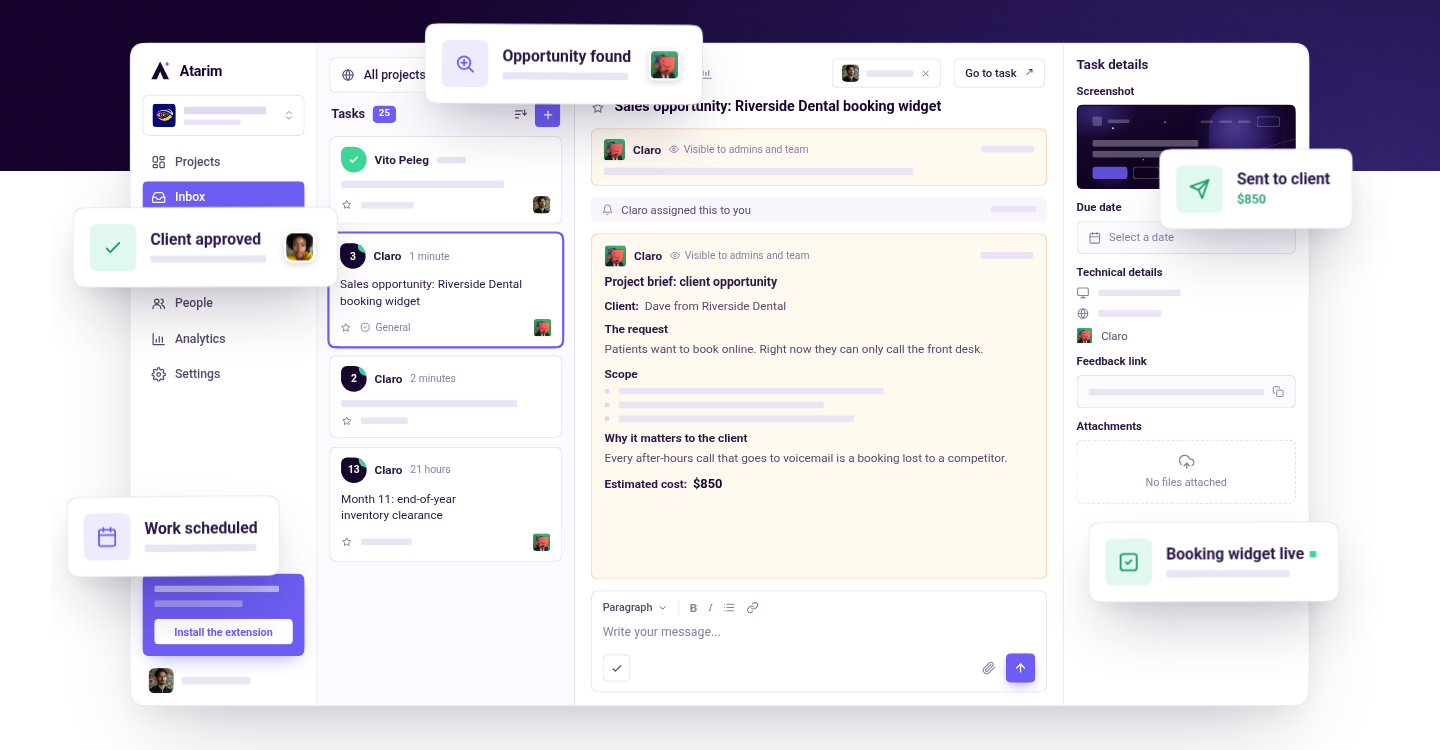
The Atarim Chrome extension presents one of the easiest ways to collaborate with clients on visual designs or website projects. You no longer have to rely on guesswork and sending countless back-and-forth emails with clients to establish exactly what it is that they want to change.

Instead, with our extension, you can leave visual feedback on any website instantly.

Instead of sending a text message to a client or your team, you can send or receive meaningful feedback directly on the website so you know precisely what you need to work on – eliminating any guesswork.

The best thing about it is that we designed this Chrome extension to be user-friendly. Your team and clients can get the hang of it in just a few minutes.

For the client, it couldn’t be easier. All they need to do is open the live website they want you to edit, click on the relevant part of the page to leave a pointer, and then type out a brief note about the change needed.

This then generates a task automatically that’s delivered to your team’s shared inbox. Clicking on this task takes them directly to the right point on the exact page, and shows your design team the note left by the client.

Also included is a screenshot showing exactly what the client saw, as well as information about their browser and screen resolution.

To get the Atarim Chrome extension, head over to the Chrome Web Store and install it.

#2: Loom

Loom is the most popular Chrome screen recorder extension. It’s quick, intuitive, and completely FREE. Their Chrome extension lets you record both your screen and your camera in just a single click.

After you’re done recording, you get an instant link that you can share with your team.

All videos are recorded in full HD. If you’re looking to record in higher resolution, such as 4K, you’ll need to download their Windows or Mac app. Plus, on top of screen recording, you can also use Loom as a video hosting solution.

For instance, if you recorded a Zoom meeting, you can upload it to Loom to build a content hub for your team. You can leverage tags and folders for better organization, too.

If you’re looking to get your point across faster and eliminate guesswork, we recommend downloading the Loom Chrome extension. 

#3: Bertha AI

Bertha is both a WordPress plugin as well as a Chrome extension that brings the power of AI content and image generation directly to your website. 

  • Perfect for generating product descriptions at scale for eCommerce sites.
  • Speed up the process of writing your next long-form blog post. 
  • Transcribe, translate, and create an SRT file right in WordPress (or Google Chrome). 
  • Ideal for creating website copy and helping clients (works in combination with Atarim)
  • It can be introduced to clients as a solution they can use to help them with preparing content for you.
  • And much, much more…

#4: Site Palette

Site Palette is a paid Chrome extension for exporting the colors from any website.

It’s as simple as visiting a website you want to get the colors from, and clicking on the Site Palette Chrome extension. The color palette from the site will be automatically generated and exported into the plugin.

You can also view all the palettes you’ve saved in the past in the History section.

After you have all your favorite palettes, you can mix them up – pick specific colors from different palettes you’ve saved, and create your own palette. You can also share the palette with your team by using Site Palette’s shareable permalink.

Plus, Site Palette also supports Sketch and Adobe Swatch files. That way, you can directly export your palettes into your favorite design tools.

Site Palette is a paid plugin with two membership options:

  • Monthly subscription: $2.50 / month billed annually 
  • Lifetime access: $99 

#5: WhatFont 

WhatFont offers the easiest way to identify fonts on web pages.

It’s as simple as activating the WhatFont Chrome extension, hovering over the text, and getting the font name.

Plus, you’ll also get additional details about the text, such as:

  • Font style
  • Font weight
  • Font size
  • Line height

This Chrome extension will save you hours looking for fonts you’ve seen online. 

To get started, download it from the Chrome web store, activate it, and you’re ready to start inspecting fonts.

#6: Page Ruler

Page Ruler is a FREE extension that gives you the ability to measure any element on any website in pixels. The extension draws a rectangular ruler when you move your mouse on the page. The ruler has width, height, start and end.

When you move your mouse, the ruler changes and all the metrics are updated.

To activate the addon, you just need to press the toolbar button. If you want to disable it, press the button again, and you can browse the web without any rulers or measurements.

If Page Ruler sounds like the right solution, you can install it from the Chrome web store.

#7: Muzli

Muzli is a Chrome extension that powers your Chrome’s New Tab with new design ideas and trends expertly curated just for you.

Once installed, Muzli becomes your visual hub for the latest design, UI, UX, and interactive content. It provides you with daily content from all major design and inspiration sources that ensure you will never miss the next big thing. 

Plus, you can also make Muzli personalized by choosing from over 160+ creative design sources that cater to your interests, so you get content that resonates with you.

To get started with the Muzli Chrome extension, install it from the Chrome web store here.

#8: Stylebot

Stylebot is a browser extension that lets you modify the appearance of any webpage.

This is especially useful if you’re looking to visualize how the website will look if you play with the HTML and CSS code.

If you’re not a developer, it’s as simple as picking an element and choosing the changes you want to make from the user-friendly editor, including the font, colors, margins, and visibility.

You can get Stylebot from the Chrome web store here.

#9: UX Check

UX Check is a Chrome extension that helps you identify usability issues on any site.

It runs Nielsen’s heuristic evaluation of the website – running website UX against the best practices for interface design to evaluate its usability.

Source: MerixStudio

When you click on an element that doesn’t comply with a heuristic, you can add notes, and a screenshot will be saved. At the end, you can export everything to a .docx so you can share them with your team.

This is a very easy and effective way to evaluate your client’s website usability and make the necessary adjustments.

You can get the UX Check extension for FREE by heading over to the Chrome Web Store.

#10: Detailed

Detailed will provide you with SEO insights on any website with just a single click.

You can get page-level insights in milliseconds, with no need to check the source code of a page. Everything you need will be presented to you at the click of a button.

You can also pull the title tag, meta description, and meta robots tag, and view structured data markup (schema) for the page you’re on.

This will really help you figure out how well a website can perform in the SERPs.

Additionally, you can also extract ‘People Also Asked’ from search results, all page links, or all image URLs on a page as a .csv file – equipping you with the tools you need to make any website more SEO-friendly.

To install the Detailed SEO Chrome Extension, get started here.

#11: Wappalyzer

Wappalyzer is a FREE Chrome extension that lets you identify technologies on websites. 

You can instantly reveal the technology stack of any website, such as CMS, eCommerce platform, or payment processor, as well as company and contact details.

Plus, you can get even more options when you use their tool.

For instance, the Wappalyzer tool also enables you to monitor your competitors. You can get notified when a website’s technology stack changes, and be the first to know when a competitor moves to a new CMS, ecommerce platform, or any other technology.

If this sounds like something that would be useful for you, we recommend installing Wappalyzer right now.

#12: BrowserStack 

BrowserStack lets you instantly test your webpage on any desktop or mobile browser.

It’s very effective if you need to test your site on different browsers and devices, but don’t want to spend hours testing it manually on each combination. BrowserStack lets you perform the test on 12 browsers and all devices with a single click.

Here’s how it works.

  1. Install the extension.
  2. Open the webpage you want to test and click on the BrowserStack logo on your extension toolbar.
  3. Select the browser & device combination you want to test on.

We were able to cut the testing time from 30 minutes to just 2 minutes – saving us hours, which we can spend designing and improving our clients’ websites instead.

BrowserStack is a FREE extension you can get from the Chrome web store.

Leverage Chrome Extensions To Improve Your Workflow

These Chrome extensions will massively speed up your workflow and empower you to work more efficiently.

To learn more tips and tricks about design and web development, check out these resources:

While the Atarim plugin offers a great way to leave visual feedback for your team and clients, the Atarim app lets you do much more than that.

On top of the visual collaboration, you can also use our additional features, such as:

  • Kanban board and tasks. Create tasks for each client, and organize the work for your team to ensure you maintain control over the project’s progress.
  • In-depth analytics. Know precisely what’s going on, monitor the user’s activity, and allocate resources. 
  • Shared inbox. Use Atarim for communication on the project, so you don’t get lost in endless back-and-forth emails.
  • Internal team tasks. Share comments, notes and discussions about clients’ projects without the client seeing, allow you to have frank conversations directly on a live website without having to explain each comment in detail to non-specialists.

For freelancers and small agencies with up to 20 clients/projects, and with unlimited clients/collaborators it’s just $20 per month.

Sign up for Atarim today and start saving time tomorrow – securing your future for a long time to come!

And if you do join Atarim, you’ll be in great company, as we’re integrated into the leading visual collaboration platform trusted by 13,000+ agencies (web dev, design, and beyond) worldwide.

Atarim is currently supporting project delivery for 1,200,000+ of their clients and stakeholders.

Atarim – helping you deliver projects in weeks instead of months – sign up for Atarim today.

Managing Stress As a Business & Agency Owner

Medical research estimates as much as 90% of illness and disease is stress-related.

If you’re constantly under stress and pressure, it can be detrimental to your health, work performance, fitness, and even your relationships.

Unfortunately, 74% of people have felt so stressed that they have been overwhelmed, or found that they simply couldn’t cope with it over the past year.

If that’s you, then now is the time to put a stop to it.

In this post, you’ll learn the exact ways to reduce and manage stress in your life. You’ll also discover a simple trick that can help you reduce stress in just a few seconds.

Why Is Stress Management Critical?

Stress can have a negative impact on almost every aspect of your life. That’s why it’s essential you learn the strategies to cope with stress and manage it better.

Here’s how proper stress management can lead to a better and healthier life.

Getting Your Energy Back

Stress can cause chronic fatigue and disruptions in sleep, which result in lower energy. 

Stress can cause chronic fatigue and disease

Source: AFPA

You may often experience brain fog, difficulty concentrating, and an unwillingness to work. Fortunately, if you can manage stress properly, you can eliminate any of these symptoms – and get the energy and motivation back into your life.

Staying Healthy

Medical research estimates as much as 90% of illness and disease is stress-related.

how stress affects the body

Source: GreensBoro

This means that if you learn to manage and reduce your stress properly, you can feel healthier and minimize the chances of getting sick.

Better Mood

51% of adults who felt stressed reported feeling depressed, and 61% reported feeling anxious. If you haven’t been feeling like yourself lately, or you have been experiencing many negative thoughts and feelings, you might be under a lot of stress.

Fortunately, managing stress can get that happiness back into your life, so you can enjoy your life with your loved ones more.

The Fastest Way To Minimize Stress

There are plenty of ways you can minimize stress, such as eating healthy, exercising, or having time for relaxation. And while all of these work over time, they don’t minimize your stress levels right away – they won’t help you if you’re facing a stressful situation.

By contrast, the method we’re going to share now, the physiological sigh, empowers you to feel more relaxed and reduce stress and anxiety instantly.

The Physiological Sigh

The physiological sigh is a pattern of breathing which involves two inhales followed by an extended exhale. It’s very useful to use anytime you feel too stressed, and you want to feel more calm and relaxed.

Here’s what the breathing pattern looks like in detail:

  • Inhale 1: Quick inhale through the nose.
  • Inhale 2: Shorter inhale that maximally expands the lungs through the nose.
  • Exhale: Very long and extended exhale through the mouth.

It takes as little as 1 – 3 these breathing cycles to bring your stress levels down and make you feel more calm. 

Physiological sigh breathing for reducing your stress levels instantly

5 Tips to Manage And Reduce Stress

The physiological sigh acts as a short-term fix for any stress that you may currently be experiencing.

However, if you’re looking to decrease your stress levels over time, you have to eliminate the source of the stress, and start doing stress-relieving activities regularly. Here are some of our most effective ways for managing and reducing stress.

#1: Identify the Source of Stress

The best way to reduce stress is to identify the causes of stress and – if possible – eliminate them.

We’re very often exposed to advice on the best tips to reduce stress. But the first and most effective step to achieve this goal is to find the root cause. This is because if you are able to do that, you can reduce stress altogether, and minimize stress in the future.

Our most effective approach to identifying the source of stress is to keep a journal.

In this journal, you should write down every time that you feel stressed – what made you feel like that, and why you felt stressed.

It often takes as little as one week to identify the most common stressors in your life.

stress journal example

After that, you should look at these stressors and avoid them. Perhaps it’s waking up late, having no structured day, or just too much work. Either way, it should be in your best interest to change your behavior, and avoid such things.

#2: Exercise

Physical activity is a huge stress reliever. It pumps up the production of your brain’s feel-good neurotransmitters, called endorphins.

It can also turn off your brain from all the worrying, and act as a valuable distraction.

excercise reduces stress

Source: US Dermatology

You don’t have to break a sweat. In fact, it takes as little as 15 – 30 minutes to feel better. Plus, on top of stress management, you will also improve your fitness, build a stronger body, and feel better about yourself.

#3: Make Time for Fun

It’s very easy to get caught up in a home-work-home lifestyle. You rush to work every day, get home late, and all you want to do is go to bed and rest. If this sounds like you, then you might have too much on your plate – which increases stress.

But, even if you don’t, we always recommend making time for your loved ones, for fun, and for activities you like doing. It might be as simple as calling your friends, going out for dinner, or just walking your dog.

These activities will improve your happiness levels and decrease your stress.

#4: Manage Your Time Better

Having an unstructured day can lead to a lot of stress.

Do you feel that you are constantly rushing from one place to another, having hundreds of things in mind, and just feeling overwhelmed?

Creating a schedule can alleviate stress by helping you see precisely what you need to do and when you need to do it – no worrying about whether you can make it.

It will also encourage you to plan your day the way you want to live it.

Plus, by creating a schedule in advance you know you’re not going to add 50+ activities to your day as that would be unrealistic for you to achieve.

#5: Prioritize Sleep 

Adults who sleep fewer than eight hours a night report higher stress levels than those who sleep at least eight hours a night.

We all need to recover physically and mentally, and the best way to do that is sleeping. Also, when you sleep more, you tend to feel happier and have more energy – which will help you conquer your day more easily.

To achieve higher-quality sleep, we recommend following these tips:

  • Establish a consistent sleep schedule.
  • Keep your room dark and cool.
  • Avoid heavy meals and alcohol.
  • Limit screen time before bed.
  • Develop a wind-down routine.
tips for healthy sleep

Source: Comprehensive Sleep Care

Don’t Be Afraid to Seek Professional Help

There is nothing shameworthy about seeking professional help. In fact, when you experience chronic stress, it’s required. 

Our take on seeking professional help is this – start with making changes in your day-to-day life. These are the things we’ve talked about such as exercising, getting proper sleep, and identifying and eliminating the root causes of stress.

If this doesn’t help, you should definitely contact therapists in your area and seek help.

talk to therapist to help you deal with stress better

Source: Verywell Health

Reduce Stress And Live a More Fulfilling Life

Stress can be detrimental to all areas of your life whether it’s relationships, work, or your health and fitness. Fortunately, now you know how to reduce and manage stress better.

To learn some additional work-related tips, check some of these resources:

If you have any questions or need anything in general, you can always reach out to support@atarim.io – we’re always happy to help!

Top Online Communication Tools for Teams

  • The 21 Essential Web Development Tools in 2023
  • The 9 Essential Web Design Tools For Professionals in 2023 
  • The 14 Best WordPress Plugins for Agencies in 2023
    • Collaborate in real-time
    • Finish projects faster
    • Organize your work
    • One of the unique and revolutionary features of Atarim is that it has been built on the foundation of point-and-click collaboration – allowing clients to point at what they’re referring to and then immediately leave feedback, say what needs to be changed, etc. 

      Agencies, developers, and project managers use Atarim to eliminate the need to rely on guesswork and endless back-and-forth email communication. 

      Try Atarim for free, improve your team’s productivity, and maximize your profitability now.

      • Integrated into the leading visual collaboration platform trusted by 13,000+ agencies (web dev, design, and beyond) worldwide
      • Supporting project delivery for 1,200,000+ of their clients and stakeholders
      • Deliver projects in weeks instead of months
        • The 21 Essential Web Development Tools in 2023
        • The 9 Essential Web Design Tools For Professionals in 2023 
        • The 14 Best WordPress Plugins for Agencies in 2023
        • Looking to make your team organized and more productive? Atarim’s groundbreaking platform can help you:

          • Collaborate in real-time
          • Finish projects faster
          • Organize your work
          • One of the unique and revolutionary features of Atarim is that it has been built on the foundation of point-and-click collaboration – allowing clients to point at what they’re referring to and then immediately leave feedback, say what needs to be changed, etc. 

            Agencies, developers, and project managers use Atarim to eliminate the need to rely on guesswork and endless back-and-forth email communication. 

            Try Atarim for free, improve your team’s productivity, and maximize your profitability now.

            • Integrated into the leading visual collaboration platform trusted by 13,000+ agencies (web dev, design, and beyond) worldwide
            • Supporting project delivery for 1,200,000+ of their clients and stakeholders
            • Deliver projects in weeks instead of months
            • Most employees use at least 13 tools per day in their workflow. 

              Using the right combination of tools speeds up work, saves time, and helps you focus on the stuff that matters. More importantly, if you use collaboration tools, you can build better relationships with your team members and clients – which can increase productivity and improve clients’ and teams’ satisfaction.

              In fact, many of our users were able to cut the delivery time from months to weeks just by using Atarim, our collaboration platform.

              In this post, you’ll discover the best collaboration tools we use on a day-to-day basis.

              Visual & In-Context Communication: Why Text-Only Chat Fails Remote Web Teams

              When remote web design and development teams collaborate exclusively through abstract Slack channels, fragmented email threads, and endless video calls, communication breakdowns inevitably follow. Descriptive feedback like “make the header bigger” or “fix the button alignment” lacks spatial context, forcing developers to guess and leading to repeated revision rounds.

              By shifting to in-context, point-and-click visual feedback directly on live staging sites, web pages, and design mockups, teams eliminate communication silos, align client expectations instantly, and streamline asynchronous communication. Transitioning from disconnected chat threads to visual collaboration cuts agency review cycles by 75%.

              Stop losing client feedback in endless Slack threads. Bring visual, point-and-click collaboration directly to your web projects. Try Atarim Visual Collaboration →

              Project Management

              Having a proper project management system in place can lead to a 92% success rate in meeting project objectives.

              We like keeping everything organized, eliminating guesswork, and monitoring progress. This allows us to minimize delay, and jump right in to help our team members when they need it.

              #1: Atarim

              Atarim is a project management tool designed specifically for web design and development agencies. 

              With Atarim, your team can take control of your workflow and target the work swiftly and accurately by collaborating with clients in a unique, visual way.

              Instead of back-and-forth emails full of confusion, your clients can simply point at what they’re referring to, leave a feedback, and you can resolve it. In fact, you and your clients can leave feedback on any live website.

              Atarim can also help to save money by reducing the need for multiple tools, and reducing project completion time by 75%. This is because Atarim supports task management, streamlined and effective communication, time tracking, and even the ability to create discovery forms – we’ve got it all. You can keep all inbound requests, stakeholder tasks, and agency communication unified using the centralized inbox.

              No need to add 10+ complicated tools into your workflow!

              Making things less complicated is why we created Atarim with a very user-friendly interface – most of our users can get the hang of it in as little as a few minutes.

              Atarim has a free version, with our unified agency plan at $67 per month.

              #2: Basecamp

              Basecamp is a great platform if you’re a power user or you like to customize every aspect of your project management tool. It offers a robust platform for teams to help them:

              • Centralize team communication
              • Improve task management
              • Simplify file sharing

              There’s really not much that Basecamp can’t do since it’s an advanced all-in-one platform.

              This is great since you don’t need separate tools for scheduling or task management. Instead, you can keep everything in one place.

              It includes a calendar feature that will allow users to:

              • Set up events
              • Create deadlines
              • Add milestones

              What we found to be the most helpful is collaboration with clients. You can invite clients or external stakeholders to participate in projects, providing them with controlled access to specific discussions, files, and tasks. 

              This streamlines client communication and promotes transparency in project management. 

              Basecamp also provides a scheduling feature that lets you keep track of project timelines and deadlines. 

              The basic plan costs $15/month for each user, or $299 annually with unlimited users. 

              Team Communication

              Businesses using effective internal communication tools are 3.5X more likely to have better results – with higher revenues and better client satisfaction.

              #3: Slack

              Slack is one of the most popular communication apps for business.

              This is because it’s reliable, highly customizable, and you can connect it to almost every software solution you use – supporting 2,600+ integrations.

              You can also create channels, which act as ‘groups’ in most instant messaging apps. This is helpful for connecting the right individuals together and keeping everyone on the same page – there is no limit for creating these channels.

              Slack also offers robust searching capabilities, encouraging you to find what you need instantly since it scans every chat and channel for your search term. It’s a huge time saver compared to most apps where you have to conduct a search in each chat separately.

              This tool also offers click-and-drag file sharing, video and audio calls, as well as “huddles” that allow for real-time, audio-based co-working.

              Slack offers a FREE version, however, if you have a team, you will need to hop on their premium plans, starting at $6.75 / month.

              #4: Zoom

              Zoom is an excellent tool for having calls and video chats with your team.

              Having a tool you can use to quickly hop on a call can be a huge competitive advantage. Instead of spending a long time messaging your team, you can simply hop on a call, explain everything 10X faster, and save time.

              It will also help you make deeper connections with your team members since they can actually see your face and hear and engage with you, unlike with the messaging apps.

              Plus, Zoom has recently created the Zoom AI Companion. 

              This feature empowers you to increase productivity and improve team effectiveness. You can get help drafting emails, composing chat messages, and summarizing meetings.

              You can get started with Zoom for FREE. However, to get advanced features such as the AI Companion, you’ll need one of their premium plans, which start at $14.99 per user, per month.

              File Sharing

              File sharing plays a critical role for every team. No matter what files you use, you have to find a way to store them online, share them with others, and collaborate on them. The system you choose has to be reliable, fast, and intuitive.

              That’s precisely why we’ve used Google Workspace for the last 10+ years.

              #5: Google Workspace

              Google Workspace is a great content collaboration tool for any remote team.

              This is because it’s simple, available both online and offline, and you can easily collaborate with your team – leaving suggestions and comments.

              It also offers tons of integrations with many useful tools such as SEMRush, Figma, Asana, or even GPT for AI capabilities.

              That’s right, all of the tools above (and almost every other tool) have Google Doc plugins.

              It’s truly one of the most complete workspaces for content creation and collaboration.

              You can use Google Workspace to the fullest for FREE. If you’re looking for additional cloud storage, you can opt-in for their paid plans, starting at $6 per user, per year.

              Design Tools

              You will use design tools at some point with your team.

              Whether you’re creating design projects for clients, making changes to your existing website, or improving your company’s branding. The best tools are the ones that offer plenty of templates for inspiration, as well as real-time collaboration, so you can work with your team at the same time.

              #6 Canva

              Canva empowers you to create beautiful designs, no matter what you need.

              The best thing about using Canva is that you don’t have to be a veteran designer. Instead, you can easily learn to use it even if you’ve never dealt with such a tool before.

              It provides you with an intuitive drag-and-drop editor.

              You also get tons of templates you can choose from, so you don’t start from scratch. It’s very quick and easy to edit and adjust them to your liking – it usually takes just a few minutes.

              You can use Canva’s FREE version or hop on on their paid membership, starting at $11.99 a month to get more advanced features and more templates.

              #7: Figma

              Figma is a cloud-based design platform that lets your team collaborate in the design process – which massively speeds up design creation and produces better results. 

              Figma offers FigJam which acts as an online whiteboard for teams to collaborate.

              We found it to be very helpful for brainstorming ideas, and getting everyone involved in the design and development of new content.

              Figma offers features such as live cursor chat, and chat rooms with voice chat functionality to share and express ideas. With that, you can collaborate even faster and leave visual feedback similar to the Atarim app.

              There is also a feature called “Dot voting” that helps the team make decisions by letting participants cast votes on different ideas.

              The starter plan is FREE and gives you access to three Figma boards. 

              The Professional plan costs $15 per editor when billed monthly, and gives you the ability to make private projects. Figma Organization and Enterprise plans cost $45 and $75 per editor per month. These plans provide additional security and collaboration features.

              Password Sharing 

              Having bulletproof security is a must-have to keep both your data and your clients’ data safe.

              It’s essential to create strong passwords, be able to share them with your team members, and use security tools for staying out of danger.

              #8: 1Password

              1Password lets you create strong and almost unbreakable passwords that will keep your accounts safe. Plus, you don’t need to remember your passwords, since they will be stored in the password manager – with high-end encryption for the highest security.

              We love using 1Password because it’s easy, fast, and makes collaboration effortless.

              When you’re creating a new account on any website, 1Password automatically suggests a strong password and stores it inside its manager for you.

              If you want to log in to any website that you added into 1Password, you just click on your account name in the dropdown menu from 1Password, and your user name and password will be filled in automatically.

              Also, you can share passwords with your team members and add 2FA just as easily.

              The pricing starts at $2.99 / month. However, if you’re a team you’ll need to hop on their Families or Business plans, starting at $4.99 a month, which supports more users.

              Conclusion – What’s Your Favorite Team Collaboration Tool?

              Team collaboration tools are an effective way to bring your team together, speed up your workflow, and finish projects faster.

              To learn about additional tools you can add to your workflow, check these resources:

              • Integrated into the leading visual collaboration platform trusted by 13,000+ agencies (web dev, design, and beyond) worldwide
              • Supporting project delivery for 1,200,000+ of their clients and stakeholders
              • Deliver projects in weeks instead of months
                • Collaborate in real-time
                • Finish projects faster
                • Organize your work
                • One of the unique and revolutionary features of Atarim is that it has been built on the foundation of point-and-click collaboration – allowing clients to point at what they’re referring to and then immediately leave feedback, say what needs to be changed, etc. 

                  Agencies, developers, and project managers use Atarim to eliminate the need to rely on guesswork and endless back-and-forth email communication. 

                  Try Atarim for free, improve your team’s productivity, and maximize your profitability now.

                  • Integrated into the leading visual collaboration platform trusted by 13,000+ agencies (web dev, design, and beyond) worldwide
                  • Supporting project delivery for 1,200,000+ of their clients and stakeholders
                  • Deliver projects in weeks instead of months
                    • The 21 Essential Web Development Tools in 2023
                    • The 9 Essential Web Design Tools For Professionals in 2023 
                    • The 14 Best WordPress Plugins for Agencies in 2023
                    • Looking to make your team organized and more productive? Atarim’s groundbreaking platform can help you:

                      • Collaborate in real-time
                      • Finish projects faster
                      • Organize your work
                      • One of the unique and revolutionary features of Atarim is that it has been built on the foundation of point-and-click collaboration – allowing clients to point at what they’re referring to and then immediately leave feedback, say what needs to be changed, etc. 

                        Agencies, developers, and project managers use Atarim to eliminate the need to rely on guesswork and endless back-and-forth email communication. 

                        Try Atarim for free, improve your team’s productivity, and maximize your profitability now.

                        • Integrated into the leading visual collaboration platform trusted by 13,000+ agencies (web dev, design, and beyond) worldwide
                        • Supporting project delivery for 1,200,000+ of their clients and stakeholders
                        • Deliver projects in weeks instead of months

Do Clients Need To Know How Their Website Works?

Your clients should definitely get involved in the website development project.

But while it’s good to share information about the project with them, this can often lead to complicating the process, or making clients feel unsure, and even backing off.

That’s why you have to be very careful about what information you share – and the way you share it.

In this post, you’ll discover how to get your clients involved in the website development process safely, in a way that makes sure they can understand how their website works without getting overwhelmed.

Let’s jump in!

Why Should Your Clients Care About How Their Website Works? 

Although it’s not a client’s responsibility to care about how their website works, it can be a huge advantage for both you and the client.

Here are the most critical reasons why clients should know how their website works.

More Effective Communication with Developers

If your client understands at least the basics of web development, they can provide you with better and more accurate feedback.

That way, instead of getting pretty general feedback, such as:

  • ‘The green button on my site is not working properly.’

You can get something more specific:

  • ‘The green button on the contact us page for sending emails via a form is not working properly. It does not pass the information to my email address.’

This will usually clear up any confusion, eliminate guesswork, and empower you to make any changes or fix issues on their website faster. But, in some cases, you can still be unsure what a client wants precisely – and that’s why we recommend using the visual collaboration feature in Atarim.

We Empower You And Your Clients to Point Exactly at The ‘Problem Area’

You and your clients can skip the back-and-forth emails about what needs to be fixed.

Instead, all the client has to do is just point at the issue/problem area, click on it, and leave a comment or suggestion. That way, everyone is on the same page, there is no confusion, and since you can see all suggestions in one place, you won’t miss a single thing.

leaving feedback on live website with the Atarim plugin

To start using the visual collaboration feature, you need to either install the Atarim plugin or use our Atarim app.

Building Trust and Confidence

Explaining the basics of how their website works to clients may make you seem more trustworthy and transparent. It can give your clients a sense of knowing what you’re doing, how everything works, and they can feel more confident in the whole process.

Also, it makes you seem more authoritative and confident.

This is because you’re not afraid to share exactly what you do and how you do it, giving clients an ability to check your work beyond what the website looks like on the surface.

Long-Term Management

There are two main ways you can manage clients’ websites in the long-term. 

  1. Educating your clients. You explain to your clients how to manage and maintain their site, so they don’t go to you with simple issues they could fix themselves.
  2. Offering an on-going care package. You put the best clients onto a retainer where you continue to work with them in the form of an advisor.

The first option, which is about spending time explaining to your clients how their website works will be very beneficial if you’re looking to free up your time. That way, you can focus on other clients and growing your team while avoiding tedious tasks such as:

  • Plugin updates
  • WP version updates
  • Adding new blog posts

These tasks are very easy to do – and every client can do them.

But, without you explaining to clients how their website works and how to do these basic tasks, you will have to get constantly involved in these more mundane tasks.

However, if you have enough time to look after the client’s site, we recommend you do so.

This is especially useful since as we said previously, you can get the best clients onto a retainer where you continue to work with them and manage their website. In most cases, all it takes is just a few hours a month.

Be Careful Not To ‘Accidentally’ Overwhelm Your Client

It’s great to let your clients know what you’re working on, and what they can expect. However, make sure you don’t overwhelm them with too much information – especially with the information they don’t need.

That’s why we recommend sharing only what’s necessary or useful, such as:

  • Talk about the most important stuff. Let your clients know the basics and the most important functionality of their website.
  • Explain the USP or unique features. Let your clients know precisely what makes their website superior and unique compared to competitors.

A discovery process can assist you with knowing what’s necessary or useful for your clients. This is because in the discovery form, you can ask questions about what is useful for them and what they want to see from you/know about. 

Carrying out an effective discovery will speed up the process of creating clients’ websites and provide you with all the information you need. And that’s another thing we’re here to assist you with. Atarim Forms allows you to create detailed and appealing discovery forms in seconds.

All you have to do is create a new form, add questions, and share it with clients.

creating discovery forms in Atarim

To make the most out of the questionnaire, we suggest asking about:

  • The company’s unique selling proposition
  • Major issues they are facing
  • The client’s buyer persona

You can also create Form templates with Atarim that you can re-use with future clients.

creating form templates in Atarim and reusing them with other clients

Leveraging Atarim eliminates the need to use Google Forms or other 3rd-party software tools, and allows you to centralize all of your information into a single place that everyone involved in a project can access.

Just make sure you keep everything simple and explain it in an easy to understand way.

For that, we recommend explaining more complex things (if necessary) in much the same way you would to your mom (unless your mother is a web developer of course). Your clients aren’t stupid, but they might not be very technical, so make sure you explain everything as simply as you can.

It’s Okay to Leave Out Certain Parts

If it’s complex, won’t enrich clients, or clients don’t need to know about something, feel free to not mention it. This can include things such as:

  • Web application architecture
  • Authentication and authorization
  • Database design and management

Many website designers are afraid to withhold such information since it may seem manipulative – why would you purposefully withhold information? However, this is not the case, and oftentimes, clients are better off without it. Just make sure the information you don’t share isn’t something they should really know.

What Is A Client’s Role in Website Development?

Clients should provide the information you need to design the perfect website for them. They’re the ones who should point you in the right direction about:

  • What they want their site to look like
  • Features they need to have included in their site
  • What they like/dislike in web design

If you’re just starting out with a new client, we highly recommend you check how suitably they match up to your own requirements in the following three ways.

#1 – Excellent Communication

Your clients should answer your questions clearly and promptly. Waiting for feedback from clients for weeks isn’t acceptable. It will only slow down the whole process and make the whole web development less enjoyable.

Also, your clients should be able to communicate clearly what they want.

It’s one thing to answer your questions. However, your clients should give you suggestions or feedback without you having to ask for anything. This is very important, especially from the project’s get-go.

That’s because if you and your client don’t agree with everything in the beginning, you may work hours on a web project and then realize your client wanted it differently. Not to mention the client’s dissatisfaction with your work.

To get the feedback from your clients, you have to make it as easy as possible for them to leave feedback. For that, we recommend using Atarim’s visual collaboration tool.

visual collaboration in Atarim

This makes it very easy for clients to leave feedback and let you know exactly what they like or don’t like. Plus, you can also take advantage of our shared inbox feature. You no longer have to chase information from clients in an email that might have no subject line, or a message buried deep in an email thread, Trello, or anywhere else. 

Instead, you just leverage Atarim, ensuring all communications are organized in a dedicated, shared inbox, with easy-to-use filters for either specific projects or clients.

organize all communication with clients in Atarim

For the client, it’s much easier than using email! They literally point at the part of the web page they want to comment on, click, and then write a note right there and then.

As soon as they’ve done that, an email pops through in your shared inbox, and a task is automatically generated. The email even includes a screenshot showing exactly what the client was seeing, as well as other data such as their screen resolution and browser.

#2 – Prompt Payment

Waiting weeks for money you should have already received is a huge red flag.

You can often see whether the client is trustworthy or not by the way they handle money. If they have no problem paying you, and they pay on time, you can be pretty sure that they are serious about the project and they value your work.

The ones that delay payments are the opposite.

It’s very risky to work with such clients since you don’t know whether they’ll pay you in the end and that’s why you should get paid upfront with such clients. Another way to stay out of trouble is to take advantage of milestone-based billing.

dividing a project into milestones

Source: eDrawMind

This approach will empower you to divide projects into smaller sub-goals or milestones such as creating a wireframe, develop a design, design a website in WordPress, etc. and make sure you get paid after each of these milestones is done.

That way, you get paid periodically and can avoid not getting paid after the work is completely finished.

 #3 – Supplying Content, Branding, and Images

A client is the one responsible for delivering all content, branding, and photos for the website you are designing (unless you agreed otherwise). Just make sure the client is not downloading low-quality images and content from their previous website.

To avoid low-quality images and content, we recommend giving your clients quality guidelines about the content you need from them, which can include things such as the resolution and format. You can also suggest compressing the content.

Image compression before and after

Source: Quora

Every piece of content should be optimized for quality and website performance.

Summary – Communication With Your Clients Is Key

Your clients are here to help and should not be left in the dark.

To make it as easy as possible for your clients to get involved in your web project and to help you manage your project better, we recommend checking these resources:

Looking for an effective way to empower clients to leave feedback on a website?

With Atarim, you can leverage the point-and-click collaboration to empower clients to point at what they’re referring to and immediately leave feedback, say what needs to be changed, and so much more. 

If you want to receive feedback that makes sense, make it easier to collaborate with clients, and finish projects in days instead of weeks give Atarim a shot for free now.

  • Integrated into the leading visual collaboration platform trusted by 13,000+ agencies (web dev, design, and beyond) worldwide.
  • Supporting project delivery for 1,200,000+ of their clients and stakeholders.
  • Deliver projects in days instead of weeks.

Must-Read Books For Scrum Masters & People Looking To Master Scrum

Teams employing Scrum deliver a remarkable 250% improvement in quality.

If you’re looking to make your team productive, deliver projects faster, and scale your business, Scrum is one of the best frameworks to use.

Source: PM Partners

There are many ways you can learn Scrum, but for us we found a number of books which were extremely helpful and effective in getting the idea across properly.

We thought it would be helpful for anyone else interested in what Scrum has to offer, or integrating it into their business workflow, for us to share some of our favorite books on learning Scrum. Our recommendations only include books that:

  • Are written by proven experts
  • Offer actionable advice
  • Are easy to follow, understand, and put into practice

Our book recommendations are suitable for everyone – whether you’re joining a team that operates with Scrum, or have been working with Scrum for years.

Let’s get started!

#1: Scrum: The Art of Doing Twice the Work in Half the Time

  • The book’s author: Jeff Sutherland
  • The number of pages: 258 pages
  • The date: 2014

This book is, in our opinion, the best Scrum book on our list – and the one that everyone should read. 

It’s from Jeff Sutherland, who is one of the pioneers of the Scrum framework – he helped actually invent it. What’s great about this book is that it’s written in a very easy-to-understand way – without any technical language or jargon. To make implementing the principles from the book as easy as possible, the author uses real-life stories, which really helps it make sense.

These stories are very relatable, and you can often find yourself in these exact situations.

The author also focuses on how most leaders are setting themselves up for failure – without them even knowing about it. Fortunately, you can use these stories and cases to avoid making these same mistakes. and get ahead faster.

What we found great about Jeff’s philosophy is that he focuses on the team’s happiness. 

There is a whole chapter dedicated to happiness, how it affects you and your team, how to quantify it, and ways to make a positive impact on a team’s emotional well-being.

This Scrum book will allow you to understand:

  • What is wrong with the way we currently work
  • How to solve most of today’s productivity problems
  • How to accelerate quality and productivity by 1,200%
  • The book’s author: Kenneth Rubin
  • The number of pages: 496 pages
  • The date of release: 2012

Essential Scrum is the go-to book for developing innovative products and services that delight customers.

This book dives deep into the values, principles, and practices of Scrum from one of the world’s leading Scrum coaches and trainers – Kenny Rubin. Whether you are new to Scrum, or you’ve been using it for years, this book will introduce, clarify, and deepen your Scrum knowledge.

Each chapter is very thorough, which makes the book a serious time investment. But it’s definitely worth it for the value you get.

Unlike most books, Essential Scrum features easy-to-digest content with 200+ illustrations based on an entirely new visual language for describing Scrum’s roles, artifacts, and activities. For experienced Scrum veterans, this book will complement your day-to-day issues better than any other book on today’s list.

After reading Essential Scrum, you’ll be equipped with:

  • Principles for managing every team member
  • A vocabulary you can use with other Scrum masters
  • Practical knowledge for deriving maximum value from Scrum

#3: Agile Scrum Crash Course: A Guide To Agile Project Management and Scrum Master Certification PSM 1

  • The book’s author: Umer W.
  • The number of pages: 151 pages
  • The date of release: 2020

This book is the best resource for preparing you for the Scrum certification.

It’s a quick and complete guide on all you need for learning the essentials of Scrum and Agile project management. The book is written in a way to help prepare you for the Professional Scrum Master Certification, PSM 1 – helping you to pass it on the first attempt.

Agile Scrum Crash Course is aimed at beginners, featuring plenty of easy-to-understand examples, real-life stories, and simple language. No matter what your industry background is, you’ll be able to quickly learn the fundamentals and start using these frameworks.

Here are some of the lessons this book will teach you:

  • Complete overview of Agile project management and Scrum
  • The Difference between Waterfall and Agile Project Management 
  • What is a Sprint – A Step-by-Step Walkthrough 
  • Scrum Roles – Product Owner, Scrum Master, Development Team
  • Scrum Events – Sprint Planning, Daily Scrum, Sprint Retrospective, Sprint Review 
  • Scrum Artifacts – Product Backlog, Sprint Backlog, Increment 

#4: The Epic Guide to Agile: More Business Value on a Predictable Schedule with Scrum

  • The book’s author: Dave Todaro
  • The number of pages: 518 pages
  • The date of release: 2019

Agile is amazing, yet most professionals can’t produce reliable, long-term results with it.

Most executives and team leaders get very excited about the Agile framework. They can’t wait to try it with their team or organization. Unfortunately, a majority of these professionals fall short of the expectations – and achieve poor results with it.

Fortunately, The Epic Guide to Agile has the missing pieces you need to overcome this. This book offers the answers to the team-level challenges that hold you and many other companies back.

We found The Epic Guide to Agile to be extremely practical and actionable.

It provides you with examples and anecdotes to tackle problems at their source, a step-by-step system to achieve productive sprint planning, and proven solutions to the issues that can doom your team.

By reading this book, you’ll learn:

  • Effective ways to introduce Agile and Scrum into your organization
  • Tricks to get your product smoothly into production
  • Have success with the Agile framework

Even though Scrum and Agile are closely related, this book mostly focuses on Agile – although there is a lot of information about Scrum too.

#5: The Professional Product Owner: Leveraging Scrum as a Competitive Advantage 

  • The book’s author: Don McGreal & Ralph Jocham
  • The number of pages: 384 pages
  • The date of release: 2018

A must-read product owner’s guide to maximizing value with Scrum   

McGreal and Jocham, two leading experts in successful Scrum product ownership, discuss taking accountability, and refocusing on value as the primary objective of all you do. They go into much detail about strategy and connecting Vision, Value, and Validation.

You’ll quickly learn how to identify where value can be found, how to measure it, and maximize it throughout the entire product lifecycle.

Plus, you’ll discover:

  • How to scale your product, not your Scrum 
  • Use customer-driven measurements to maximize value 
  • Plan and manage releases, improve transparency, and reduce technical debt 
  • Use Scrum to inject autonomy, mastery, and purpose into your product team’s work 

The Professional Product Owner lays out how to continuously deliver value, Scrum best-practices for managing complexity, and concrete practices to manage product backlogs and release plans.

Throughout the book, the authors share revealing personal experiences that illuminate obstacles to success, and show how they can be successfully overcome.

Conclusion – What’s Your Favorite Scrum Book?

Scrum books can be an excellent way to learn more about Scrum and Agile project management frameworks and achieve optimal productivity.

To learn more about how to manage your team better, check some of these additional resources we think you’ll find useful:

Looking to make your team organized and more productive? Atarim’s groundbreaking platform can help you:

  • Collaborate in real-time
  • Finish projects faster
  • Organize your work

One of the unique and revolutionary features of Atarim is that it has been built on the foundation of point-and-click collaboration – allowing clients to point at what they’re referring to and then immediately leave feedback, say what needs to be changed, etc. 

Agencies, developers, and project managers use Atarim to eliminate the need to rely on guesswork and endless back-and-forth email communication. 

Try Atarim for free, improve your team’s productivity, and maximize your profitability now.

  • Integrated into the leading visual collaboration platform trusted by 13,000+ agencies (web dev, design, and beyond) worldwide.
  • Supporting project delivery for 1,200,000+ of their clients and stakeholders.
  • Deliver projects in weeks instead of months.

Hostinger Pro Panel – What It Is & How To Use It To Manage Client Websites

Hostinger is far from new to web hosting.

They’ve been around since 2004.

But, they recently rolled out an all-new solution designed to make it easy to manage hosting as an agency, offering everything from client management through to easy-to-provision subaccounts.

Enter the Hostinger Pro Panel.

In this post, we’re going to walk you through exactly what the Hostinger Pro Panel is, what it can offer you, and everything you need to know about using it. If you run multiple websites with Hostinger or plan to do so – this guide was written for you!

Let’s dive in. 

What Is The Hostinger Pro Panel?

The Hostinger Pro Panel is a dedicated dashboard that is a part of Hostinger’s hPanel that’s specifically designed to suit the use-case of web design freelancers and agencies that own or manage multiple websites for clients. 

It’s an all-in-one dashboard, designed to centralize hosting and website management. 

In short, the Hostinger Pro Panel makes it super simple to: 

  • Set up hosting for multiple companies (clients). 
  • Add or remove clients (and let them manage their billing).
  • Get easy & direct access to partnership programs as a part of the services that you offer to clients through Pro Panel. 
  • Easily monitor (and collaborate* on) websites all in one place.

Here’s a quick video walkthrough from their team: 

https://ancillary-proxy.atarimworker.io?url=https%3A%2F%2Fyoutu.be%2Fl4IdCG3Gq6U

How to Access The Hostinger Pro Panel 

To access the Hostinger Pro Panel, simply log in to your existing Hostinger account (or create a new one if you don’t have one yet).

Once you’re in, you’ll see the Pro Panel button in the top navigation, as shown below: 

Hit that button, and you’re in! ?

If you haven’t set up any clients or services in the Pro Panel yet, then you should expect the Pro Panel to look a bit empty and lonely (as above). ?

But it’s super easy to change that and invite your client.

Here’s how managed accounts work in your Hostinger Pro Panel:

Each managed account is – in simple terms – a sub-account of your Hostinger account that will allow you to view everything related to that specific client or company in a single dashboard.

This dashboard is divided into multiple sections and tabs (slightly different from the original Hostinger dashboard you may be familiar with if you’ve used Hostinger before). 

Hostinger Pro Panel: Managed Websites

The Managed Websites section acts as an overview of the websites you manage. 

For each of the websites, you can see these metrics:

  • Site information – the domain name, email, and Hostinger membership.
  • Security features – SSL certificate, malware scanner, and weekly backups.
  • WordPress updates – the number of updates (if any) in WordPress.
  • Performance score – the performance score is derived from PageSpeed Insights.

You can also see two icons next to most sites, which represent WordPress and Atarim.

If you click on the WordPress icon, you will be automatically taken straight to the WordPress admin area of the selected website. 

The Atarim icon will empower you to collaborate with your team on your website. Atarim will create a staging environment for your website so you can leave feedback directly on specific sections of your website.

The ‘Manage’ button will open a website dashboard inside Hostinger. 

This will allow you to make any necessary changes to your website, such as managing backups and upgrading a membership or accessing File Manager, Databases, and WordPress.

Sidenote: You and your clients will get as many completely free SSL certificates as you need for your Hostinger websites. 

Hostinger Pro Panel: Adding or Removing Clients 

The ‘Clients’ section is all about adding, managing, and removing clients.

To add a new client, you just have to click on the ‘+ Add new client’ button and fill in the client’s email address, (note that each client has to have an active Hostinger account).

After a client grants you access, you will be able to manage your client’s account. To remove a client, click on the three dots and select ‘Remove access’.

If you click on the ‘Manage’ button next to a specific client, you will see basic information about hosting, domain, and email. 

What If Your Client Isn’t a Hostinger User?

If your client isn’t a Hostinger user, or you want to buy another Hostinger plan for them, you can make the purchase correctly within the Pro Panel and earn commissions. ?

A quick note about how commissions work: 

  • 20% commission for the first payment invited clients make.
  • 10% recurring commissions on all further payments (upgrades and renewals included!)

Note: Of course, this is subject to Hostinger’s own terms and conditions. 

Getting started with earning commissions is as simple as clicking on the ‘Select products for your client’ in the Clients tab.

After that, you just select the client’s email, choose a web hosting plan, select a time period, and send a cart to the client. After the client completes their payment, a Hostinger account will automatically be created for them.

To view and manage your rewards, head over to the ‘Partner benefits’ tab.

You can select your preferred payment method at the top – either PayPal or wire transfer. Plus, you’ll be able to see the number of clients and websites you manage, as well as Earnings and Upcoming payments. 

Hotinger Pro Panel: Managing Client Domains

Pro Panel also lets you access a comprehensive list of a client’s domains with details such as domain name, status, and expiration date.

You can also click on the ‘Manage’ button next to the domain to get more options, such as managing your email and membership. You’ll see the domains that you own as well as the domains that your clients have connected via the Pro Panel.

Hostinger Pro Panel: Bulk Actions

If you’re running an agency and/or managing many websites, you can take advantage of bulk actions, and save yourself a lot of time. For instance, you can update the following on all websites at once:

  • Plugins
  • Themes
  • WP version

To achieve this, select the websites from the list and click on the ‘Bulk Action’ button. After that, select a bulk action you want to run and click ‘Proceed’.

Summary – Our Experience & Thoughts On Hostinger’s Pro Panel

Hostinger’s Pro Panel (still in beta) is a great addition to Hostinger’s product line-up. We’re super excited to follow their journey as a company to see where they take the Pro Panel as a product geared towards businesses, many (in fact, most) of which really line up with the types of users we see interact with us on a daily basis. 

If you’re looking at exploring options across categories including website management, reseller hosting, hosting websites for clients & more – we recommend taking the Hostinger Pro Panel for a spin. 

It’s an intuitive dashboard that makes it easy to monitor websites, update plugins, themes, and the WordPress core in a single click – all from a central hub. 

Learn more & get started with Hostinger Pro here.

The Best Image Compression Tools (Real World Testing + Comparison)

Our attention spans are shrinking at a startling rate. In fact, statistics show that we now have an average attention span of just 8.25 seconds, compared to a goldfish’s 9 seconds!

None of us likes to wait, even if it’s just a few more seconds for a website to load. If your website doesn’t load quickly, you’ll lose a lot of potential customers. 1 in 4 visitors abandons a website if it takes longer than four seconds to load.

Fortunately, you can fix this issue by using an image compression plugin. 

In this post, you’ll discover the best image compression plugins that will speed up your website and capture more visitors.

Quick Rundown – WordPress Image Optimization Plugins

Looking for a TL;DR or don’t have time to read the whole post?

Here’s a quick comparison of the most important aspects of the image compression plugins we’ll be covering today.

NamePricingReduction PercentageWP Plugin
WP SmushFREE. Pro plans starting at  $15.63 a month.~94%Yes
OptimoleFREE. Pro plans starting at $19.08 a month.~80%Yes
ShortPixelFREE. Pro plans starting at $3.99 a month.~96%Yes
TinyPNGFREE. Pro plans starting at $0.009 per image for over 500 images~74%Yes
SquooshFREE.~94%No

For those who want to really dive in and pick the best plugin, stick around!

Smush the most popular image optimization plugin

WP Smush is one of the most popular WP image compression plugins.

Their FREE image compression plugin is fantastic for simple compressions of JPG and PNG image formats. You can also compress images directly in the WP media library, which saves a lot of time – something not every compression plugin supports.

Smush bulk image compression

The compression is very decent – resulting in a 94% reduction of image size.

If you were to compress a PNG image, WP Smush would also convert the PNG image into WebP – a next-generation image format recommended by Google.

what is webp image format

Plus, WP Smush can detect wrong-sized images.

If you activate this feature, your images will be highlighted with smart tips to let you easily resize them. You can then quickly locate the images keeping you from getting the perfect score on your Google PageSpeed test and fix them.  

Smush resizing options

If you’re looking for a broader range of features, you’ll need to upgrade to the PRO version, which offers:

  • Ultra Smush with 5X compression
  • Unlimited bulk and auto smushing
  • Convert JPG & PNG to local WebP
  • Compression of large images up to 32MB

But, keep in mind that to have those benefits you will need a WPMU DEV membership.

WPMU Dev costs $15.83 per month but it comes with several useful WP plugins for making your website faster and more appealing – which makes it a great deal.

WPMU Dev pricing

#2: Optimole – The Most Easy-To-Use Image Compression Plugin

Optimole image optimizatio plugin

Optimole is an all-in-one image optimization solution for WordPress.

What makes Optimole stand out is that instead of compressing images locally and then replacing them in your media library permanently, Optimole does everything in the cloud – so there is no slowing down of your website.

This also enables Optimole to perform image compression in real-time. When a visitor lands on your website, Optimole gets information about the visitor’s device and optimizes the image specifically for them to fine-tune the user experience. 

You can also add a nice animation for lazy loading of images on your website. Doing so will elevate the experience for your visitors and make your site look more professional.

Optimole lazy loading animation

However, all these fancy features do lead to a lower image size reduction.

Compared to most image compression plugins that have around 94%+ size reduction, Optimole has only an 80% size reduction – although this is still pretty solid.

If you’re looking for configuration and more options, you can head to their Settings page. In there, you can set a bunch of image optimization settings, including compression level, image resizing, and JavaScript replacement. 

Optimole configuration options

Not sure about the compression level of your images?

Optimole includes an interactive demo of what different levels of image compression look like, so you can make the right decisions. 

Optimole interactive demo of what different levels of image compression look like

Optimole is the most clean and easy-to-use plugin in today’s list. If you’re looking for unlimited images and multisite support, check out their pro plans starting at $19.08.

Optimole pricing

#3: ShortPixel – The Biggest Image Size Compression Plugin

ShortPixel Image optimizer for WP

ShortPixel is a lightweight plugin that can help you solve your website’s image-related problems within minutes.

Since it’s a cloud-based solution, this plugin will automatically send your images to ShortPixel’s optimization cloud, where they will be optimized. After that, they will be minified, converted, and will then replace the images in your WordPress library.

Automatically send images to ShortPixel's optimization cloud

The optimized images will be identical to the naked eye – but there’ll be 96% reduction. This is the biggest image size reduction we’ve seen with any plugin.

Aside from the compression, ShortPixel will also convert images into the right format.

Your PNG images will get converted into JPGs, which are far more lightweight – or you can go even further and convert them into the next-gen WebP format. If you’re a photographer, you can also choose a lossless compression method, as well as whether to keep or remove the EXIF data from the image (GPS, camera, processing software).

Their free plan includes 100 images per month with no limit on file sizes, a plan many part-time bloggers will never grow out of. 

If you’re looking to compress more images, the paid plans start at $3.99 a month.

ShortPixel pricing

#4: TinyPNG – A Free Image Compression Plugin

TinyPNG image compression plugin

TinyPNG is a completely FREE WP plugin for image compression.

TinyPNG uses smart lossy compression techniques to reduce the file size of your WebP, JPEG and PNG files – yes, it’s not just for PNGs. The effect is nearly invisible, but it makes a very large difference in file size – check the images below, do you see a difference?

TinyPNG image shrunking comparison

Even though the images look the same, the one on the right is 74% smaller in size.

TinyPNG also lets you create near-perfect cover images or thumbnails. Their tool resizes images intelligently whenever you change the aspect ratio, and smart cropping removes the parts that are visually the least interesting.  

TinyPNG resizes images intelligently

And when cut out images are detected, TinyPNG will add background space or remove superfluous areas when the aspect ratio is changed. This way the object in your image will remain free-standing and doesn’t get cut-off at the edges when resizing.

TinyPNG will add background space

Your animated PNG images will be optimized as well.

TinyPNG WP plugin is also fully multisite compatible, and you can set the API key for all sites by defining the key in your wp-config.php file. 

You can also connect this plugin with WooCommerce. However, we have discovered that WooCommerce may be trying to regenerate image attachment metadata over and over again on each page visit. If you’re using WooCommerce please follow the tips from the support section. 

With TinyPNG, you only pay for what you use. The first 500 compressions each month are free. You will only be billed if you compress more than 500 images – starting at $0.009 per compressed image.  

TinyPNG pricing

#5: Squoosh – The Most Robust Image Compression Options

Squoosh homepage

Squoosh contains the most options for compressing images, yet it’s one of the most easy-to-use tools on this list. Unlike most tools, this one doesn’t have a dedicated WP plugin for your website. Instead, it acts as a standalone site you can use to shrink down your images.

Squoosh offers countless options you can choose from for optimizing images.

  • Resizing
  • Reducing color palette
  • Progressive rendering
  • Adjusting compression quality
  • Conversion to different formats
  • Smoothening of the image

Also, you can see the before and after image by using an interactive slider – as well as the size and percentage of size reduction.

Squoosh see the before and after image by using an interactive slider

They offer many image formats such as Browser GIF, WebP, Avif, and six more.

Worried about the privacy of your images? 

Images never leave your device since Squoosh does all the work locally. The only caveat we’ve found is that you can only upload one image at a time. Of course, if you have a WordPress website, we definitely recommend looking at other tools on today’s list that have a dedicated plugin for compressing images. 

Squoosh is best used when you have just a few images you want to shrink down quickly.

Conclusion – Optimize Your Images And Capture More Visitors

Website load time is one of the key factors for ranking high on search engines – Google prioritizes speed when it comes to ranking search results.

To make your workflow more effective and improve your site, check out these resources:

Looking to make changes to your website quickly?

Atarim makes it very easy to point at specific sections on your website that you’re referring to and immediately leave feedback, say what needs to be changed, and so much more. 

You can then organize your suggestions into tasks, create a timeline, and make changes, transforming the way collaboration takes place.

The vast project management capabilities of Atarim is one of the reasons why our clients were able to finish their projects in weeks instead of months. If you want to optimize your website for search engines, make changes fast, and rank higher we definitely recommend using Atarim.

  • Integrated into the leading visual collaboration platform trusted by 13,000+ agencies (web dev, design, and beyond) worldwide.
  • Supporting project delivery for 1,200,000+ of their clients and stakeholders.
  • Finish projects in weeks instead of months.

12 Best WordPress Blogs You Should Read & Follow (in 2024)

WordPress is the biggest content management system out there, with a 64% market share (Shopify, Joomla, Squarespace, and Wix have a 14% market share combined!)

Source: Zippia

WordPress offers robust functionality, tons of plugins, and an intuitive UI. 

However, if you’re like most WP users, you don’t use it to the fullest. This is because it’s super-complex, and it can be difficult to be aware of every new improvement, plugin, etc.

And that’s why we’ve compiled this list of the best WordPress blogs.

These blogs will help you to:

  • Learn more about WordPress
  • Discover new features
  • Fix annoying issues and errors
  • Create the best possible website

Here are the 12 best WordPress blogs you should read and follow in 2023, and beyond.

#1: Atarim – The Go-To Blog for Web Design Teams

Key Metrics:

  • Source of revenue: Products/Services
  • Number of published posts: 244 

Atarim is an amazing WordPress blog focused on designer teams.

On our blog, you will find everything about building a design team (or virtually any other team), collaborating, and delivering the best projects. 

We cover a variety of topics about:

  • Managing your team
  • Improving project workflow
  • Maximizing the team’s productivity
  • Overcoming common client problems

Plus, content is produced by the team behind the Atarim platform, which you can use for free to help you. In fact, our users have been able to achieve remarkable results with the Atarim app, including:

  • 50% faster project delivery time.
  • 300% time improvement in design approval.

What really makes our blog different is that our content is actionable.

We’re not just informing our readers about a topic. Instead, we provide actionable ways you can apply recommended changes or strategies to your business – and see the results immediately.

That’s what really separates us from most of the blogs out there.

#2: WP Tavern – The Most Reliable Source of WordPress News

Key Metrics:

  • Source of revenue: (Owned by Matt Mullenweg, founder of WordPress and Automattic)
  • Number of published posts: 6k

WP Tavern offers the most up-to-date news about WordPress releases, and features.

Plus, they also create interviews with famous WP figures and feature community-driven content – publishing pieces contributed by various community members.

It’s very popular, especially with developers, and unlike most blogs, it receives comments below almost every article. This is great since it allows you to connect with like-minded individuals, start engaging in conversations, and make new connections.

If you’re not a developer (or lack technical knowledge), you don’t have to worry.

WP Tavern tries to be user-friendly, and provides content that is easy to read, even if you aren’t someone who enjoys coding all night!

They have their own podcast as well – with a huge archive of 88+ episodes.

#3: WP Mayor

WP Mayor is a popular WordPress blog focusing on WordPress themes, plugins, and service reviews. 

WP Mayor puts a lot of effort into the quality of content and accuracy of information, and that’s why they update their blog multiple times a week. You can be sure you’ll get the most up-to-date and relevant information.

They also feature plenty of in-depth and actionable guides about topics such as:

  • Crafting a customer support strategy
  • Creating a multilingual site 
  • Customizing the footer area

(Focusing on providing information to make your WP website excel in every area.)

There isn’t anything WP-related you won’t find on their website. Plus, every blog post is easy to read and includes many images. You can also hop on their newsletter to get insider knowledge of the latest WordPress tools and tutorials.

#4: Post Status – The Membership Community for WP Professionals

Key Metrics:

  • Source of revenue: Sponsors and memberships
  • Number of published posts: 6k

Post Status is much more than just a WordPress-related blog. It covers a wide variety of topics, such as:

  • New plugin features and acquisitions
  • The latest WordPress news
  • Member spotlights
  • Event wrap-ups

Also, it aims to connect WP professionals, help its readers find jobs, and bring together a community of experts. 

It’s also a great place for networking with the founders of various WP plugins. Although, you will most likely need to hop on to their paid plan to become a part of the community and network with others. 

If you become a paid member, you’ll also get:

  • WordPress news and events newsletter
  • A weekly members hurdle
  • Members-only content

Here is a breakdown of their Professional+ paid membership – the most affordable one.

#5: Torque Magazine – The Go-To Blog for Experts & Advanced WP Users

Key Metrics:

  • Source of revenue: WP Engine
  • Number of published posts: 4k

Torque Magazine provides extensive posts about WordPress that are nicely divided into categories for a better user experience.

You will find everything you need WP-related, such as:

  • Development
  • Community
  • Business
  • Ebooks and tools

Aside from blog posts, they also offer video content – usually interviews or presentations. And if you’re looking for memes or funny comics, they provide them too!

You can also get weekly WP tips and insights straight to your inbox on their email list.

#6: Elegant Themes – The Fantastic Blog for Divi Theme Users

Key Metrics:

  • Source of revenue: Products/Services and affiliate income
  • Average monthly organic traffic: 755.9k
  • Number of published posts: 4.9k

Elegant Themes is a WP theme collection blog mostly focusing on Divi. 

They cover every aspect of Divi, from setting it up to more technical stuff such as designing a page divider or modules – providing tons of examples to inspire you along the way. They even do recaps of Divi events and meet-ups. If you’re a Divi user, it’s a no-brainer, there is no better blog out there. 

However, their blog is not limited to just Divi. You can find everything WP-related here.

We absolutely love their design and the ease of navigation. They have a clean website, nice fonts, and everything divided into categories for the best user experience. 

#7: CodeInWP – The Best Beginner WordPress Blog

Key Metrics:

  • Source of revenue: Affiliate Income
  • Number of published posts: 850

CodeInWP is one of the most beginner-friendly WordPress blogs.

It’s really easy to follow and offers blog posts for every aspect of having (or looking to create) a WordPress website. Their blog is nicely formatted into short, easy-to-digest paragraphs full of images and examples…

…and all of their blog posts are:

  • Written by experts. All their content is written by experts, often with years of experience in their fields.
  • Multi-Step vetted. Each article undergoes three stages of review, editing, and proofreading, so you know you’re getting the right information.

This makes it very easy to navigate and apply what you learn with your own WP website.

On top of that, CodeInWP also features various resources and tools such as code snippets you can use to customize your WordPress site. 

Plus, it also offers free illustrations from designers that you can use for your site.

#8: GoDaddy – The Best WordPress Hosting Blog

Key Metrics:

  • Source of revenue: Hosting, domains, and services
  • Number of published posts: 760

GoDaddy is one of the best website hosting services out there. 

In fact, according to CodeInWp, it’s the most popular one as well, having over 21 million customers around the world.

They also have a very comprehensive blog covering a variety of topics such as websites, marketing, and commerce. There is also a “diversity” category that covers related but unique topics like the one below.

If you scroll just a little more, you’ll see the four main categories they focus on:

  • Skills
  • Mindset
  • Advocacy
  • News

All their blog posts are easy to navigate through because of the side navigation panel. Plus, they’re easy to read and offer step-by-step instructions.

#9: RunCloud – The Best Server Management Blog for WP Users

Key Metrics:

  • Source of revenue: Products/Services
  • Number of published posts: 245

RunCloud is the leading server management platform designed to make managing your cloud infrastructure easy.

They also offer various tools for teams, from startup to enterprise, including:

  • Server management
  • Atomic deployment
  • Backup
  • Team

Their blog offers news, tutorials, resources, and best practices for server management, WordPress, WooCommerce, Laravel, and PHP applications.

A great thing about their blog is that it’s not ONLY for high-tech nerds (like other blogs). Instead, their content is easy to understand, even if you’re a total beginner. They also include a lot of images and step-by-step instructions in their guides. 

RunCloud also offers a great internal linking structure. 

This is great because if you’re unsure of some term/element, all you have to do is click on their link and learn more about it.

This will allow you to get everything you need from one place – instead of Googling for information from a bunch of other sources – which might not be reliable!

#10: Servebolt – The Go-To WP and Hosting Blog for Technical Users

Key Metrics:

  • Source of revenue: Products/Services
  • Number of published posts: 230

Servebolt is a managed hosting provider, with the main focus on raw performance.

They’re one of the only hosting providers to run their own hardware (i.e., not powered by AWS, the Google Cloud Platform, etc.), making it possible to make optimizations to the hosting layer that others just can’t.

This allows them to bring incredible results to their users:

  • 99.999% uptime
  • The fastest wp-login
  • Top Tier performance award

They also run a blog about everything related to WordPress and web hosting.

Servebolt’s blog is easy for skimmers looking for quick information without spending too much time reading the content. Also, all of their blog posts are highly researched and backed up by verifiable data.

Plus, they offer a lot of real-time examples and code snippets in their posts.

This makes it easier for their readers to immediately take action and make an impact on their WordPress website.

#11: Kinsta – The Best WordPress Hosting Blog for Beginners

Key Metrics:

  • Source of revenue: Products/Services
  • Number of published posts: 1,429

Kinsta is, in our opinion, one of the best WordPress-hosting companies on the market.

They also feature a great blog for WordPress users. What makes their blog unique is that they use a data-driven approach. In a lot of their blog posts, you’ll find that every big claim is backed up by studies.

They also create “wrap-ups” after every section with actionable tips.

This is great for saving you time, helping you understand what things are important, and giving you a way to actually use the information you read. You will also find a lot of relatable examples throughout the posts.

If you’re a blog owner, you can also sign up for their FREE Kinsta Academy.

There, you will learn how to grow your business and improve website skills – you’ll also gain access to videos, ebooks, and the Reverse engineered podcast.

#12: Patchstack – The Best Blog for WordPress Security

Key Metrics:

  • Source of revenue: Products/Services
  • Number of published posts: 282

Patchstack offers security tools for your WordPress website.

You might not realize it, but a lot of plugins you use expose your website to potential security threats and risks.

Aside from their product, they also have a comprehensive blog about WP security – and they cover every aspect of it.

Here are a few examples of their blog posts:

  • How to Install SSL Certificate on WordPress WordPress security
  • How To Backup A WordPress Website
  • How to Secure WordPress Login

Their posts are actionable, include images and examples, and feature code snippets, so you can copy-paste them into your website and be done. 

Their blog posts are very user-friendly and nicely organized in categories.

Conclusion – What Is Your Favorite WordPress Blog?

WordPress is a huge and complex content management system. It has tons of plugins, new features, and regular updates. To stay on top of things and provide the best possible experience for your readers and customers, you need to constantly improve and update your website. 

However, this might be easier said than done. Having to watch for updates and struggling with new features is something no one desires.

And that’s why we’ve compiled a list of the best WordPress blogs to read and follow.

They will help you stay on top of WordPress updates, give you tips to provide a better experience, and improve your site.

For more advice and recommendations about managing your WordPress site, check out these other posts from our own blog:

Asynchronous Communication: What Is It? How Does It Help?

Communication with your team might get overwhelming over time.

You might experience constant spamming from coworkers, even when you want to take time off, or be with your family. The worst thing about it is that everyone expects you to respond in a timely manner – usually instantly. This can lead to frustration, disturb your work/life balance, and even lead to burnout.

Fortunately, there is a way to eliminate this – and prevent any of these issues.

In this post, you’ll learn more about asynchronous communication and how it can help you enjoy your work more and be more productive.

What Is Asynchronous Communication?

Asynchronous communication is an interaction without a real-time conversation.

You send a message to a coworker and wait for a reply. The reply usually doesn’t come instantly since your coworkers might live in different time zones, or have notifications turned off so that they can focus more effectively on their current work.

You might think that asynchronous communication would make you feel disconnected. However, it can be super beneficial for focusing on your work and eliminating distractions – while also achieving a better work/life balance.

Real-Life Example

A great example of asynchronous communication is email.

You can send an email to someone, and they can read and reply to it when they have the time, without needing to be online at the same time as you.

We all accept that an email won’t usually be replied to instantly, but where other methods of communication are concerned, this same expectation isn’t the same.

And there’s no real reason why not (and many good reasons why it should).

email is asynchronous communication

Synchronous vs. Asynchronous Communication

Synchronous communication takes place in real-time between two or more people.

All parties must be online at the same time, and when a message or request is sent, there’s an immediate response.

Here are a few examples of synchronous communication:

  • Phone calls
  • Interview sessions
  • In-person/virtual meetings

Asynchronous communication is the exact opposite. There is no need for both parties to be online at the same time.

Everyone can reply whenever they’re available to speak/chat/write.

Here are a few examples of asynchronous communication:

  • Email conversations
  • Sharing recordings via Loom
  • Messages on platforms such as Slack
aynchronous vs synchronous communication

Source: Gmelius

It’s Not Really About What You Use – But How You Use It!

But here’s the bottom line –

You can turn any of the asynchronous communication methods into synchronous ones.

And far from hampering the flow of communication, you’re more likely to see an improvement in:

  • The quality of replies (and the general conversation)
  • The ability of coworkers to focus better on their work (potentially improving the quality)

The difference between synchronous and asynchronous communication is not really about the tools you use for communication.

It’s more about your approach to it – and whether you respond immediately, or later (or more accurately, whether there is an expectation of an immediate reply, or a delayed one later).

The Benefits of Asynchronous Communication

Synchronous communication might seem preferable in many cases. You get a response to messages instantly – and (the impression at least) is that you can get things done faster.

However, asynchronous communication might be equally effective (if not even more).

#1: Improved Efficiency And Productivity

Responding to messages instantly all the time and multitasking isn’t a great idea.

You might think that you get more things done faster, however, the opposite is true.

Research shows that companies are 27.5% less productive because of employee multitasking.

multitasking leads to loss in productivity

It’s a much better idea to finish a task at hand and then move on to the next one – maximizing deep work, and eliminating any distractions. The only way to achieve this is to take advantage of asynchronous communication – and only respond when you finish a task (or reach a suitable stopping point that allows you to review messages without breaking concentration).

#2: The Flexibility to Respond

Asynchronous communication will allow you to choose when to respond to your team members.

This is great since it will allow you to plan your day ahead of time based on your most productive hours. And after your productive hours are done, or you need to take a little break, you might add a block of time for responding to messages.

It’s also super beneficial for remote teams across different time zones. 

Nowadays, it’s very common to work from home (or hybrid), often having a remote team across the whole world. If this is your case, asynchronous communication is the only way to truly communicate with your team.

working from home

#3: Better Work/Life Balance

Some companies require their employees to be responsive at all times – even at home!

However, this might have a negative impact on your mental health, productivity, and work/life balance. You might feel like you’re never leaving work – and experience burnout.

Asynchronous communication solves this problem, and allows you to switch off.

#4: Better Decision Making

You might not always know the best answer to the question you got asked in a message.

However, after some time, you might come up with a solution – or a helpful remark that can make a difference to your team members. Asynchronous communication gives you more time to think, do your due diligence and research, and come up with the best solution/answer.

The Potential Challenges of Asynchronous Communication

Of course, no method of communication is perfect.

The same applies to asynchronous communication. It’s important to be aware of some of its shortcomings and drawbacks, so you can know when to use it – and when not.

#1: The Risk of Miscommunication

The worst thing that can happen (aside from getting no reply) is the other person, not understanding what you asked. If you don’t ask clear and specific questions, you might not get the answers you were hoping for.

This might not seem like a big deal. However, if you’re waiting hours for a reply on an urgent task, this might cause unexpected delays and problems.

That’s why it’s important to be specific and ask the right questions to the right people.

Of course, miscommunication can happen with synchronous communication tools as well – but in such cases the misunderstanding is identified straight away. With asynchronous communication the misunderstanding could result in much longer delays.

#2: Lack of Immediate Response

Asynchronous communication means you most probably won’t get the answer instantly.

However, sometimes you need to. In such cases, we recommend using synchronous communication – like a phone call, or instant messages.

There is no such thing as the best type of communication – you need to find a balance.

  • If you need an immediate response, make sure you use synchronous communication.
  • If it can wait and you need your team to do a bit of research, then make sure you use asynchronous communication.

The Best Practices for Asynchronous Communication

#1: Set Clear Expectations & Guidelines

It’s essential to have protocols and guidelines for effective communication.

You don’t want to have 10+ tools for collaborating and messaging your team members. The same applies to the way of communication. You want to have a way of communicating that is defined and understood by everyone.

For instance, our team uses the BLUF protocol for communication.

It means “Bottom Line Up Front”. In essence, it’s about putting the most important details first. Don’t tease or delay your main point because people are busy – make it clear.

BLUF protocol

There are dozens of other protocols and guidelines you might use to your advantage.

#2: Utilizing the Right Tools

It’s essential to use the right tools in your workflow.

Similar to communication guidelines and protocols, your workflow and the different tools you use should also be well-defined.

For instance, your communication tool guidelines might look like this:

  • Atarim: Collaborating visually.
  • Loom: Recording videos. 
  • Slack: Sending messages.
  • Missive: Sending emails.

No matter what tools you use, it’s critical you get your team aligned and on the same page. We’re going to explore some communication tools in more detail later in this post. 

#3: Encouraging Regular Check-Ins And Updates

After a while, you might experience a bit of disconnection from your team and work. Messaging people on your team, and not getting a reply for hours, can make you feel as though no one is around. It can potentially feel a little isolating, especially if your working practice is entirely remote-based.

That’s why we recommend having at least some sort of regular, live contact with your team.

For instance, you might have regular check-ins and updates like our team does in Basecamp. We ask our team members every day about their work and how they feel.

regular check ins with Basecamp

And if they found something interesting, they might share it with their team members.

This allows our team members to stay in touch with each other, even though they live across multiple time zones.

#4: Emphasizing the Importance of Clarity & Context

You must be as specific as possible with your messages.

Don’t beat around the bush or expect your team members to know everything about the matter. This might lead to you skipping important information, making it difficult for the other person to understand your question/problem properly.

Make sure to include the necessary context, and every important piece of information. Focus on clarity, be specific, and keep it simple.

4 BEST Asynchronous Communication Tools

We’ve chosen the tools we use in our workflow very carefully in order to be as productive as possible.

Here are some of our favorite tools for asynchronous communication that will help you eliminate any friction, and make messaging your colleagues as easy as possible.

#1: Atarim

Atarim hero image

Atarim is the best asynchronous communication platform out there (that’s not just us saying it – see what our loyal customers are saying about us in our reviews).

You have so many different ways to communicate with your team, depending on what projects you’re working on. For instance, you might start working together in real-time (or asynchronously) with our visual collaboration feature.

Later, as you think of a new idea/improvement, you might post a comment on a task. Plus, if it’s urgent, you might set a priority and urgency flag as well!

You can also message any of your team members using a shared Team Inbox (something similar to your standard email inbox, but more useful for when you’re working collaboratively).

Atarim communication

Atarim brings together almost every way of communication. This allows you to be as productive as possible whether you’re using synchronous or asynchronous communication with your team members.

#2: Slack

Slack hero image

Slack is the best messaging platform for professional settings.

You can organize your chats into channels, threads, and groups, and you can have multiple workspaces to communicate in.

Slack chat organization

Also, it supports 2,600+ integrations with the most popular tools you use.

This makes communication a lot easier since you can include your documents or projects in your messages, and easily share them with your team members.

#3: Loom

Loom hero image

Loom is the best platform for sending videos to your team.

You might prefer to communicate with videos – or perhaps the type of thing you’re trying to communicate requires you to record a video (for instance, a step-by-step tutorial.) Either way, Loom allows you to record videos, save them to the cloud, and share them.

Your team might then reply to your videos with emojis, comments, and time-stamped, interactive features.

Loom reply with emojis

#4: Google Drive

Google Drive home page

Google Drive is a fantastic way to support asynchronous communication within your team.

You can share your G Docs, Sheets, Presentations, and every other file type with your team. It’s as simple as sharing a link, or adding them as a collaborator. Your team members can then directly leave comments on a specific part of a document.

Google Drive collaboration

And in case you both are present in the document at the same time, you can have a real-time conversation with Google’s built-in chat feature.

Ready to Communicate With Your Team The Right Way?

Asynchronous communication is a fantastic way to improve productivity, be more flexible, and achieve a better work/life balance.

If you’re looking to learn more about communication, you should definitely check out our other blog posts on this subject:

Looking for the best platform to communicate with your team?

Atarim can help you achieve perfect communication with your team and clients in no time. We enable you to collaborate in real-time or asynchronously, whether it’s by using our visual collaboration, tasks, or shared inboxes.

You will also have everything you need in one place – so no message will get lost!

This will allow you to stay on top of your game, avoid using 10+ tools that only slow down your workflow, and make your team more productive.

If you want to streamline your communication, test Atarim for FREE today.

  • Integrated into the leading visual collaboration platform trusted by 13,000+ agencies (web dev, design, and beyond) worldwide.
  • Supporting project delivery for 1,200,000+ of their clients and stakeholders.
  • Deliver projects in weeks instead of months.

How To Plan & Execute a Successful Price Increase

You’ve been in the web design business for some time, and have finally decided you should get paid a bit more for your effort. 

But how should you do that exactly?

  • When is the right time?
  • How much should you increase your agency’s rate by?
  • How should you communicate the increase to your clients?

It may be difficult to raise your agency’s prices if you’ve never done it before. But with the right strategies in place, it can help your agency to balance the books better, become more profitable, and have the financial capability to expand.

In this post, you’ll learn everything you need to know about raising your agency’s prices the right way. 

Why You NEED to Raise Your Prices

Raising your prices may seem scary at first. After all, what if your clients won’t be able to pay your new rates, and you face the risk of losing them? 

In our experience, that’s rarely the case – and most clients are willing to pay your new agency’s rates. Here are some of the reasons why you should raise your agency’s prices.

#1: Provide More Value

The biggest benefit of raising your agency’s prices is the ability to provide better value.

You will no longer have to work with countless clients, doing just enough to get the results you agreed upon – while struggling to make a buck.

Instead, if you raise your prices, you’ll be able to focus on only a few clients and:

  • Deliver better results
  • Enjoy your work more
  • Build lasting relationships

#2: Grow Your Agency FASTER

Growing your agency is essential to reach your business goals.

However, there are a lot of additional costs associated with growing your agency – and if you’re undercharging your service, you might never have time and resources for it.

So you end up stuck.

#3: Eliminate the Clients That Can’t Afford You

You’ll no longer have to waste your time with under-paying clients – which are usually the ones that complain the most! Instead, you’ll be able to let them go and focus on the serious ones. This will also help to improve your reputation.

Since you’ll be working with bigger clients, your portfolio will look more professional and you’ll increase your chances of landing another big client.

When Is the Best Time to Raise Your Prices?

There is no “best time” for raising your rates.

But there are a few hints that may indicate that you’re undercharging for your services, and need to increase your agency’s rates.

You’re Not Making Enough

If you feel like you’re underpaid or not getting as much money as you want, it’s time to raise your rates – and get paid what you deserve!

No Negotiation

When you’re landing a new client, there should always be a negotiation about the prices.

If you don’t experience this, and your clients agree very quickly, it may be a sign that your rates are low – and you need to increase them.

You Haven’t Had Your Prices Raised in Years

You might be satisfied with your rates and even negotiate your rates with every new client. But if you haven’t raised your rates in years, now is the time to do so.

You can’t be standing in the same place, year after year – everything is going up. You need to grow your agency to get ahead and be the #1 in your industry. And for that, you must increase your rates.

How to Raise Your Prices

You’re about to learn how to charge what you really want (and need, and deserve!).

In this section, you’ll discover proven strategies for increasing your agency’s rates – that have worked for us and 100+ of our clients.

#1: Provide Exceptional Services

You can’t raise your prices when your services aren’t up to the right standard. If your only (or main) competitive advantage is the price, you should first start working on providing better services to your clients. 

Also, if your clients aren’t satisfied with your services, they won’t agree to increase rates. Therefore, be sure to provide and offer exceptional services and results.

#2: Change Your Pricing Plans

This is a sneaky way to increase your prices – since most of your clients won’t spot it. 

You can achieve this by adjusting your pricing in a way that enables you to be paid more for less work.

change the pricing plans

For instance, you can change the way you charge. If you’re charging by project scope, you can switch to a per-hour rate.

Or, in our case, you could slightly change the number of active websites and seats.

get paid more for less work by adjusting your pricing plans

#3: Build a Reasonable Annual Rate Increase

It’s best practice to build a reasonable annual rate increase into any agreement. An automatic rate increase of 5-10% is totally fine – most clients won’t mind.

annual raise increase

This means that as long as you are providing exceptional services to your clients, and they are happy with what they’re receiving, they’ll be likely to remain with you, and accept the rate increase each year without discussion.

Just make sure you’re upfront about this, so your clients won’t be unpleasantly surprised.

#4: Test Your Price Raise on Individual Clients

If you’re hesitant or shy about your agency’s rate increase, you can do it individually.

This is often an easier approach for smaller agencies compared with changing pricing plans or sharing a “We’re increasing prices” email with all current clients.

Test Your Price Raise on Individual Clients

Source: Dripify

Instead you can approach your clients and let them know about your new prices individually. We suggest you do this in person or in an online meeting, which is a lot more personal (and leads to higher chances of success) than back-and-forth messages.

#5: Anchor New Price to the Value

The most critical thing you have to communicate is that you’re not just increasing your prices, you are also increasing the value you provide. Your clients have to be 100% sure about this. 

They have to know that you’re increasing your agency’s rates not because you want to get paid more, but because you want to deliver better results. To achieve this, anchor a new value to the new price by connecting the price increase to the results and additional perks you’re going to provide.

BONUS: Offer Additional Services

Up-sells and cross-sells are an amazing way to get more money without increasing your agency’s prices. You simply offer something on top of your existing deal.

upsell vs cross-sell

Source: Zapier

This works great because your customers have already bought from you, so they trust you and know you’re serious.

Plus, it’s much easier and less expensive to sell to existing customers than to new ones.

it’s easier and less expensive to sell to existing customers

Source: GleanTap

Summary: Get Paid What You Deserve

Increasing your agency’s rates is essential for being able to:

  • Deliver better results
  • Grow your agency
  • Reach your business goals faster

Unfortunately, most agency owners are afraid to raise their prices – worrying about losing their clients. And while this may happen, it’s very rare. And the only clients that you might lose are the ones who care only about the price and not the quality – you’re better off without them!

Looking to save more money and get higher profits even further? That’s exactly what we’ve designed & built Atarim to help with.

Atarim is the leading visual collaboration platform trusted by 13,000+ agencies worldwide (web dev, design, and beyond), supporting project delivery for 1,200,000+ of their clients. Atarim’s groundbreaking platform can help you accurately find out your hourly rate, better organize your work, and free up time to allow you to focus on the work that brings you the actual money. 

One of the unique and revolutionary features of Atarim is that it has been built on the foundation of point-and-click collaboration – allowing clients to point at what they’re referring to and then immediately leave feedback, say what needs to be changed, etc. 

Agencies, developers, and project managers use Atarim to eliminate the need to rely on guesswork and endless back-and-forth email communication. 

Try Atarim for free, save more time and money, and maximize your profitability today.