

10 Best Marker.io Alternatives in 2024 – Why Atarim is the Top Choice

Looking for the best Marker.io alternatives? Finding the right feedback and collaboration tool can drastically improve project efficiency, especially for teams and agencies involved in web design, development, and project management. While Marker.io is a popular choice, several alternatives may offer more comprehensive features to fit your team’s specific needs. Below, we present the 10 best Marker.io alternatives for 2024, with Atarim standing out as the top option.

1. Atarim – The Best Overall Marker.io Alternative

Atarim interface showing visual feedback and task automation features – the best Marker.io alternative for agencies and teams.

Atarim stands out as the top alternative to Marker.io for teams looking for a comprehensive solution that combines visual feedback, project management, and powerful integrations. Initially created with digital agencies in mind, Atarim has evolved into a platform trusted by internal teams, agencies, and hosting providers to streamline collaboration and feedback across web-based projects.

Why Atarim is the Best Choice

1. Comprehensive Visual Collaboration

Atarim allows users to leave feedback directly on live websites, providing clear context for every task. Users can annotate images, PDFs, and even staging environments, offering a holistic visual collaboration experience. This eliminates miscommunication and speeds up project timelines, often reducing feedback cycles by up to 70%.

2. Advanced Project Management Features

Atarim integrates fully with popular project management platforms like Trello, Asana, Jira, and Slack, enabling teams to merge feedback and task tracking into one workflow seamlessly. This prevents information from getting lost and enhances team productivity. Check out more about Atarim’s integrations here.

3. Task Automation and Kanban Boards

Atarim’s automated workflows and Kanban boards streamline task management, reducing the need for manual updates. These features allow teams to focus on more important tasks while simplifying progress tracking.

4. Agency and Enterprise Focus

Atarim was built by an agency for agencies. It excels at handling feedback and collaboration for multiple clients, making it perfect for managing complex workflows with numerous stakeholders. It’s also scalable for internal teams in large organizations, providing the flexibility needed for diverse projects.

5. Time Management and Reporting

Atarim offers advanced time-tracking features, allowing teams to log time directly within tasks. This enables accurate billing for agencies and better oversight of team productivity. Combined with its detailed reporting features, Atarim helps teams stay on track and make data-driven decisions.

6. Customizable Workflows and White-Label Solutions

Atarim allows teams to customize workflows, making the platform adaptable to specific project needs. Its white-label features enable agencies to offer clients a branded experience, enhancing client satisfaction and loyalty.

7. Client and Stakeholder Management

Atarim shines when it comes to stakeholder management, allowing agencies and teams to manage feedback from multiple stakeholders in a streamlined, non-overwhelming way. It facilitates smooth communication and collaboration across projects without complexity. If you want to learn more about managing stakeholder feedback, check out our article on How To Give & Receive Useful Website Design Feedback.

With these robust features, Atarim is hands down the best alternative to Marker.io in 2024, especially for agencies, internal teams, and larger enterprises. Click here to book a call and learn more about how Atarim can help you.

2. Filestage – A Strong Marker.io Alternative for Multimedia Reviews

Filestage interface for media reviews, including video and PDF feedback – a top Marker.io alternative for multimedia teams.

Filestage is a top contender for teams that need feedback on more than just websites. It’s designed to review and approve various media, including videos, PDFs, and images. This makes it an excellent choice for creative teams working across multiple formats. However, Filestage doesn’t offer the depth of project management or task automation that Atarim provides.

Key Features:

  • Media reviews for videos, PDFs, and images
  • Approval workflows for marketing and design teams
  • Limited project management functionality

Why Choose Filestage: If your team handles multimedia content, Filestage is a solid alternative, but it’s not as powerful for task management and client handling as Atarim.

3. InVision – A Marker.io Alternative for Design Teams

InVision prototyping tools and design feedback – a Marker.io alternative focused on design-driven teams.

InVision is well-suited for design-driven teams, offering a powerful suite of tools for prototyping, feedback, and collaboration. It excels in creating interactive prototypes and gathering feedback during various design stages. However, InVision is heavily focused on design and doesn’t offer the broader project management features needed by teams outside of the design sphere.

Key Features:

  • Interactive prototyping tools
  • Feedback collection during the design process
  • Limited task management and workflow automation

Why Choose InVision: If your team’s primary focus is design, InVision offers specialized tools for prototyping and feedback, but teams seeking comprehensive project management may find Atarim more versatile.

4. Userback – An Easy-to-Use Marker.io Alternative for Small Teams

Userback tool interface for collecting visual feedback and bug tracking – simple Marker.io alternative for small teams.

Userback is a user-friendly visual feedback and bug tracking tool that allows teams to collect visual feedback on websites via screenshots and video recordings. It’s ideal for smaller teams or startups that want a straightforward solution for gathering feedback quickly. However, it lacks the extensive task management and collaboration features found in Atarim.

Key Features:

  • Screenshot and video-based feedback
  • Simple bug tracking system
  • No advanced project management capabilities

Why Choose Userback: Userback is ideal for teams needing basic bug tracking and feedback collection, but for teams requiring detailed collaboration and project oversight, Atarim is a stronger choice.

5. Pastel – A Lightweight Marker.io Alternative for Feedback Collection

Pastel website feedback tool showing visual comments on a live webpage – a lightweight Marker.io alternative for feedback.

Pastel offers an easy, intuitive way to collect feedback on live websites. Like Atarim, Pastel enables visual comments directly on web pages, making it an excellent option for agencies or marketing teams looking for lightweight feedback tools. However, it lacks the robust project management features and integrations that larger teams require.

Key Features:

  • Visual comments on live websites
  • Simple and intuitive interface
  • Limited integrations with project management tools

Why Choose Pastel: If you’re looking for a straightforward tool for collecting visual feedback, Pastel may work well. However, larger teams needing more in-depth project management will find Atarim far superior.

6. BugHerd – A Marker.io Alternative Focused on Bug Tracking

BugHerd is well-known for bug tracking and feedback collection on websites. It allows users to capture bugs directly on web pages and convert them into tasks. While BugHerd is highly effective for issue tracking, it doesn’t match the broader collaboration and project management features that Atarim offers.

Key Features:

  • Website bug tracking
  • Task conversion for issues
  • Limited functionality for multi-client management

Why Choose BugHerd: For bug tracking, BugHerd is an excellent choice. However, if your team needs more than bug tracking, such as collaboration and client management, Atarim is a more robust solution. Check out our article on the 7 Best Website Bug Reporting Tools in 2024.

7. Ruttl – A Simple Marker.io Alternative for Web Design Feedback

Ruttl provides a simple way for teams to leave feedback on live websites, similar to Marker.io. It’s designed to streamline web design feedback and improve the client review process. However, while Ruttl is effective for smaller projects, it lacks the task automation and project management capabilities that Atarim provides, especially for larger teams.

Key Features:

  • Visual feedback on live websites
  • Simple client review process
  • Limited scalability for larger teams

Why Choose Ruttl: If you’re handling smaller web projects, Ruttl works well for feedback collection. However, Atarim is a better alternative for teams needing advanced task automation and scalable project management.

8. Frame.io – The Best Marker.io Alternative for Video Projects

For teams working with video content, Frame.io is the go-to tool for collecting feedback and annotations. It excels in video-based projects where detailed collaboration is essential. However, Frame.io is specialized for video content and doesn’t offer the full web design feedback capabilities of tools like Atarim.

Key Features:

  • Video feedback and annotations
  • Collaboration for video production teams
  • No web-based feedback functionality

Why Choose Frame.io: If your team focuses on video projects, Frame.io is a great alternative. However, for broader web and design feedback, Atarim is a more versatile choice.

9. Screenful – A Marker.io Alternative for Progress Tracking

Screenful reporting dashboard, displaying progress tracking for Trello and Jira – a Marker.io alternative focused on project reporting."

Screenful is a visual reporting tool that integrates with project management platforms like Trello and Jira to provide actionable insights. It’s ideal for teams looking to track progress and key metrics. While excellent for reporting, Screenful doesn’t cater to the visual feedback and collaboration needs specific to web design and development.

Key Features:

  • Visual progress reporting
  • Integrations with project management tools
  • No visual feedback functionality

Why Choose Screenful: If your team needs a strong reporting tool for project insights, Screenful is a great option. However, Atarim is the better choice for teams needing comprehensive feedback and collaboration tools.

10. Feedbucket – A No-Frills Marker.io Alternative for Developers

Feedbucket feedback tool for web designers and developers, showing feedback collection – a simple Marker.io alternative for small teams.

Feedbucket is a no-frills feedback tool designed for web developers and designers who need to collect feedback quickly and efficiently. It’s ideal for freelancers or small teams that need a straightforward solution without the complexity of project management features. However, for larger teams that need more robust solutions, Feedbucket falls short.

Key Features:

  • Quick feedback collection
  • Simple interface
  • Limited project management features

Why Choose Feedbucket: Feedbucket is perfect for small teams needing a simple tool. However, for more advanced features like task automation, Atarim is a much more powerful alternative.

Conclusion: Why Atarim is the Best Marker.io Alternative for 2024

Choosing the right feedback tool for your team is crucial to staying on track and delivering projects on time. While Marker.io is a great tool for bug tracking, Atarim provides the depth and flexibility needed for teams handling multiple projects, clients, and stakeholders. Offering unparalleled visual collaboration, project management integrations, and task automation, Atarim is the ultimate Marker.io alternative for 2024, ideal for agencies, internal teams, and enterprises alike.

FAQs

What is the best Marker.io alternative?

The best Marker.io alternative is Atarim, which offers visual collaboration on live websites, project management integrations, and task automation. It’s ideal for agencies and internal teams looking for a more comprehensive solution.

How does Atarim compare to Marker.io?

While Marker.io focuses on bug tracking and visual feedback, Atarim provides a broader toolset, including project management integrations, Kanban boards, and time tracking, making it more versatile for larger teams and complex projects.

Can Atarim handle multiple clients?

Yes, Atarim is designed for agencies and teams managing multiple clients. It offers tools to streamline feedback collection, manage stakeholder input, and automate workflows, making it easier to handle multiple projects simultaneously.

Does Atarim integrate with project management tools?

Atarim integrates seamlessly with popular project management tools like Trello, Asana, Jira, and Slack, allowing teams to centralize their workflows and feedback management in one platform.

Is Atarim better for agencies than other Marker.io alternatives?

Yes, Atarim is specifically designed with agencies in mind. It offers advanced tools for managing multiple clients, visual feedback, task automation, and white-label solutions, making it ideal for agencies that handle complex projects and need a more comprehensive workflow than other Marker.io alternatives.

What makes Atarim the best among Marker.io alternatives?

Atarim stands out due to its broad feature set, including project management integrations, time tracking, customizable workflows, and a focus on agency and team collaboration. Unlike other Marker.io alternatives, Atarim offers a complete solution for visual collaboration, feedback, and project management, tailored to the needs of agencies and larger teams.

10 Proven Strategies to Manage Web Design Scope Creep – Avoid Project Delays

Web design scope creep is the silent project killer for many web design teams. It’s that sneaky phenomenon where a project’s original objectives slowly shift, often leading to delays, additional costs, and frustrated teams. For web design professionals, scope creep not only affects efficiency but also hurts client relationships.

While it’s an all-too-common challenge, web design scope creep can be prevented and effectively managed with the right strategies. In this article, we’ll explore how you can stay in control of your project scope and ensure that your web design projects run smoothly from start to finish.

Understanding Scope Creep in Web Design

At its core, web design scope creep occurs when new tasks, features, or changes are introduced into the project without adjusting timelines or budgets.  This often begins with seemingly minor requests from stakeholders, such as small design tweaks, that gradually snowball into larger changes. Without proper management, these changes can derail a project, stretching timelines and frustrating both the team and the client. 

Understanding how scope creep in web design occurs is essential for avoiding these pitfalls.

Why Does Scope Creep Happen in Web Design?

web design scope creep examples and challenges

Scope creep in web design usually stems from a few key causes:

  • Unclear project goals: When project objectives aren’t clearly defined from the start, it leaves room for misunderstandings and changes. 
  • Lack of communication: Miscommunication between designers, developers, and clients often results in the introduction of features that weren’t initially planned.
  • Evolving client needs: Clients may discover new requirements as they see the design develop, which can lead to a growing list of features.
  • Poor change management: When there is no formal process for managing requests, every new idea gets thrown into the mix, regardless of its impact on the overall project.

Understanding the root causes of scope creep in web design is the first step in managing it. The next step is proactively setting boundaries and processes to prevent it.

10 Strategies to Prevent and Manage Scope Creep

1. Set Clear Expectations from the Start

The best defense against web design scope creep is a good offense. At the beginning of the project, ensure that both your team and your client aligned on the project’s scope. Create a detailed project plan that outlines:

  • Project objectives
  • Deliverables
  • Timelines
  • Budgets
Web design scope creep reality vs expectations

Be sure to include a clause about handling additional requests, so everyone is on the same page about what happens when new ideas arise. When expectations are well-documented and transparent, the risk of scope creep in web design projects reduces significantly. For more on this topic, check out our guide on setting boundaries with clients.

2. Use a Visual Collaboration Tool to Streamline Communication

web design scope creep visual collaboration tool

One of the most effective ways to manage web design scope creep is by improving communication – here’s where a visual collaboration tool like Atarim is your secret weapon. Atarim simplifies the process of gathering and managing client feedback, ensuring clarity and reducing miscommunication. With Atarim, you can:

  • Capture precise feedback: Clients can leave comments directly on the design or website, eliminating vague feedback and ensuring everyone knows exactly what needs to be done.
  • Track changes efficiently: By logging all feedback and change requests, Atarim makes it easy to manage, prioritize, and avoid unnecessary scope expansions.
  • Centralize communication: Instead of endless back-and-forth emails or messages, all feedback and approvals happen in one place, helping teams stay organized and on task.

Atarim has been a game-changer for teams worldwide, helping reduce feedback loops by up to 75%. This not only improves efficiency but also prevents projects from veering off course due to poorly managed changes. Explore more on how Atarim can help you streamline your workflow through visual collaboration.

3. Implement a Change Management Process for your design projects

It’s crucial to have a structured process for handling change requests to prevent web design scope creep and not every new idea from a client should automatically be incorporated into the project! Create a formal change management system that includes:

  • Request submission: Clients submit requests in writing, outlining the change they want.
  • Impact assessment: Evaluate how the change will affect the timeline and budget.
  • Approval process: Decide which changes are critical and which can be deferred to a future project phase.

By setting up a formal change management process, you establish a clear line between what’s in scope and what’s out, and this helps avoid conflicts later. Atarim’s task-tracking capabilities can seamlessly integrate into this process, allowing you to keep a close eye on which changes are approved and which need further discussion.

4. Stick to the Original Plan

While it’s tempting to say yes to every client request, this is the quickest route to web design scope creep. Stick to the project plan and don’t be afraid to push back when necessary. Politely remind clients of the initial agreement and discuss how new requests will affect the timeline and budget. If the request is essential, it should go through the formal change management process.

Atarim’s inbox  feature is invaluable here, as it allows you to easily refer back to previous discussions and agreements, ensuring there’s no confusion about what was originally promised. For more tips on managing client feedback, check out our article on How To Give & Receive Useful Website Design Feedback.

5. Monitor Progress and Communicate Regularly to Manage Web Design Scope Creep

Regular communication is key to managing expectations and preventing web design scope creep. Keep clients updated on the project’s progress, and don’t wait until the last minute to address potential scope issues. 

Tools like Atarim’s real-time dashboards make it easy to track progress and ensure clients have visibility into the project at all times. This level of transparency goes a long way in maintaining trust and preventing last-minute changes that can derail a project.

Atarim's real time dashboards to combat web design scope creep

6. Document Everything

When it comes to avoiding web design scope creep, thorough documentation is critical. Ensure that all discussions, agreements, and project changes are documented. Atarim allows you to keep all project-related communication in one place, making it easier to refer back to decisions and avoid any misunderstandings down the line. This meticulous approach helps ensure that no changes slip through unnoticed, reducing the risk of scope creep.

7. Use Milestones to Track Progress

Dividing the project into smaller, manageable milestones helps keep everyone aligned and reduces the chances of web design scope creep. When each milestone is completed, it provides a natural opportunity to review and discuss the project’s scope, timeline, and any changes that may need to be addressed. 

By using Atarim’s built-in project tracking tools, you can set milestones effectively and keep both your team and the client informed about the progress. This step-by-step approach also helps prevent scope changes from going unnoticed.

Atarim's in build project tracking tools to help tackle web design scope creep

8. Regularly Review Project Scope

Web design scope creep often happens when the original project scope is forgotten or becomes blurry. To avoid this, schedule regular check-ins to review the scope and compare the progress against the initial plan. These reviews provide an opportunity to realign with the client and address any concerns before they become larger issues. Using Atarim’s task-tracking and feedback features allows you to conduct these reviews efficiently while keeping the entire team in sync.

9. Encourage Client Involvement Early to Avoid Web Design Scope Creep

Getting clients involved early in the project is a great way to prevent web design scope creep. By encouraging their input from the outset, you can ensure that the project is aligned with their vision, minimizing the likelihood of major changes later on. Early involvement also builds trust and fosters a collaborative relationship, which can be helpful when discussing scope limitations down the line. Atarim’s visual collaboration tools facilitate this engagement by allowing clients to stay actively involved in the web design process, reducing the risk of scope deviations.

10. Learn to Say No to Prevent Web Design Scope Creep

Sometimes, the best way to avoid web design scope creep is to say no to additional requests. While this can be uncomfortable, especially with long-term clients, it’s essential for maintaining project scope. You can soften the blow by offering alternatives, such as deferring the change to a future project phase or breaking the request into smaller tasks for later consideration.

Again, Atarim’s task approval system helps you keep track of all requests, making it easier to have clear, fact-based discussions with your clients about what’s realistic within the current project scope.

Atarim's task approval system to manage web design scope creep

How Atarim Helps Prevent Scope Creep

Atarim is the perfect tool for managing web design scope creep in web design projects. 

Through its visual collaboration features, task tracking, and centralized feedback, Atarim ensures that all stakeholders stay on the same page throughout the project. Plus, with features like automated notifications and version control, Atarim helps reduce the administrative burden on your team, so they can focus on what they do best – creating amazing designs.

Projects that used to take months can now be completed in weeks. In fact, clients like GoDaddy have reported a 14.5:1 ROI after adopting Atarim, and At Play Creative (who works with the likes of DC Heroes, Disney and Hasbro) cut the development time of a major project from four months to just four weeks by streamlining their workflow with Atarim. Check out the case study here.

If scope creep is a recurring issue in your web design projects, book a demo today to see how Atarim can help you eliminate unnecessary delays, streamline feedback, and ensure that projects stay within their original scope.

Final Thoughts on Managing Web Design Scope Creep

Managing scope creep in web design projects is a common challenge, but with the right processes and tools like Atarim, it becomes entirely manageable.  By setting clear expectations, improving communication, and managing requests through a structured process, you can keep your projects on track and your clients happy. Don’t let scope creep in web design derail your project – take control from the beginning.

Atarim and Beaver Builder: Exclusive WebinarScope Creep Survival Guide: Power Up Your Web Design BusineeWednesday 20th November: 1PM (EST)Click to signup

FAQs

What is web design scope creep?

Web design scope creep refers to the gradual expansion of a project’s objectives or deliverables beyond the original plan. This often happens when new features or changes are added without adjusting the timeline or budget, leading to delays, increased costs, and project mismanagement.

What are the common causes of web design scope creep?

To prevent web design scope creep, it’s important to:
– Set clear expectations from the start with detailed project plans.
– Use tools like Atarim for better communication and feedback management.
– Implement a formal change management process to handle any requests for additional features.
– Regularly review project scope to ensure alignment with the original goals.

Why is communication important in managing web design scope creep?

Effective communication helps ensure that all stakeholders understand the project’s scope, preventing misunderstandings that could lead to unnecessary changes. Tools like Atarim streamline communication by centralizing feedback, making it easier to track requests and prevent miscommunication.

What role does a change management process play in controlling scope creep?

Effective communication helps ensure that all stakeholders understand the project’s scope, preventing misunderstandings that could lead to unnecessary changes. Tools like Atarim streamline communication by centralizing feedback, making it easier to track requests and prevent miscommunication.

How does Atarim help reduce web design scope creep?

A structured change management process provides a clear protocol for handling new requests. By requiring all changes to be formally submitted, evaluated, and approved, you can control how changes affect the project’s scope, timeline, and budget.

Can I say no to client requests without damaging the relationship?

Yes, it’s important to set boundaries by explaining how additional requests will impact the project’s timeline and cost. Offering alternatives, such as deferring the change to a later phase or breaking it into smaller tasks, helps maintain a positive relationship while keeping the project within scope.

What is the best way to handle changes in web design projects?

The best way to handle changes is through a formalized change management system that includes written submissions, impact assessments, and an approval process. This ensures that all changes are reviewed for their effect on the project’s scope before being implemented.

Why should I document everything in web design projects?

Thorough documentation helps prevent misunderstandings and ensures that all decisions, changes, and agreements are recorded. This makes it easier to manage scope creep by providing a clear reference for what was originally agreed upon and what changes have been approved.

What are the long-term benefits of managing web design scope creep?

Proper management of web design scope creep leads to more successful projects, better client satisfaction, and improved team efficiency. By preventing delays and additional costs, you ensure projects are completed on time and within budget, which strengthens client relationships.

7 Best Website Bug Reporting Tools in 2024 – Best for Agencies & Teams

In today’s fast-paced digital world, ensuring your web projects run smoothly requires efficient bug tracking. Website bug reporting tools are indispensable for developers, agencies, and internal teams, helping to identify, report, and resolve issues quickly. These tools not only enhance user experience but also save valuable time and resources during web development.

The best tools in 2024 offer cutting-edge features such as visual bug reporting, automation, and seamless integration with project management platforms. Among these, Atarim stands out as a top choice, providing unmatched efficiency in streamlining bug reporting and client communication.

1. Atarim – Leading Visual Bug Reporting Tool for Agencies and Teams

Atarim - Visual Website Bug Reporting Tool

When it comes to website bug reporting tools, Atarim is the industry leader. Specifically designed for agencies, developers, internal teams, and hosting providers, Atarim simplifies the bug reporting process by allowing users to interact directly with the website. 

Bugs are reported through a simple click on the affected area, while the system automatically captures crucial technical data, including browser version, screen resolution, and operating system details.

This automation reduces the potential for miscommunication, minimizes manual input, and speeds up the debugging process. With Atarim’s seamless integration with popular project management platforms such as Trello, Jira, and Asana, teams can work more efficiently and keep projects on track.

Key Features:

  • Visual bug reporting: Users can click directly on problem areas to provide instant feedback.
  • Automatic data capture: Collects vital information like screen resolution and browser version automatically, simplifying the debugging process.
  • Seamless integration: Connects with tools like Trello, Jira, and ClickUp, enabling smooth task management.
  • Client-friendly interface: Non-technical users, including clients, can easily report bugs without requiring in-depth technical knowledge.

Why Choose Atarim?

Atarim’s focus on visual bug reporting makes it a game-changer for agencies and teams. By reducing manual tasks and enhancing communication with clients, Atarim improves productivity, ensuring faster issue resolution.

Want to know more? Learn about Atarim’s powerful website bug reporting tools on the Atarim homepage, or explore our pricing options to find the perfect plan. To see how Atarim integrates with your existing tools, visit our integrations page.

2. Bird Eats Bug – Automated Technical Bug Reporting

Bird Eats Bug - Website Bug Reporting Tool

Bird Eats Bug is a lightweight yet powerful bug reporting tool that simplifies the reporting process by automatically capturing technical details such as console logs and network requests. For teams looking to minimize user input while maintaining comprehensive reports, Bird Eats Bug is an excellent choice.

It integrates smoothly with project management systems, ensuring that bug reports are detailed and actionable. This tool is ideal for teams needing precise technical insights without complicating the reporting process.

Key Features:

  • Automatic technical insights: Captures logs, network requests, and browser data without requiring user input.
  • Integration with project management: Works with tools like Jira, Slack, and others for streamlined collaboration.
  • Simple bug reporting: Easy enough for non-technical users to submit bugs.

Why Choose Bird Eats Bug?

For teams focused on automated bug reporting and technical accuracy, Bird Eats Bug is a top choice. Its ability to capture key data with minimal user effort makes it a valuable tool for fast and effective debugging.

3. DebugMe – Visual Feedback and Task Management

Debug Me - Task Management Bug Reporting Tool

DebugMe combines visual bug reporting with task management, making it an excellent tool for teams that rely on collaboration between developers and non-technical members. With DebugMe, users can annotate issues directly on the website, turning feedback into actionable tasks for developers. This ensures that communication flows smoothly between clients, designers, and developers, bridging technical gaps.

Key Features:

  • Visual bug reporting: Users can annotate bugs directly on the website interface for easy feedback.
  • Task management: Convert feedback into development tasks in just a few clicks.
  • Team collaboration: Perfect for mixed teams, allowing both technical and non-technical users to work together.

Why Choose DebugMe?

DebugMe excels in visual collaboration and task management, making it a great choice for teams that need to convert feedback into results efficiently. It’s a robust solution for agencies that require seamless communication and bug tracking.

4. Sentry – Developer-Focused Error Tracking and Performance Monitoring

Sentry is a developer-centric bug reporting tool that specializes in tracking error logs, performance issues, and crash reports in real time. It supports multiple programming languages, making it a versatile solution for development teams working on complex web applications.

Key Features:

  • Real-time error tracking: Monitor performance issues, crashes, and errors as they occur.
  • Multi-language support: Compatible with various programming languages like JavaScript, Python, Ruby, and more.
  • Detailed reporting: Provides comprehensive error reports that help developers resolve issues quickly.

Why Choose Sentry?

Sentry is ideal for teams that require real-time monitoring of complex applications. Its detailed tracking across multiple languages ensures developers have the data they need to fix bugs and improve performance swiftly.

5. Raygun – Full-Stack Error and Performance Monitoring

Raygub- Website Error Reporting Tool

Raygun offers a comprehensive performance monitoring solution, enabling teams to track both errors and performance bottlenecks. Raygun provides detailed insights into issues such as slow load times, memory leaks, and crashes, helping teams keep their applications running smoothly.

Key Features:

  • Comprehensive error tracking: Monitors bugs and performance issues across the stack.
  • Full-stack support: Tracks both front-end and back-end bugs, ensuring a complete picture of application performance.
  • Developer tool integration: Works with popular development tools like GitHub and Bitbucket.

Why Choose Raygun?

Raygun is perfect for teams managing large-scale web applications, providing deep insights into bugs that may affect the user experience. It’s an essential tool for maintaining high-quality performance in web projects.

6. LogRocket – Session Replay with Bug Tracking

Raygub- Website Bug Tracking Tool

LogRocket offers a unique solution for website bug reporting, allowing developers to replay the exact session where the bug occurred. This feature provides valuable context, making it easier for developers to reproduce and resolve issues. LogRocket also captures console logs, network activity, and other performance data, offering a complete view of the issue.

Key Features:

  • Session replay: Watch user interactions to see how bugs occurred in real-time.
  • Comprehensive data capture: Collects console logs, network data, and user actions.
  • Front-end monitoring: Tailored for UX teams and front-end developers to track bugs and user behavior.

Why Choose LogRocket?

LogRocket’s session replay feature sets it apart from other bug tracking tools, offering deep insights into how users encounter bugs. This makes it an excellent choice for teams focusing on improving user experience.

7. Freshdesk – Customer-Focused Bug Reporting Tool

Raygub- Focused Bug Reporting Tool

Freshdesk is primarily known for its customer support capabilities, but its ticketing system also makes it an excellent tool for tracking customer-reported bugs. With Freshdesk, developers can organize and resolve bugs reported by users while integrating the process into the broader customer service workflow.

Key Features:

  • Ticketing system: Customizable to track and manage customer-reported bugs.
  • Customer support integration: Connects seamlessly with support systems to handle bug reports efficiently.
  • User-friendly interface: Simple for both developers and customer support teams.

Why Choose Freshdesk?

For businesses handling large volumes of customer-reported bugs, Freshdesk is an ideal solution. It combines the power of customer support with efficient bug tracking, ensuring that all issues are addressed and resolved promptly.

Conclusion

Choosing the right website bug reporting tools in 2024 will significantly enhance your web development workflow. Whether you’re part of an agency, a freelancer, or managing an internal development team, the right tool can make a big difference. Atarim shines as a leading choice, offering visual feedback, automatic data capture, and integration with popular project management platforms. Visit the Atarim homepage to learn more about its website bug reporting tools, explore our pricing page for flexible options, and check out how Atarim integrates with other platforms on our integration page.

FAQs

1. Why is Atarim the best website bug reporting tool for agencies?

Atarim is perfect for agencies thanks to its visual feedback feature, which allows clients to report bugs directly on the website interface. It also automatically captures technical data, saving developers time. Learn more on the Atarim homepage.

2. How does Atarim integrate with project management tools?

Atarim integrates seamlessly with platforms like Trello, Jira, Asana, and ClickUp, ensuring that bug reports are directly linked to your task management system. Discover more on the Atarim integrations page.

3. What are the pricing options for Atarim?

Atarim offers flexible pricing for agencies, internal teams, freelancers, and hosting providers. Explore our pricing options here.

4. Can non-technical users report bugs using Atarim?

Yes! Atarim’s interface is designed for ease of use, enabling non-technical users, like clients, to report bugs without requiring any coding knowledge.

5. What sets Atarim apart from other website bug reporting tools?

Atarim’s focus on visual feedback and automatic data capture makes it a standout tool for teams needing efficient communication between developers and clients. It also integrates with popular project management tools, making it a comprehensive solution for agencies.

6. Is Atarim suitable for agencies, internal teams, and hosting providers?

Absolutely! Atarim is built for agencies, internal teams, and hosting providers who want to streamline the bug reporting process and improve collaboration. Visit our homepage for more details.

Atarim Version 4.1 is LIVE: Say Hello to Inbox Version 2!

Atarim just got a serious upgrade! Version 4.1 introduces the all-new Inbox Version 2, a completely reimagined communication hub designed to make managing your tasks and stakeholder interactions faster, easier, and more efficient. 

With a fresh layout, new functionality, and seamless integrations, Inbox Version 2 is packed with features that will transform your workflow. Let’s explore what makes Inbox Version 2 a game-changer!

Inbox Version 2: Your New Communication Powerhouse

We’ve rebuilt the Inbox from the ground up, adding features that make it the ultimate tool for handling project feedback, task updates, and team communication. 

Here’s what’s new:

✨ A Whole New Look and Feel

The inbox has been completely redesigned for speed and simplicity. With an intuitive layout, you can now navigate projects and tasks with ease.

? Project Selection Dropdown

Easily switch between projects with the new dropdown. A built-in search feature helps you find the right project fast, eliminating the need to scroll through long lists.

? Revamped Rich Text Editor

Our upgraded editor makes formatting, adding links, and embedding images easier than ever, improving communication clarity for you and your clients.

? Attachments Made Easy

Manage, view, and download all attachments directly from task details, ensuring nothing gets lost.

⚡ New Task Filters & Bulk Actions

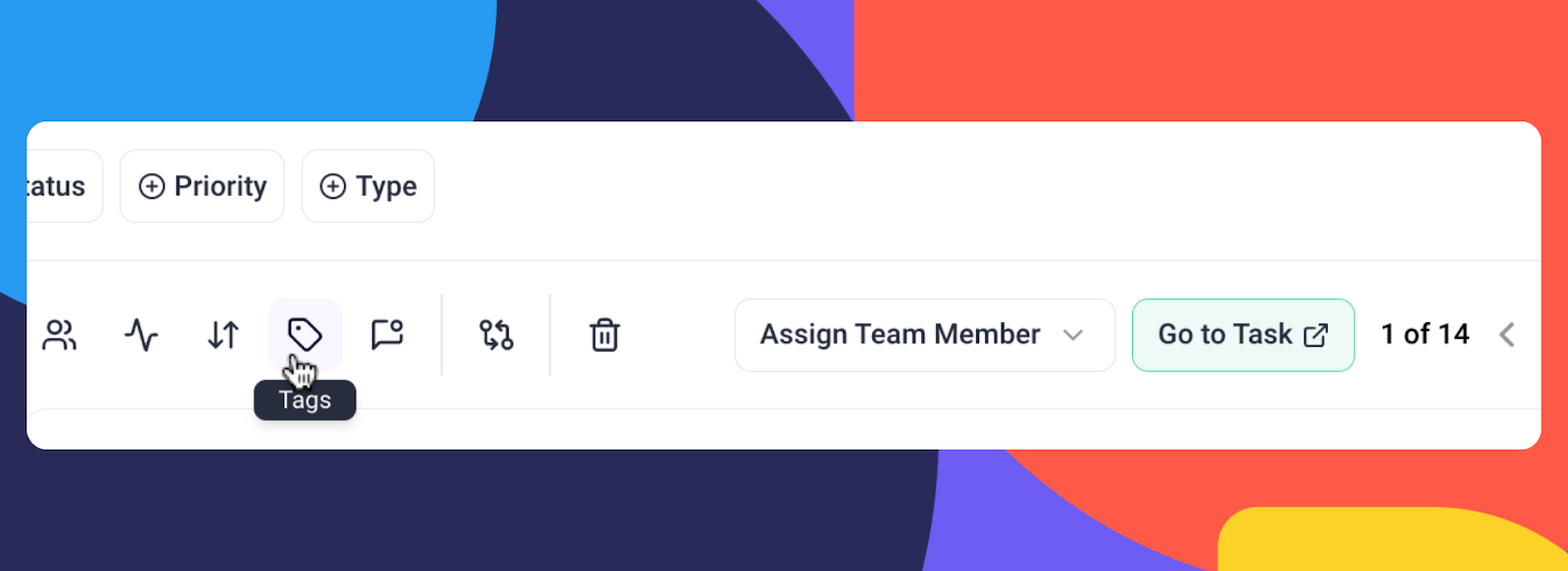
Filter tasks by status, priority, tags, or assignee, and manage multiple tasks at once with improved bulk action functionality.

⏳ Time Tracking Integration

Track time directly in the inbox! Start, pause, and save your time entries without leaving the task window.

?Canned Responses in Collaborate: Faster Communication, Less Repetition

We’ve also introduced canned responses to collaborate. Now, you can create pre-written replies and insert them into conversations inside collaborate with just one click.

Optimizations & Bug Fixes: Faster, Smoother, Better

While Inbox Version 2 is the star of the show, we’ve also packed Version 4.1 with numerous performance optimizations and bug fixes. 

Check out the full change log here.

Ready to Experience Inbox Version 2?

Inbox Version 2 is all about making your life easier—faster navigation, smarter communication tools, and enhanced task management. Whether you’re running a design agency or working as part of an internal team, this update will transform the way you manage projects and stakeholder communication.

Try it out today and see how Inbox Version 2 can revolutionize your workflow!